Appearance
Custom Post Types
The theme registers two custom post types:
- Portfolio Item
arts_portfolio_itemwith the/portfolio/slug. - Service
arts_servicewith the/services/slug.
The slugs are used in permalinks URLs, making them more user- and SEO-friendly. For example, https://mywebsite.com/portfolio/my-item.
Changing CPT Slugs
If you'd like to change the default slugs listed above, set up this handy free plugin Simple Post Type Permalinks which extends the default Settings -> Permalinks panel.
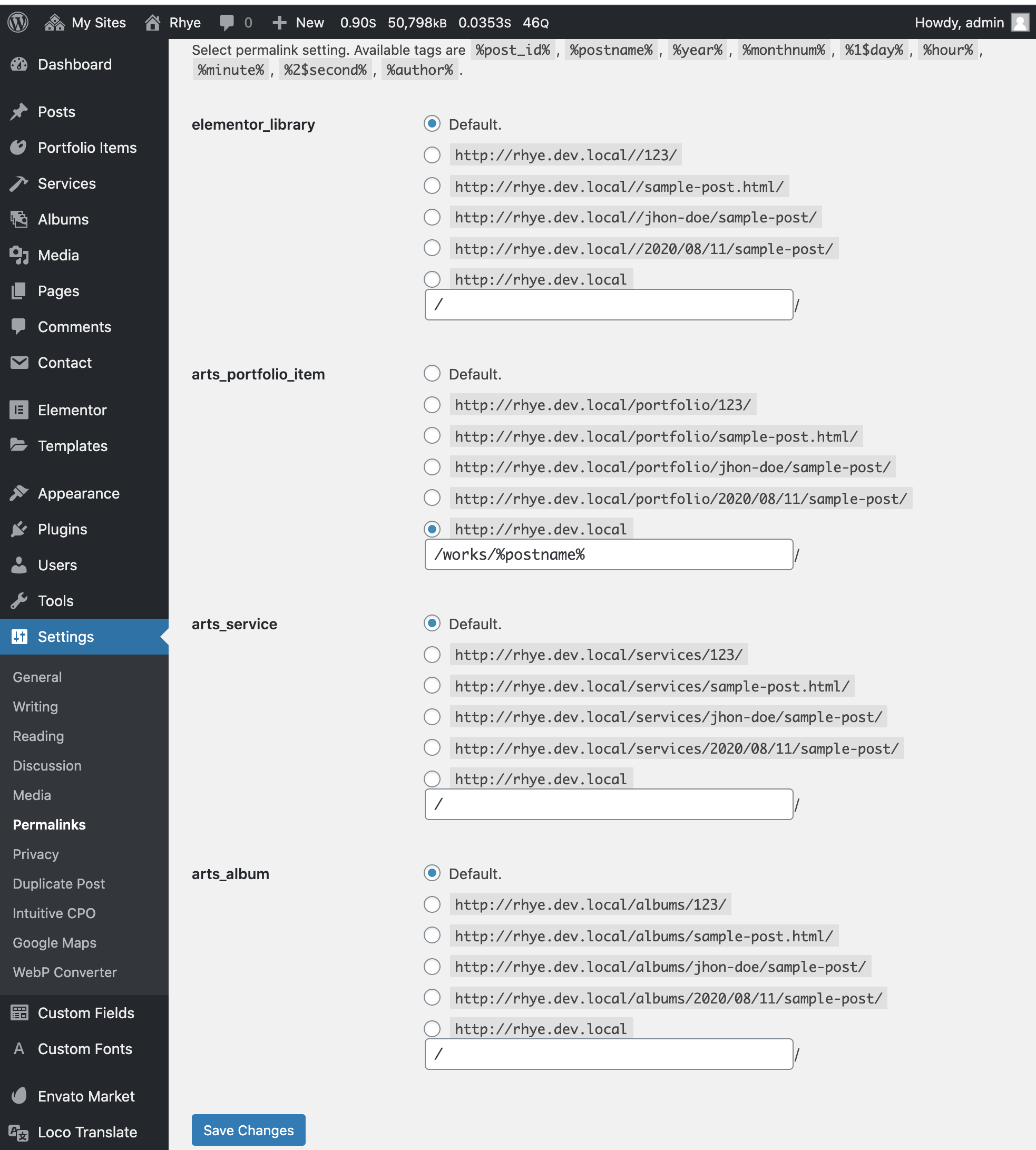
/works/%postname%Removing CPT Base
It's also possible to completely remove a slug's base in permalinks. So https://example.com/portfolio/sunrise-in-desert/ will become https://example.com/sunrise-in-desert/ in the same URL structure as the default page post type.
Use this plugin for that task Remove CPT Base.
Customizing Post Types
Custom posts are generated in PHP code in the following file of Asli Core Plugin 📄 /wp-content/plugins/<ThemeName lowercase />-core/cpt/cpt.php. These are not exposed to the ACF Pro UI in the admin panel for modification. If you'd like to customize them, please use the register_post_type_args filter in functions.php of your child theme:
Example 1. Changing Labels of Portfolio Items
php
<?php
// Paste the following code in functions.php of your child theme

add_filter('register_post_type_args', 'custom_change_cpt_args', 10, 2);
function custom_change_cpt_args( $args, $post_type ) {
  if ( $post_type === 'arts_portfolio_item' ) {
    $args['labels']['name']           = _x( 'Case Studies', 'Post Type General Name', 'asli' );
    $args['labels']['singular_name']  = _x( 'Case Study', 'Post Type Singular Name', 'asli' );
    $args['labels']['menu_name']      = _x( 'Case Studies', 'Admin Menu text', 'asli' );
    $args['labels']['name_admin_bar'] = _x( 'Case Study', 'Add New on Toolbar', 'asli' );
  }

  return $args;
}
Example 2. Deleting (Unregistering) Custom Post Types Created by the Theme
php
<?php
// Paste the following code in functions.php of your child theme

add_action( 'init', 'custom_unregister_post_type' );
function custom_unregister_post_type() {
  unregister_post_type( 'arts_portfolio_item' );
  unregister_post_type( 'arts_service' );
}
Creating New Post Types
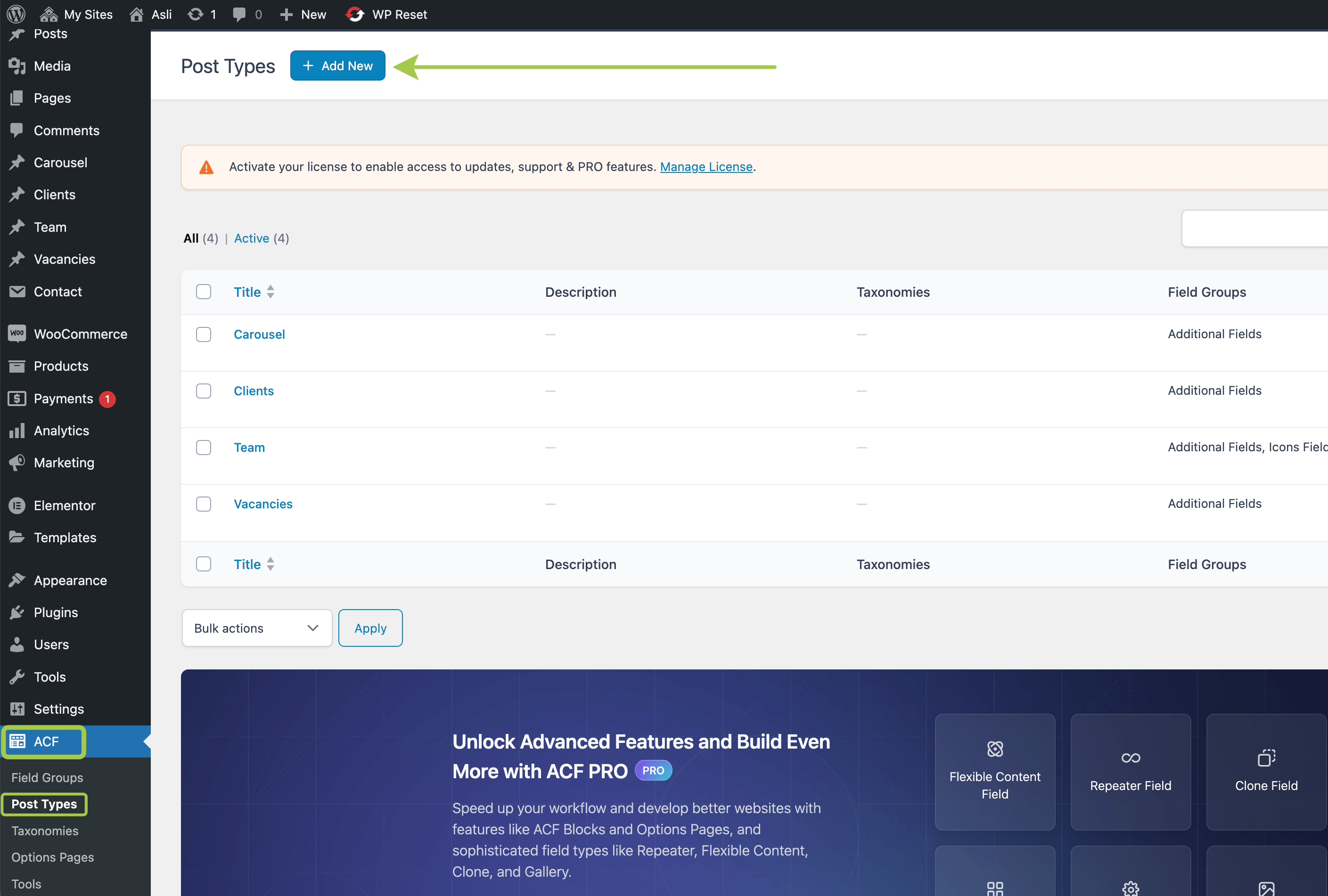
You can register new custom post types via the Advanced Custom Fields plugin. The UI is available in Admin Panel -> ACF -> Post Types: