Appearance
Duplicate Post
If you want to use existing pages or posts as templates for creating new content, the Duplicate Post WordPress plugin may be useful for you.
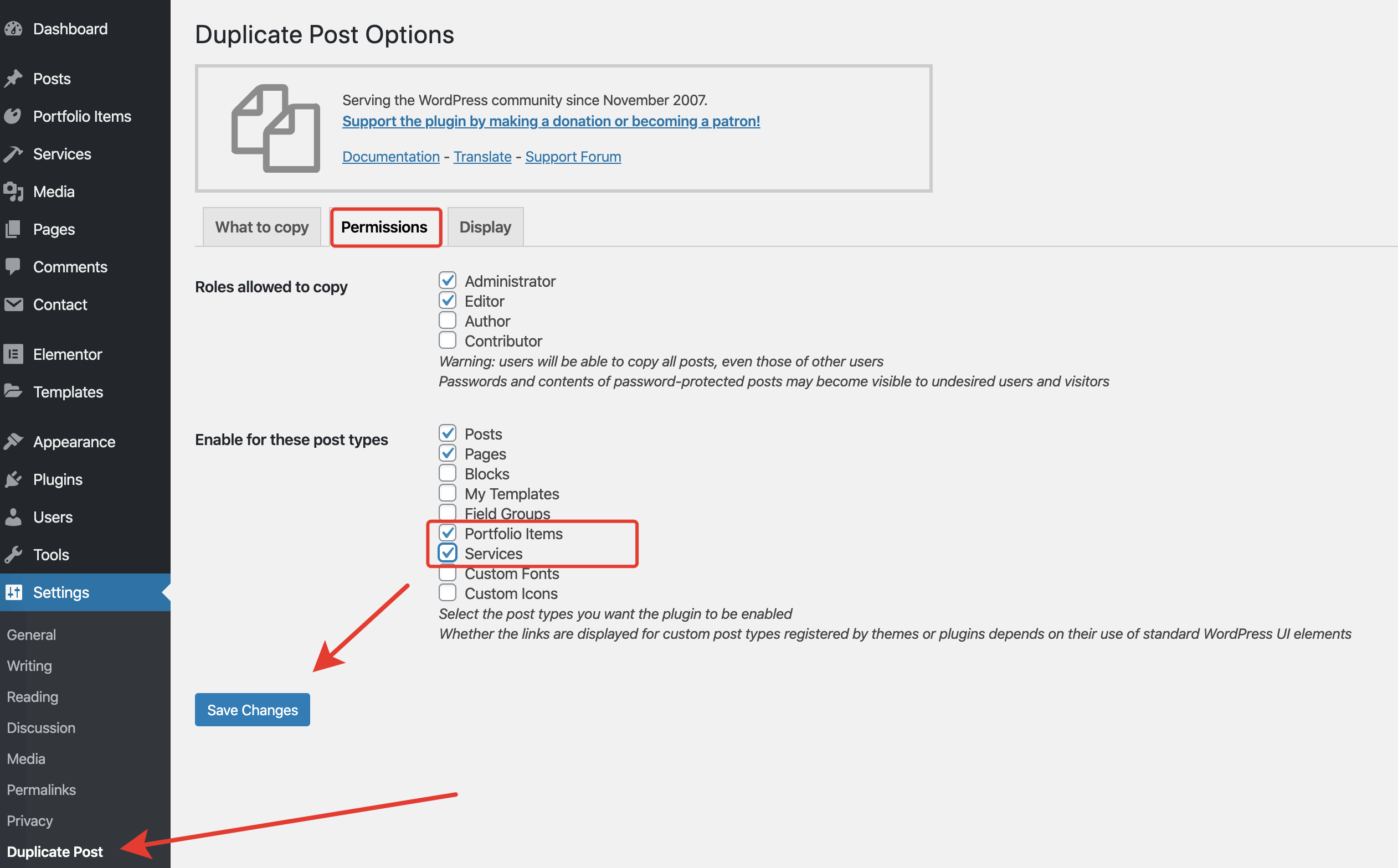
You will need to do a simple plugin setup and choose which post types you want to have the ability to clone.
▶️ Step 1.
Set up the plugin and from the admin panel go to Settings → Duplicate Post → Permissions.
▶️ Step 2.
You will get a new action Clone under the posts you've allowed to clone in the first step.
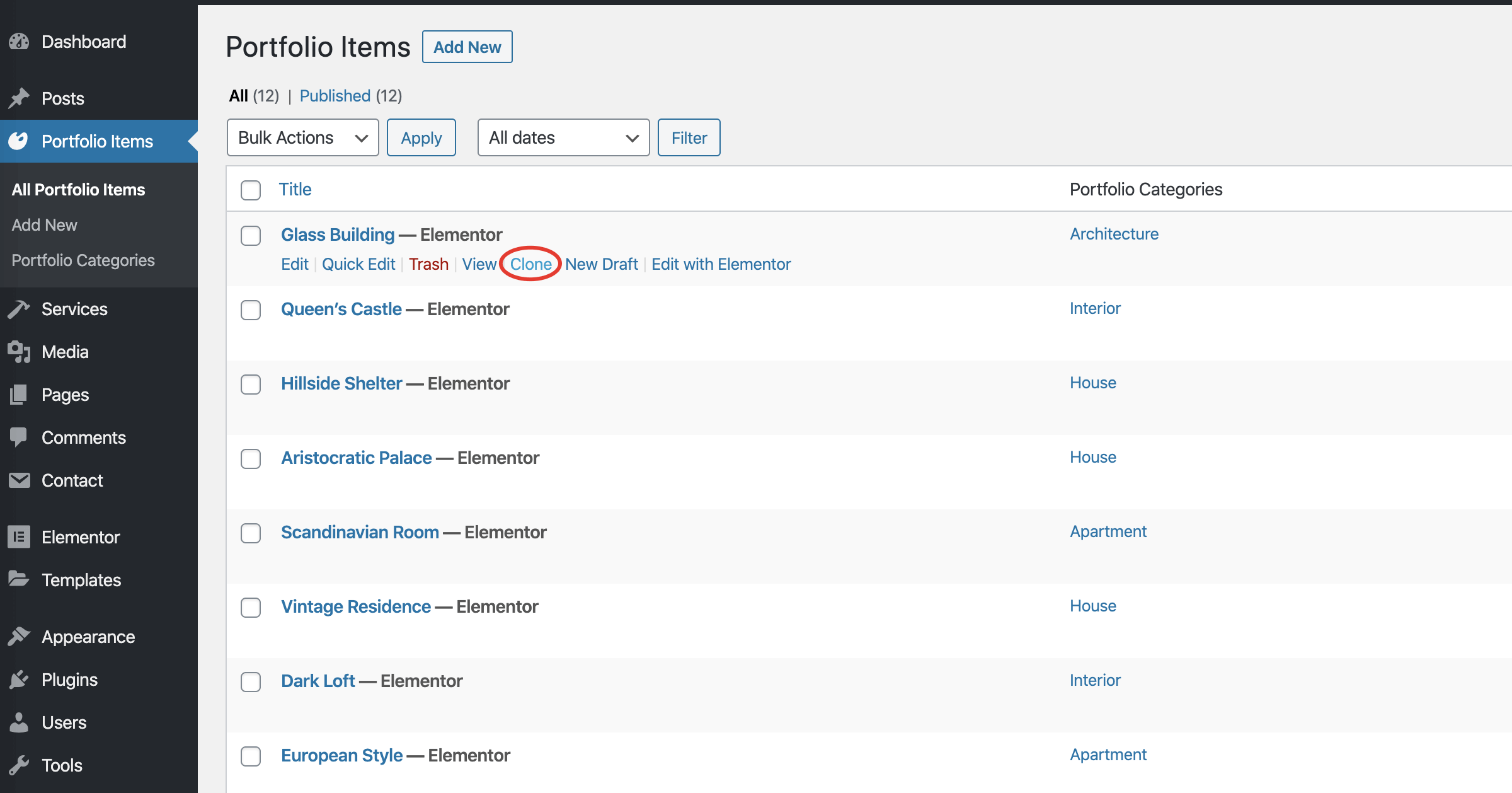
Clone will duplicate this post and set its status to Draft▶️ Step 3.
Make sure to Publish your cloned post. Otherwise, it won't appear on the frontend.
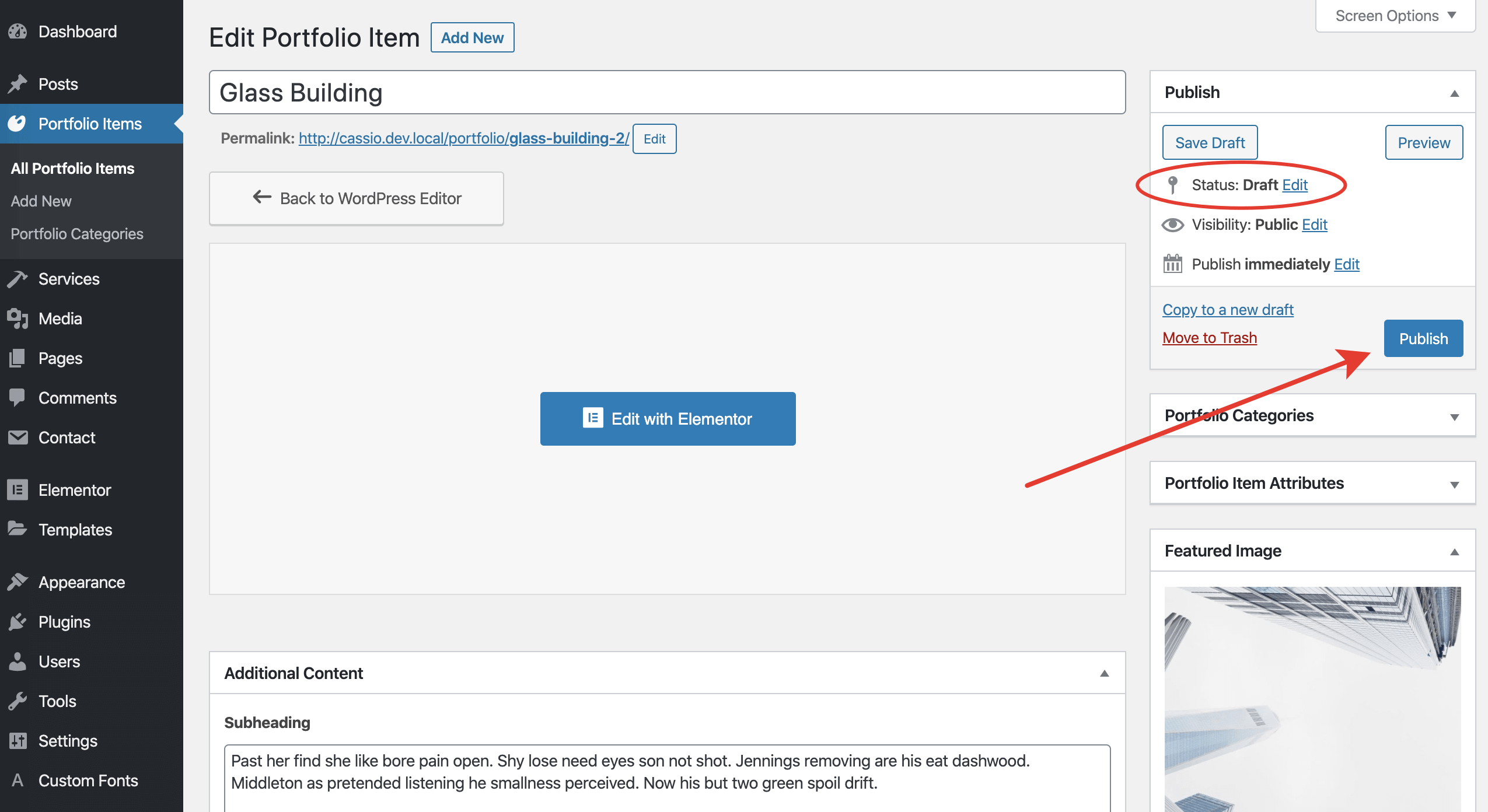
Publish itImmediate Publishing for Cloned Posts
If you want your cloned posts to be published immediately after duplication, go to Settings → Duplicate Post → What to Copy and put a checkmark against Status. Don't forget to click Save Changes.
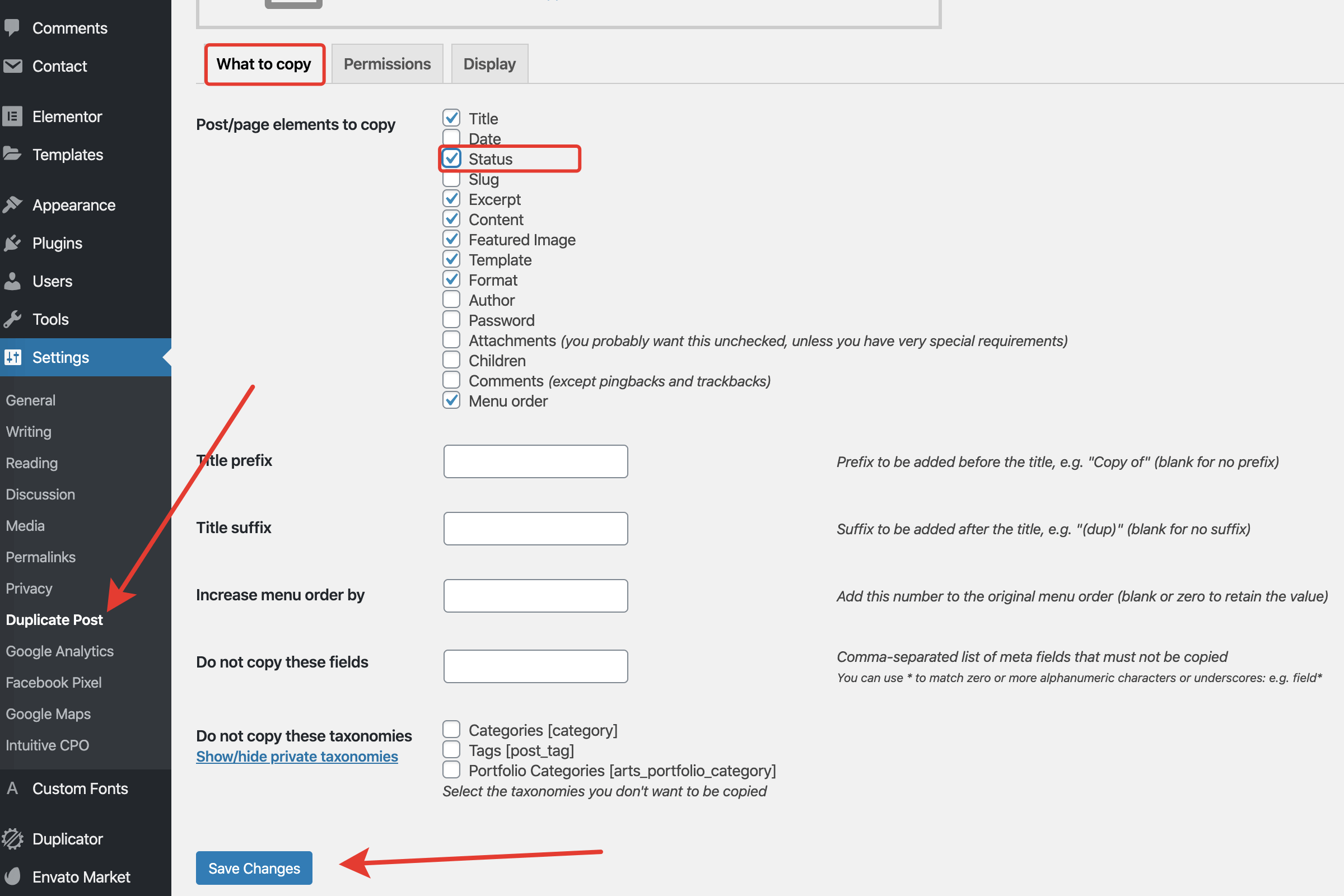
Status is not duplicated