Appearance
What's Included?
After you've made a purchase on Themeforest, you'll need to download theme files from your Themeforest Account. To do this, simply navigate to Downloads tab and find purchased item Asli – AJAX Portfolio Elementor Theme
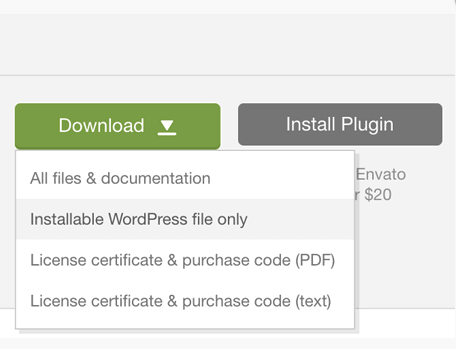
All Files & Documentation
In the package you will find:
📄 asli.zip– main theme file. You can install it through WordPress admin panel. If you install it via FTP then unzip it first and use the extracted folder.📄 asli-child.zip– child theme. For advanced users who are about to make code changes.📁 Documentation– folder with the user guide.📁 Licensing– all the legal information.📁 Bundled Plugins- archives of the plugins required by the theme.📁 Elementor Templates- all the templates showcased in the theme demo. You can selectively import these templates into Elementor and use them on your site pages instead importing the whole demo data.
Missing demo content files for manual import?
Once the theme is activated in WordPress a wizard setup will appear. It will install required plugins, download & import all the demo files automatically for you. After the demo import you should get 1:1 copy of the theme live demo on your web-server. Since there is no need to import demo content manually anymore, theme demo files are not supplied to the download package.
For more information please refer to Wizard Setup.
Installable WordPress file only
📄 asli.zip– main theme file. You can install it through WordPress admin panel. If you install it via FTP then unzip it first and use the extracted folder.
Getting "Missing style sheet" error?
A common issue that can occur with users new to installing WordPress themes is a "Broken theme and/or stylesheets missing” error message being displayed when trying to upload or activate the theme. This error message does not mean that the theme you have purchased is broken, it simply means it has been uploaded incorrectly.