Appearance
Theme Upload Troubleshooting
Warning
Are You Sure You Want To Do This?
It means that you have a tight upload size file limit. If you get this message, try to install the theme via FTP instead of using admin panel. Or ask your hosting company to increase the upload limit if possible.
Error
Unpacking the package...
Installing the theme...
The package could not be installed. The theme is missing the style.css stylesheet.
Theme install failed.
You may have uploaded the wrong zip package to WordPress. Remember, that you need to upload only the installable theme file (it should be named 📄 asli.zip). Please refer to this article for a fix.
Error
Fatal Error: Maximum Execution Time Exceeded in WordPress
Other similar issues:
- White screen
- Empty page content
500, 501and other50xerrors
The problem is related to low PHP configuration limits. The solution is to increase the PHP limits. You can do this on your own, or contact your web hosting provider and ask them to increase those limits to a minimum as recommended in Server Requirements section.
Checking Server Configuration
You can verify your PHP configuration limits by checking Site Health section in your admin panel.
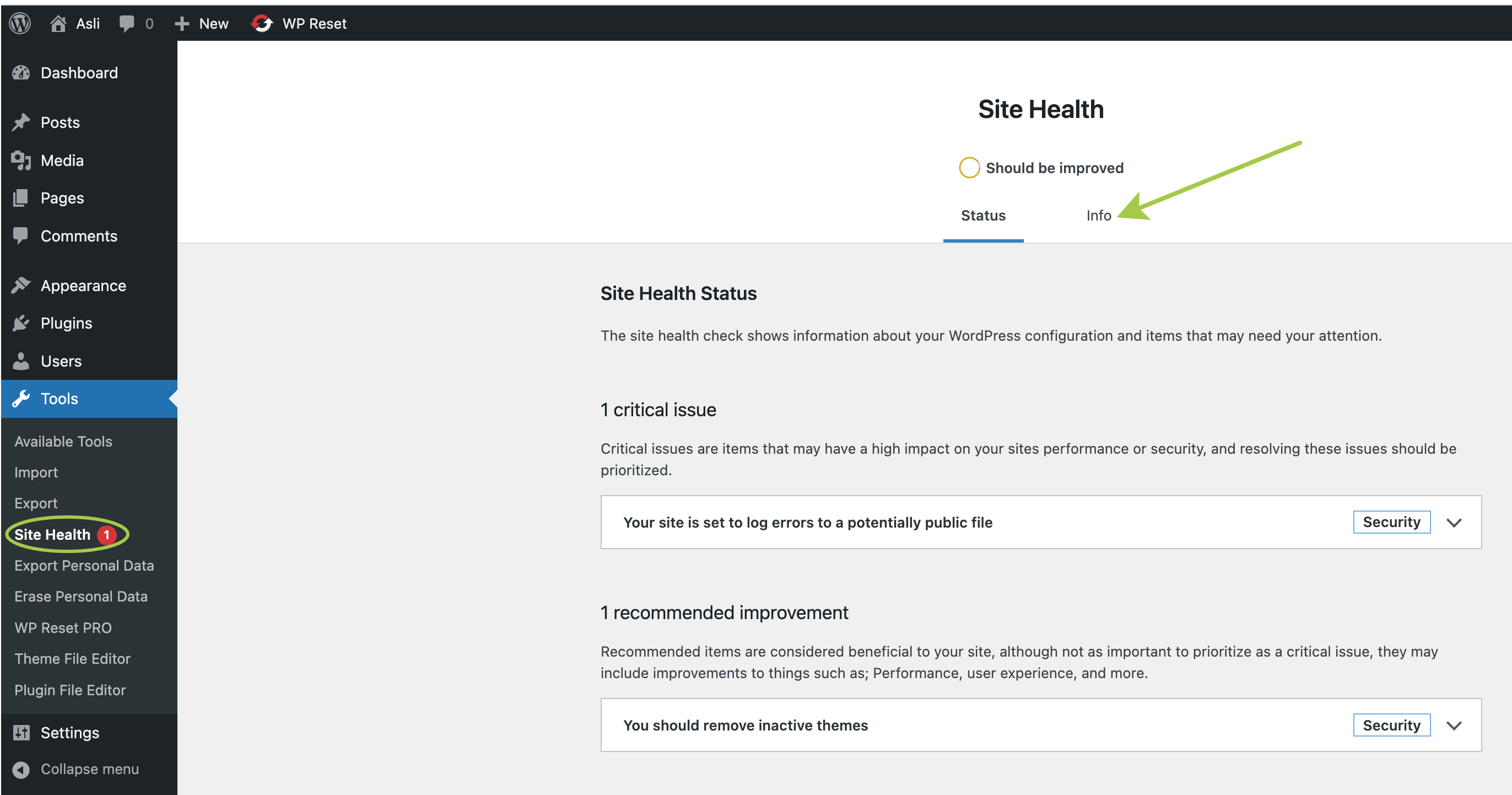
Info button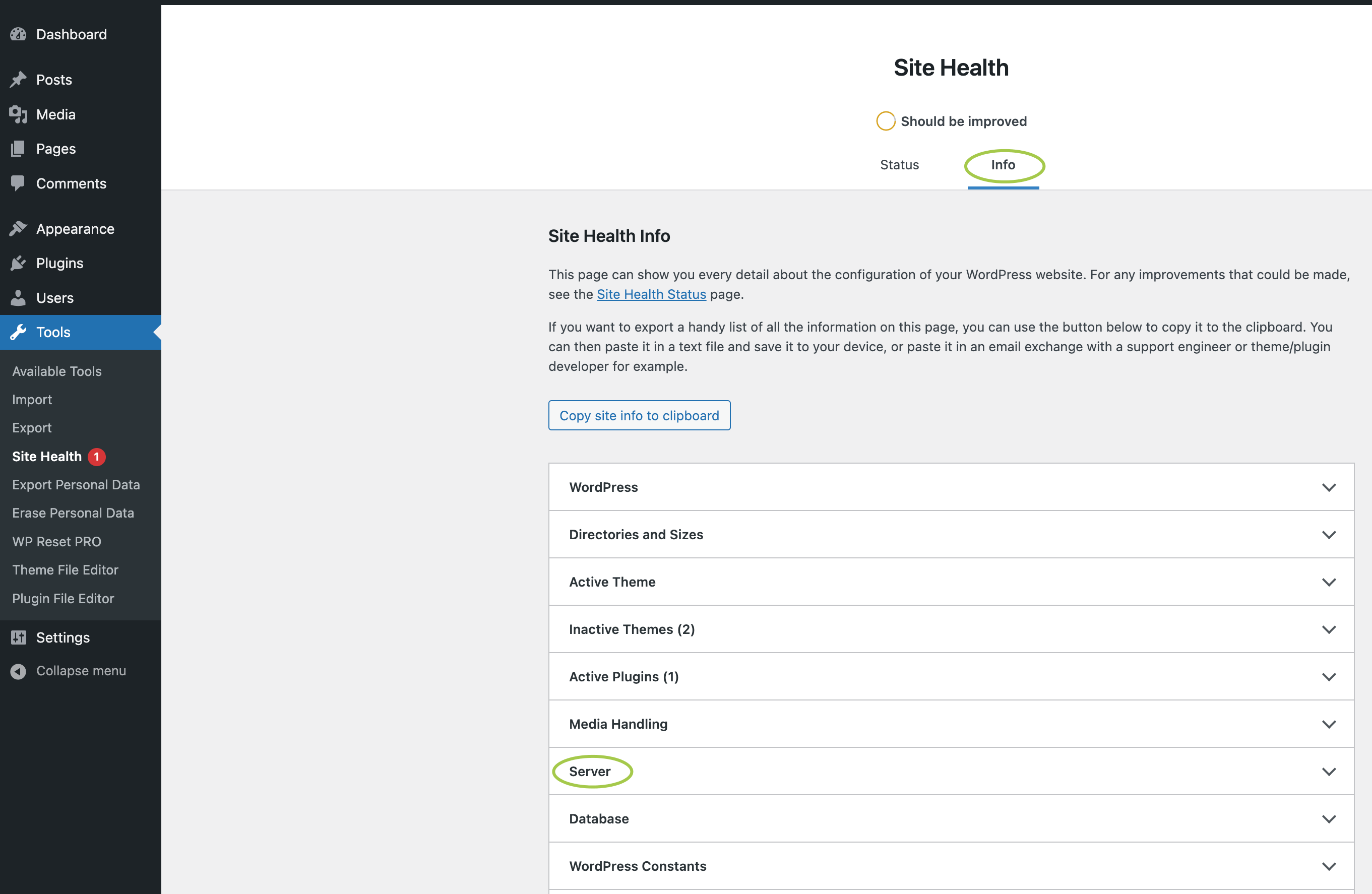
Server section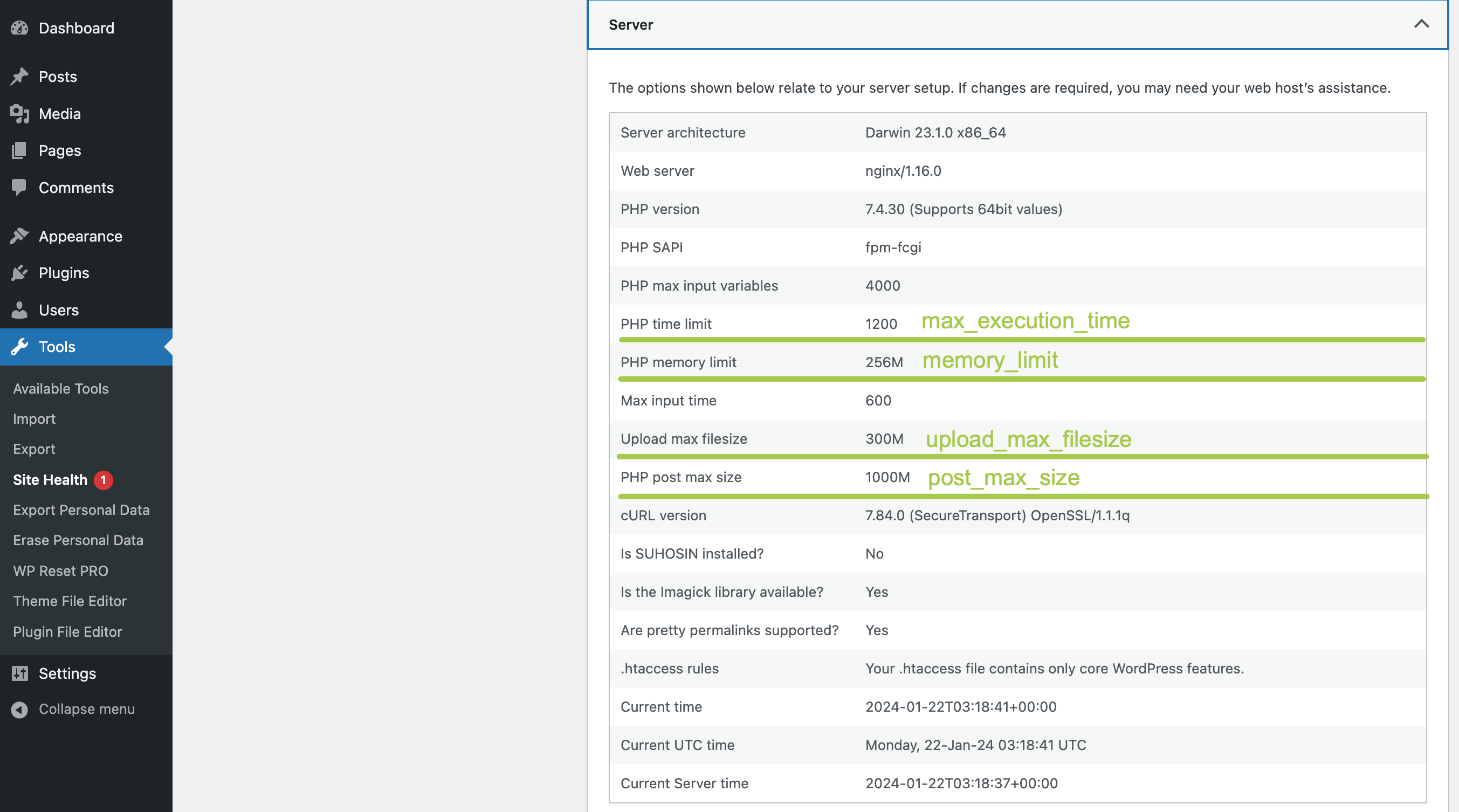
Double check all the key numbers as underlined on the screenshot above. If your server has low configuration limits, please contact your hosting provider and ask to increase those. More information related to recommended PHP limits in Server Requirements.