Appearance
Using Header Height Presets
The theme's header height adjusts dynamically based on scroll position and sticky state. Header Presets are available throughout Elementor, making it easy to create layouts that adapt to the header.
How to Use
When configuring padding or margin on any Container or widget:
- Click the unit dropdown (usually showing "px")
- Select "fluid" from the unit options
- A preset dropdown will appear
- Expand the "Header Presets" group
- Select your desired preset
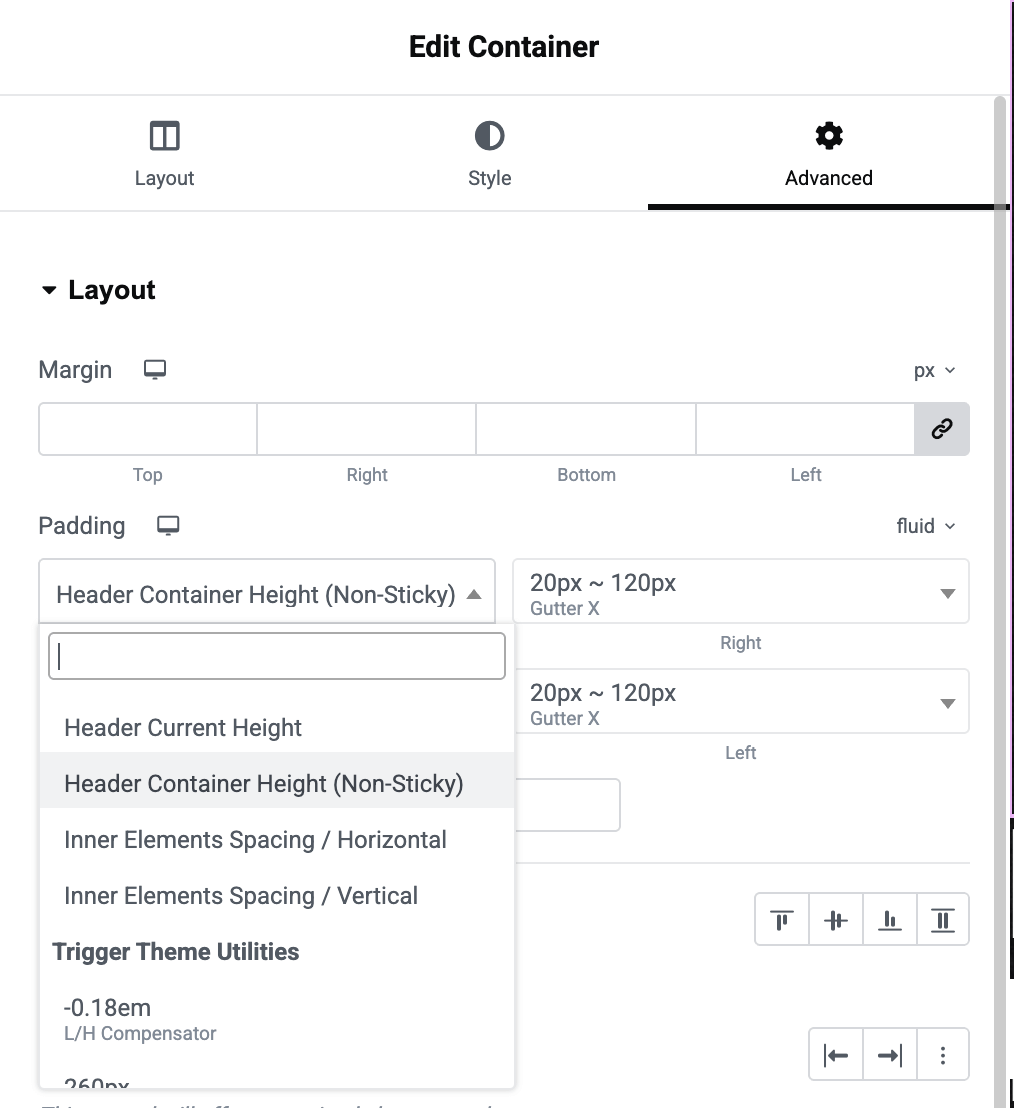
Available Header Presets
Header Current Height. The current header height in pixels, which changes dynamically when the header becomes sticky. Use this for elements that should always maintain proper spacing from the header.
Header Container Height (Non-Sticky). The fixed height of the header in its non-sticky state. Useful when you need a constant value regardless of scroll position.
Inner Elements Spacing / Horizontal. The horizontal spacing used between elements inside the header. Helpful for maintaining visual consistency with header layout.
Inner Elements Spacing / Vertical. The vertical spacing used between elements inside the header. Helpful for maintaining visual consistency with header layout.
Advanced: CSS Variables
For developers who need to use these values in custom calc() formulas:
css
/* Available CSS variables */
--arts-header-height                /* Current dynamic height */
--arts-header-height-non-sticky     /* Non-sticky state height */
--arts-header-spacing-horizontal    /* Header internal horizontal spacing */
--arts-header-spacing-vertical      /* Header internal vertical spacing */
Example usage:
css
/* Full viewport height minus header */
min-height: calc(100vh - var(--arts-header-height));