Appearance
License Activation
The theme includes a license activation mechanism. Once activated, you will receive:
- Automatic updates for Trigger Theme, Core Plugin, and bundled plugins (e.g., ACF Pro)
- 6 months of personalized technical support from the theme author
- Help with reported bugs and issues
The updates will appear in your WordPress dashboard via notifications:
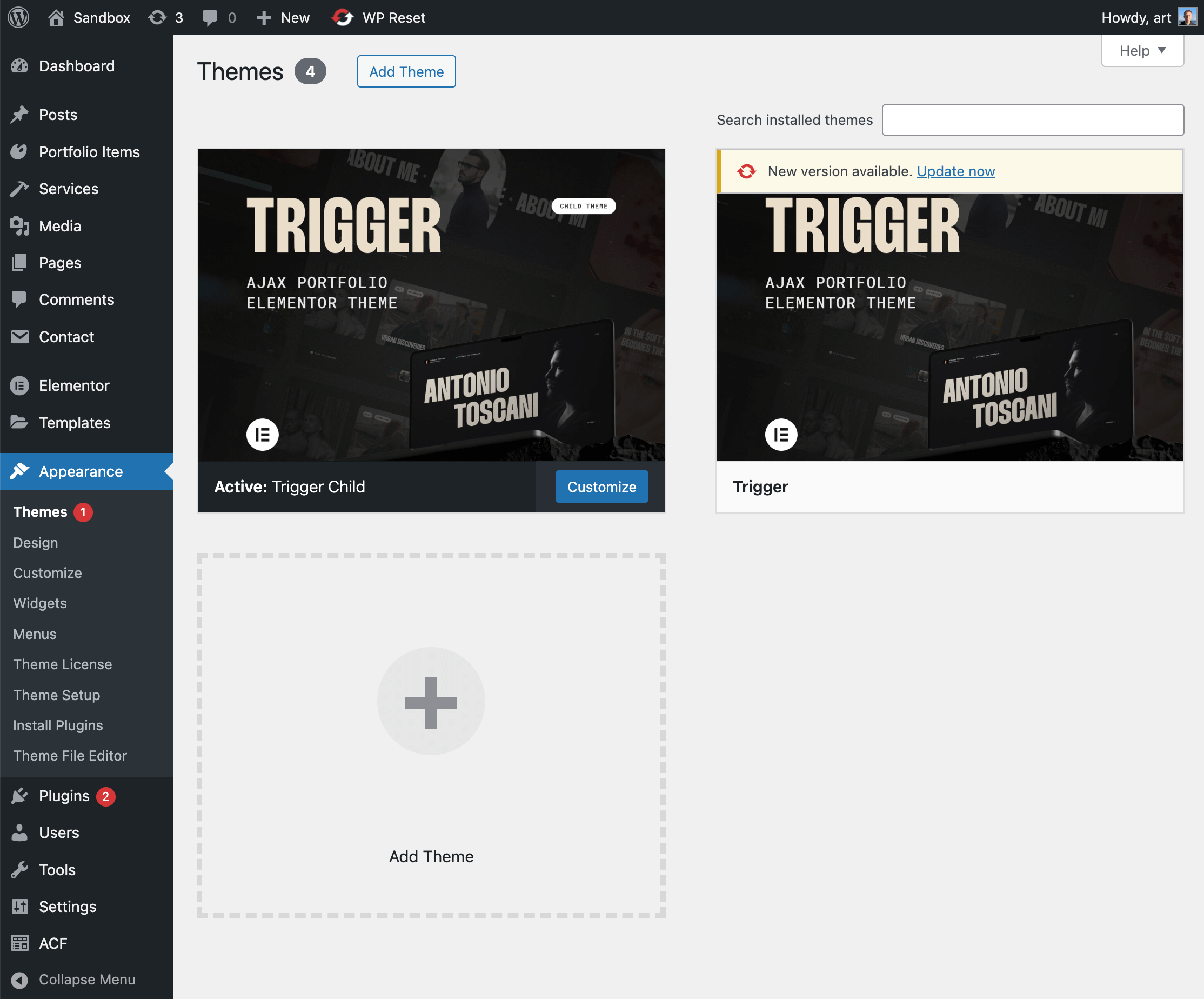
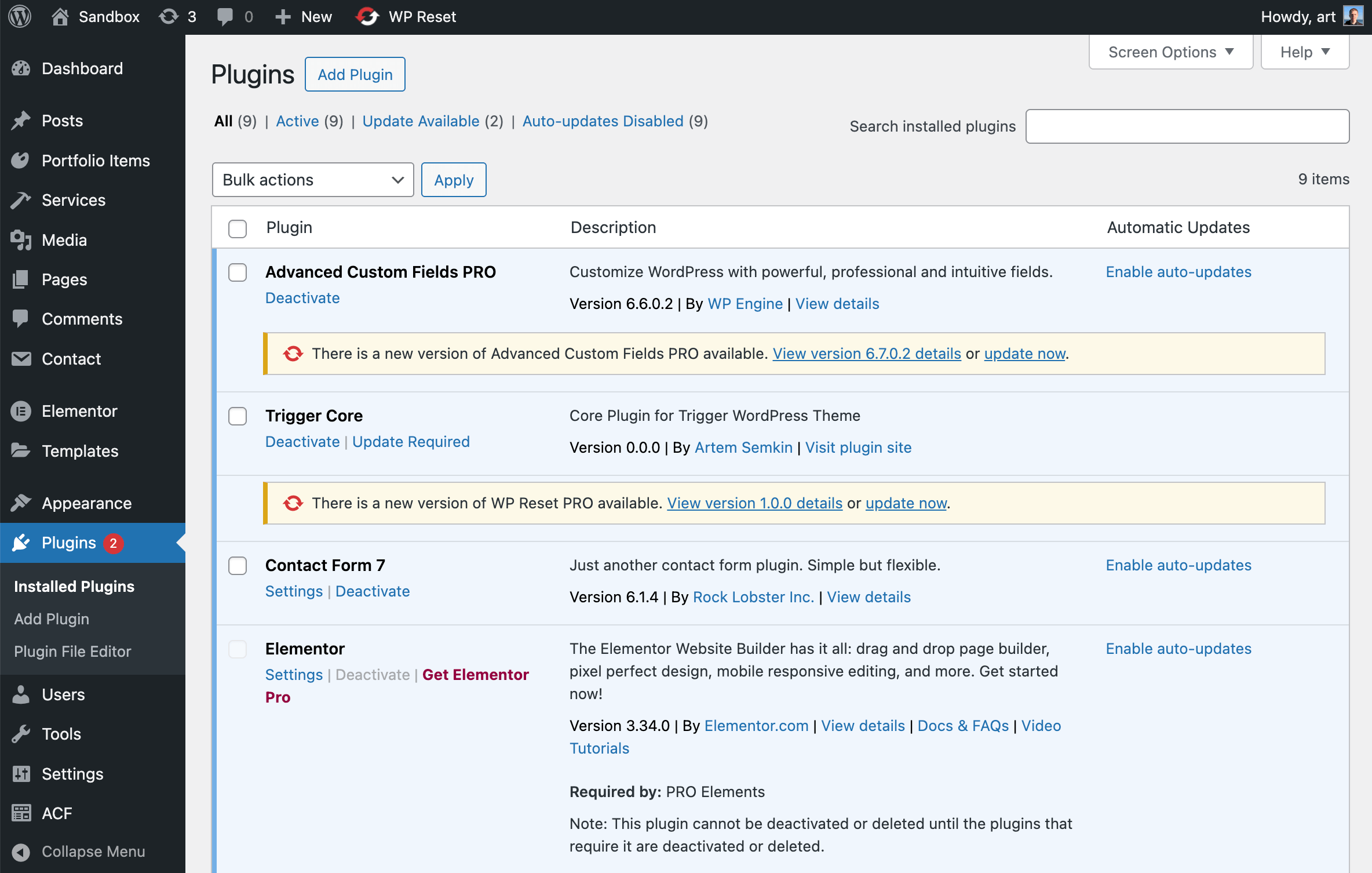
🚨 Moving Domains?
Deactivate your license from the old domain FIRST before activating on the new one (staging → production, subdomain changes, domain migrations).
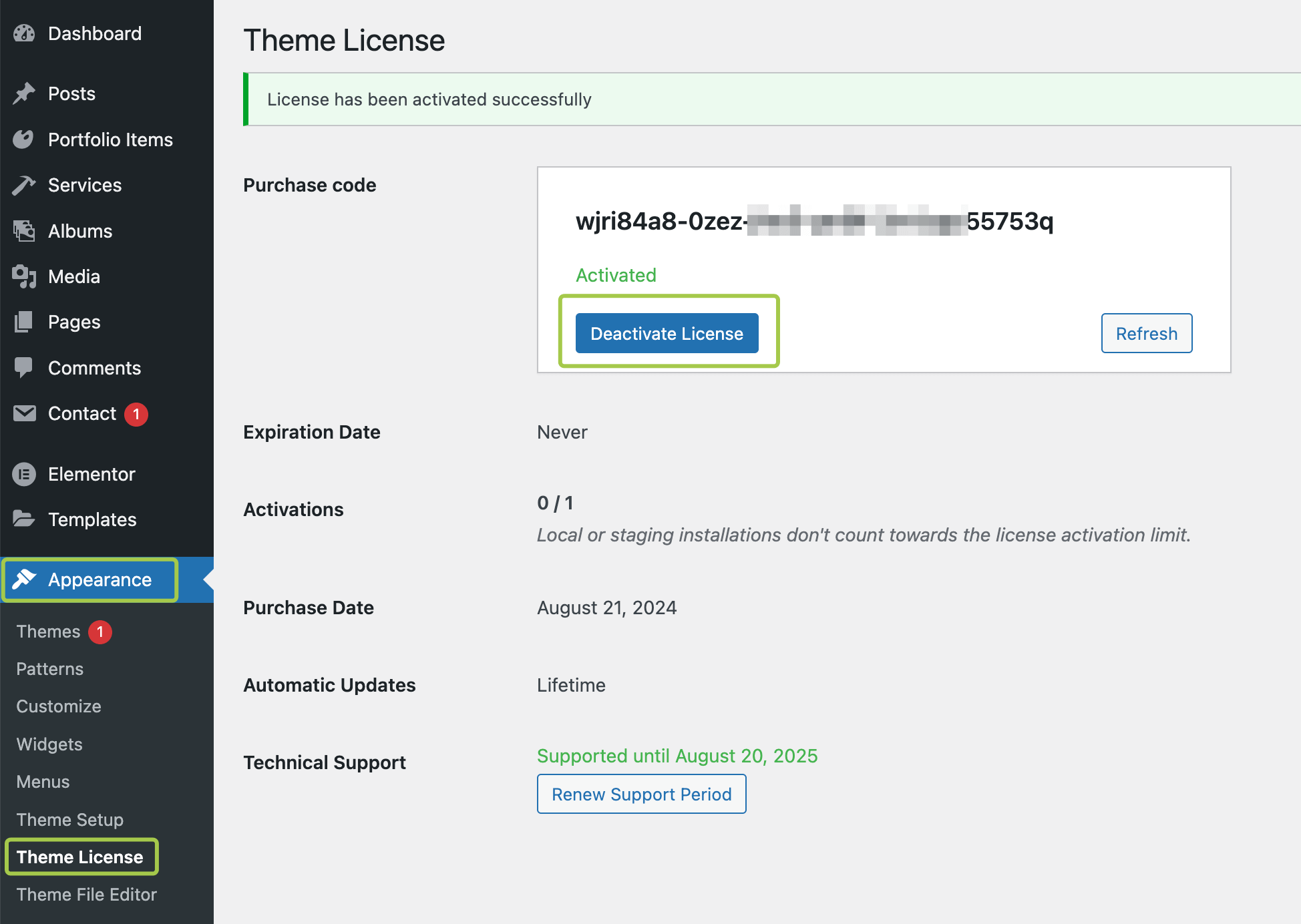
Deactivate: Appearance → Theme License → Deactivate License
Can't access the old domain? Request manual reset
How to Activate?
Option 1: Theme Wizard Setup
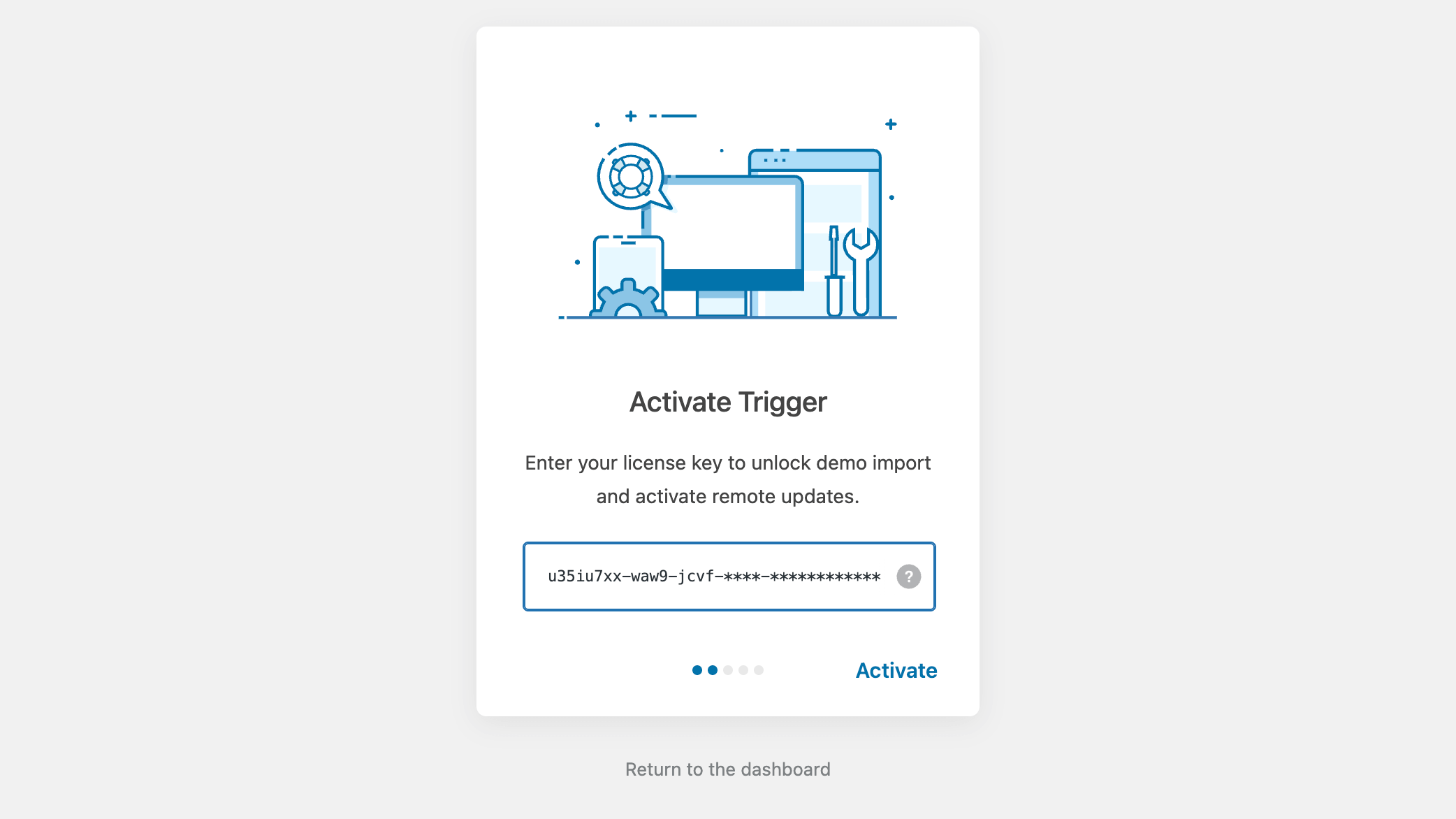
When the theme is installed for the first time, a step-by-step setup wizard will appear. During one of the steps, you'll be prompted to enter your item purchase code:
Option 2: Theme License Panel
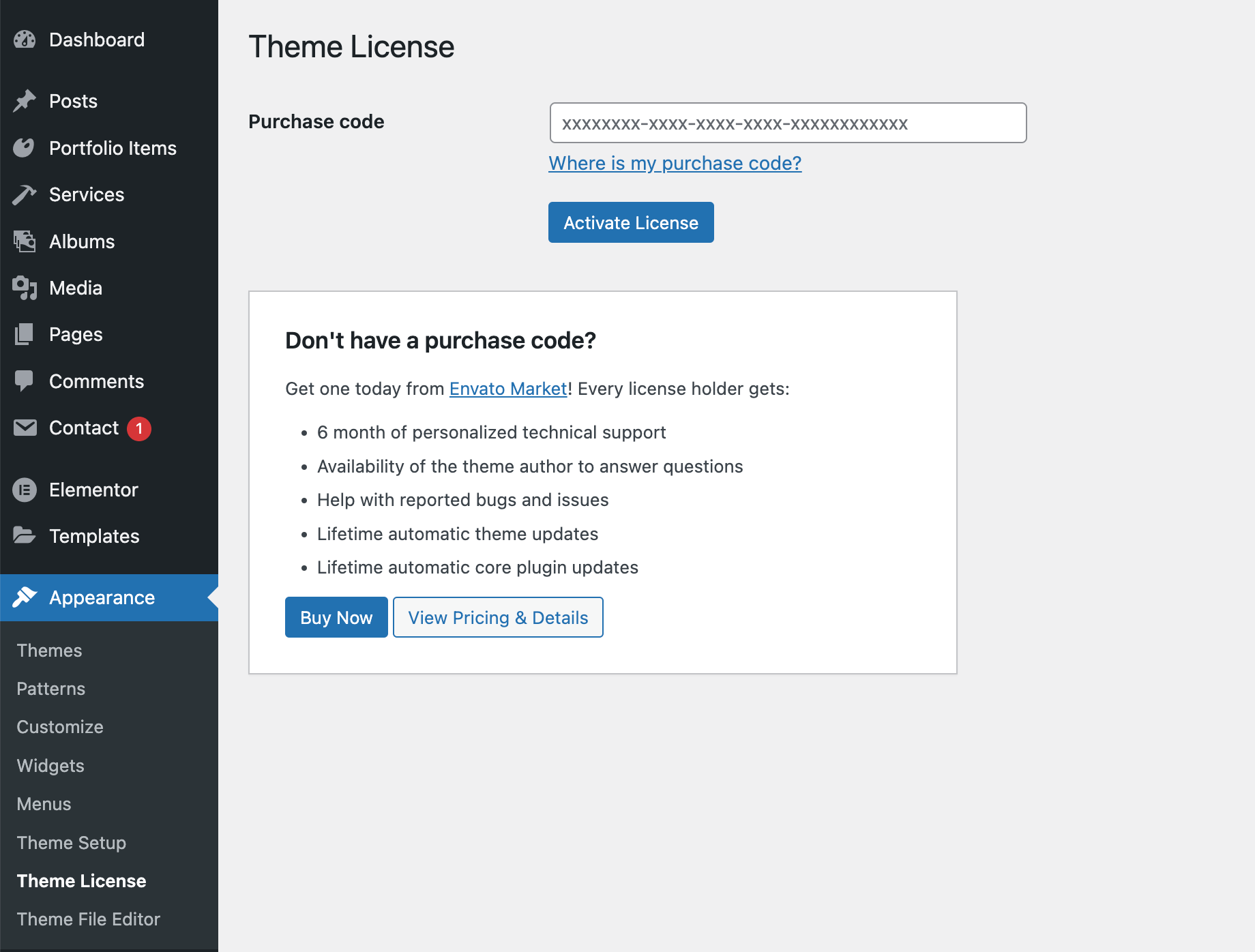
You can also manage license activation from the Admin Panel → Appearance → Theme License panel:
Where to Find the Purchase Code?
The purchase code consists of letters and numbers separated by dashes:
xxxxxxxx-xxxx-xxxx-xxxx-xxxxxxxxxxxx
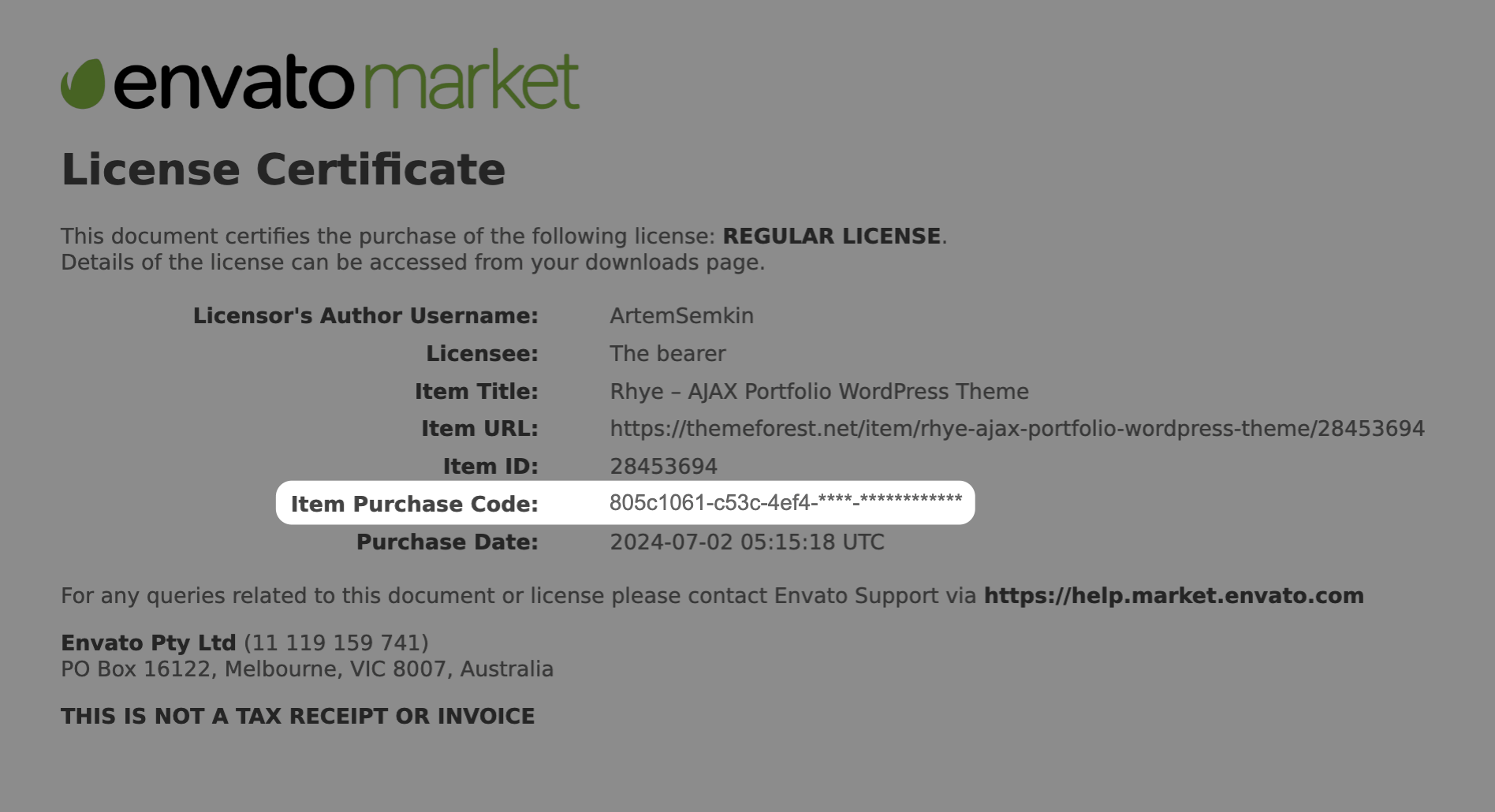
For detailed instructions, refer to: Where is my purchase code?
If you don't have a purchase code, you can obtain one from Envato Market:
Purchase on Envato MarketLicense Usage Policy
A single regular license covers one live website. If you need to use the theme on multiple websites, you must purchase a separate license for each domain.
A new license is required for:
- A different domain (e.g.,
myotherwebsite.com) - A separate client project
- Any website that is not strictly a staging environment
Local & Staging Sites
Local or staging installations (e.g., https://localhost/, https://my-staging.local/) do not count toward the license limit and do not require deactivation.
Transferring a License
A license can be activated on only one website at a time, as per Envato Licensing Terms. To move your license to a new domain, first deactivate it from the current site.
Deactivate a License
- Go to
WordPress Admin → Appearance → Theme License. - Click the
Deactivate Licensebutton.
Activate on a New Website
- Install the theme on the new domain.
- Go to
WordPress Admin → Appearance → Theme License. - Enter your purchase code and click
Activate.
Important
- If the old website no longer exists, open a private ticket in the Support Forum to request a manual license reset.
- If you purchased the theme for a client and they need ongoing support, they should purchase their own license.