Appearance
Contact Form 7
Trigger is compatible with the popular Contact Form 7 plugin for managing contact forms on your website.
TIP
This plugin is recommended by the Trigger theme and is likely already installed. If not, search for it in Plugins → Add Plugin.
Trigger includes a dedicated Contact Form widget for Elementor—simply select your form from a dropdown instead of copying shortcodes.
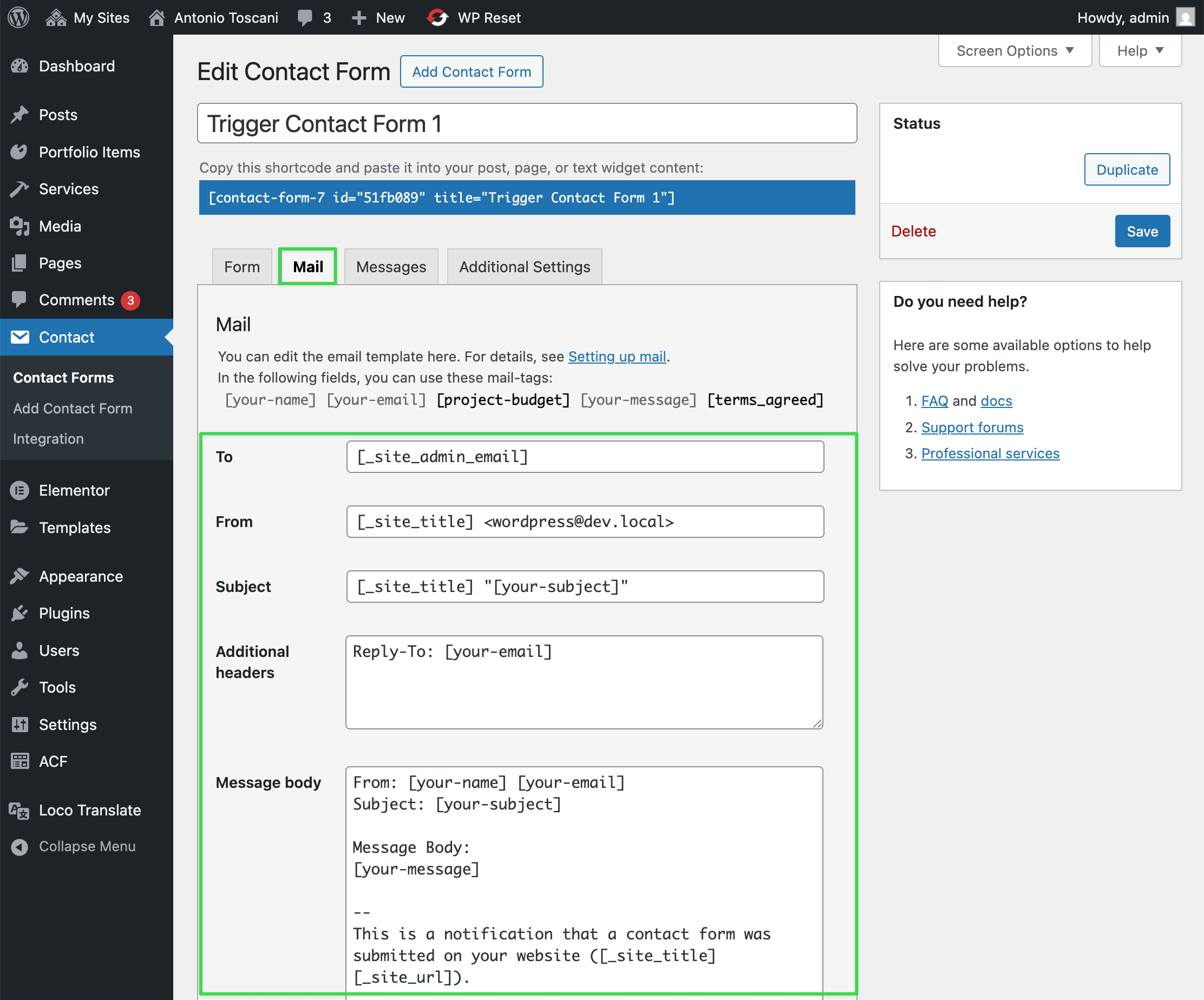
Step 1: Configure Email Settings
Go to Contact → Contact Forms, click on your form, and open the Mail tab. Set where submitted messages should be sent.
Step 2: Add Widget & Select Form
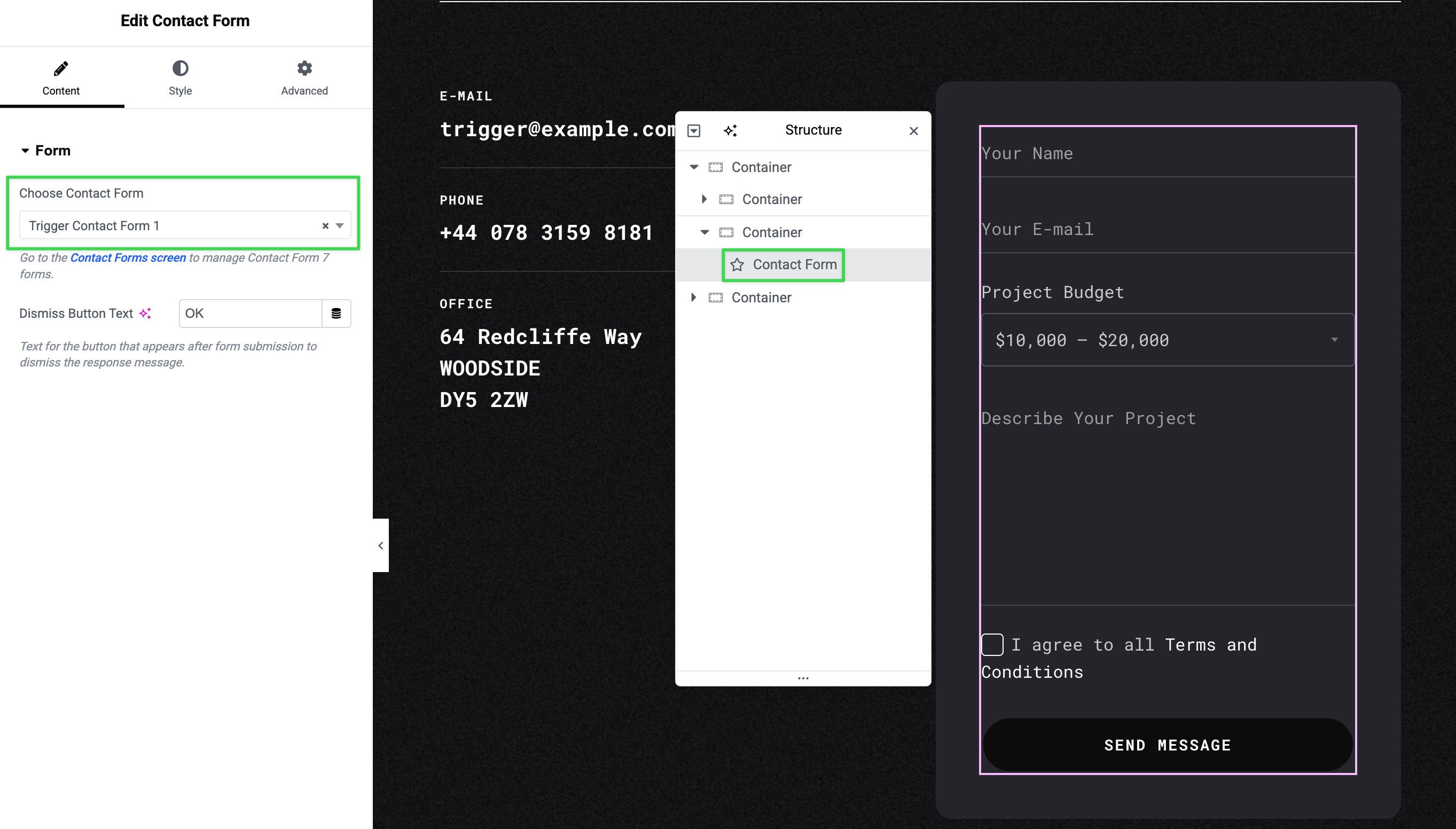
In Elementor, add the Contact Form widget (found in Trigger UI category) to your page. Select your form from the Choose Contact Form dropdown.
TIP
Customize the form's appearance in the Style tab.
Creating Custom Forms
If you want to create a custom Contact Form 7 form from scratch, you can add a new form in Contact → Contact Forms and use the following HTML template as a starting point:
html
<div class="trigger-form">
  <div class="trigger-form__row">
    <div class="trigger-form__col trigger-form__col_half">
      <label class="input-float">
        [text* your-name class:input-float__input]
        <span class="input-float__label">Your Name</span>
      </label>
    </div>

    <div class="trigger-form__col trigger-form__col_half">
      <label class="input-float">
        [email* your-email class:input-float__input]
        <span class="input-float__label">Your E-mail</span>
      </label>
    </div>
  </div>

  <div class="trigger-form__row">
    <div class="trigger-form__col">
      <div class="input-select">
        <span class="input-select__label">Project Budget</span>
        [select project-budget default:2 "< $10,000" "$10,000 – $20,000" "$20,000 – $50,000" "> $50,000"]
      </div>
    </div>
  </div>

  <div class="trigger-form__row">
    <div class="trigger-form__col">
      <label class="input-float">
        [textarea your-message class:input-float__input class:input-float__input_textarea rows:3]
        <span class="input-float__label">Describe Your Project</span>
      </label>
    </div>
  </div>

  <div class="trigger-form__row">
    <div class="trigger-form__col">
      <label class="input-checkbox input-float">
        [acceptance terms_agreed class:input-checkbox__checkbox class:input-float__input]
        <span class="input-checkbox__label">I agree to all <a href="#">Terms and Conditions</a></span>
      </label>
    </div>
  </div>

  <div class="trigger-form__row trigger-form__row_submit">
    <div class="trigger-form__col">
      [trigger_button tag="button" button_type="submit" label="Send Message" fullwidth="true" class="wpcf7-submit"]
    </div>
  </div>
</div>
For more information on customizing Contact Form 7, see the official Contact Form 7 Documentation.