Appearance
Accessing Theme Options Panel
▶️ Step 1.
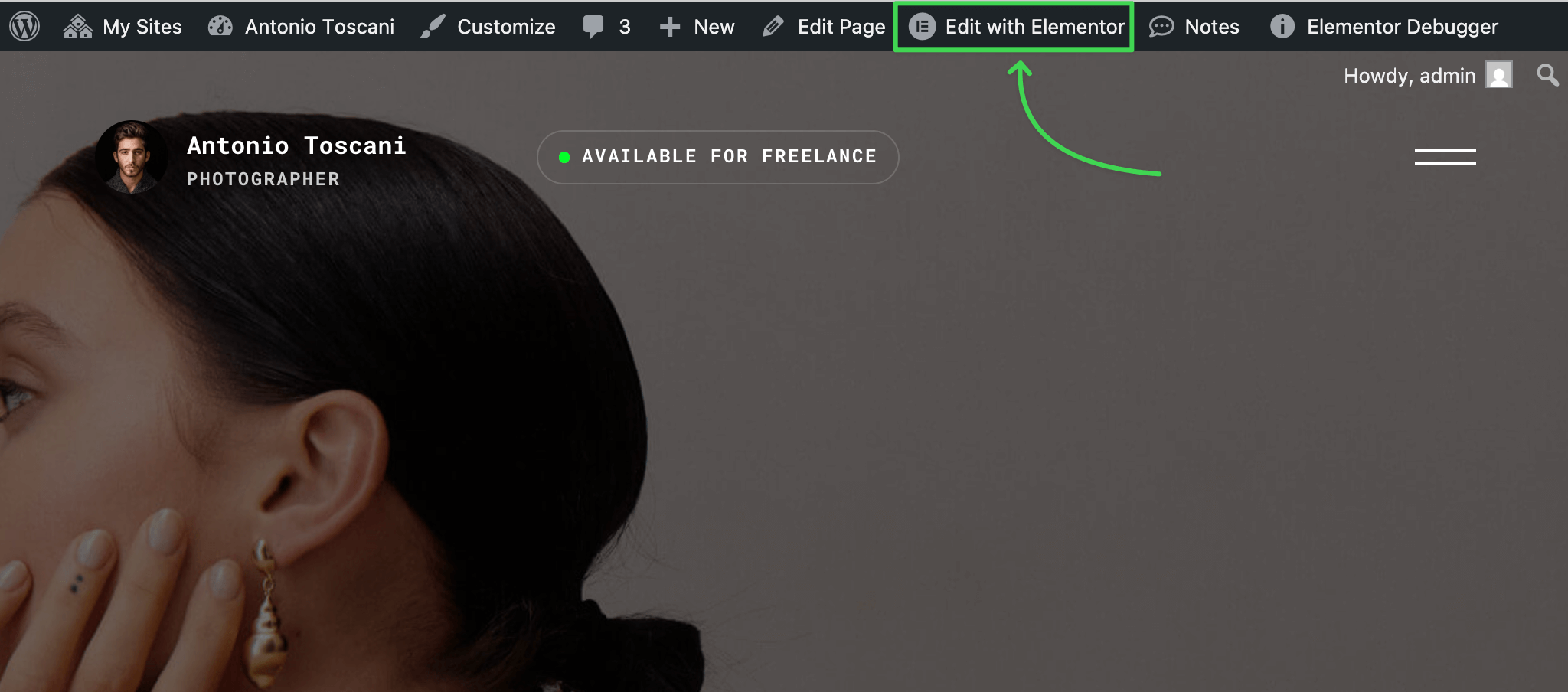
Visit any site page or post and enter the Elementor editor by clicking Edit with Elementor in the admin bar.
▶️ Step 2.
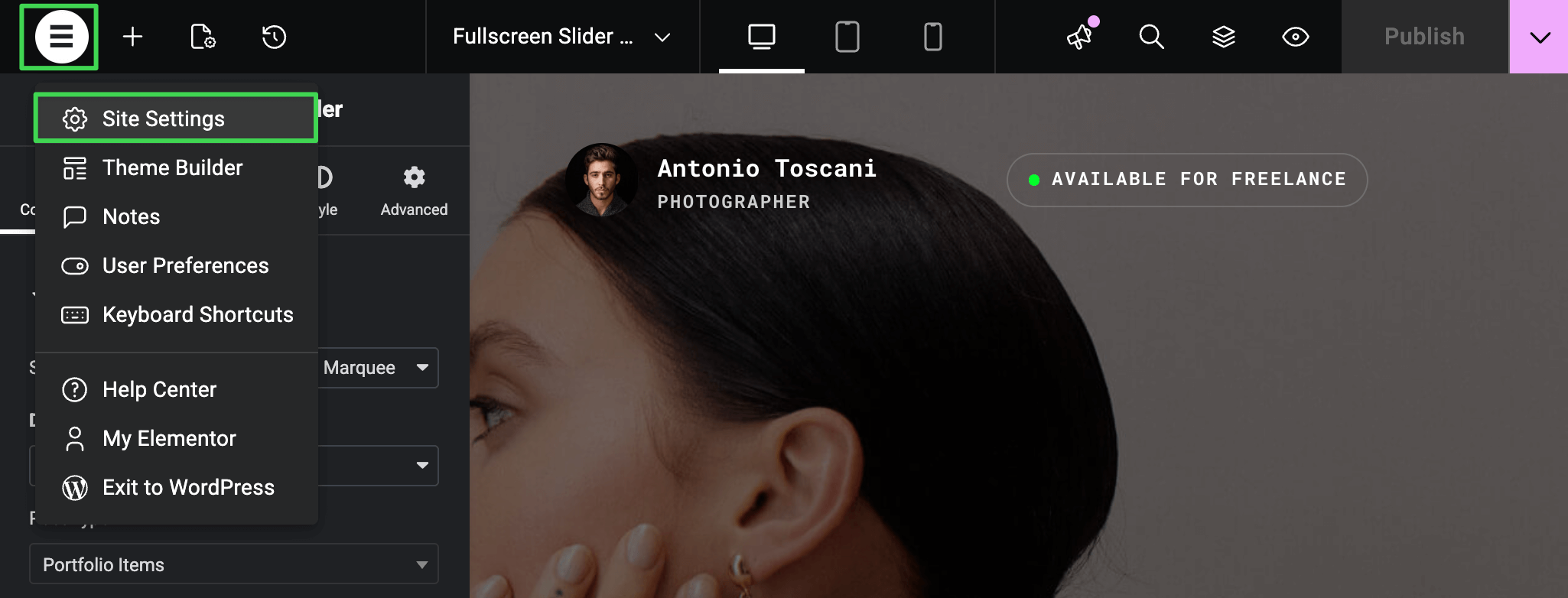
In the editor, click the burger icon at the top left and select Site Settings from the dropdown.
▶️ Step 3.
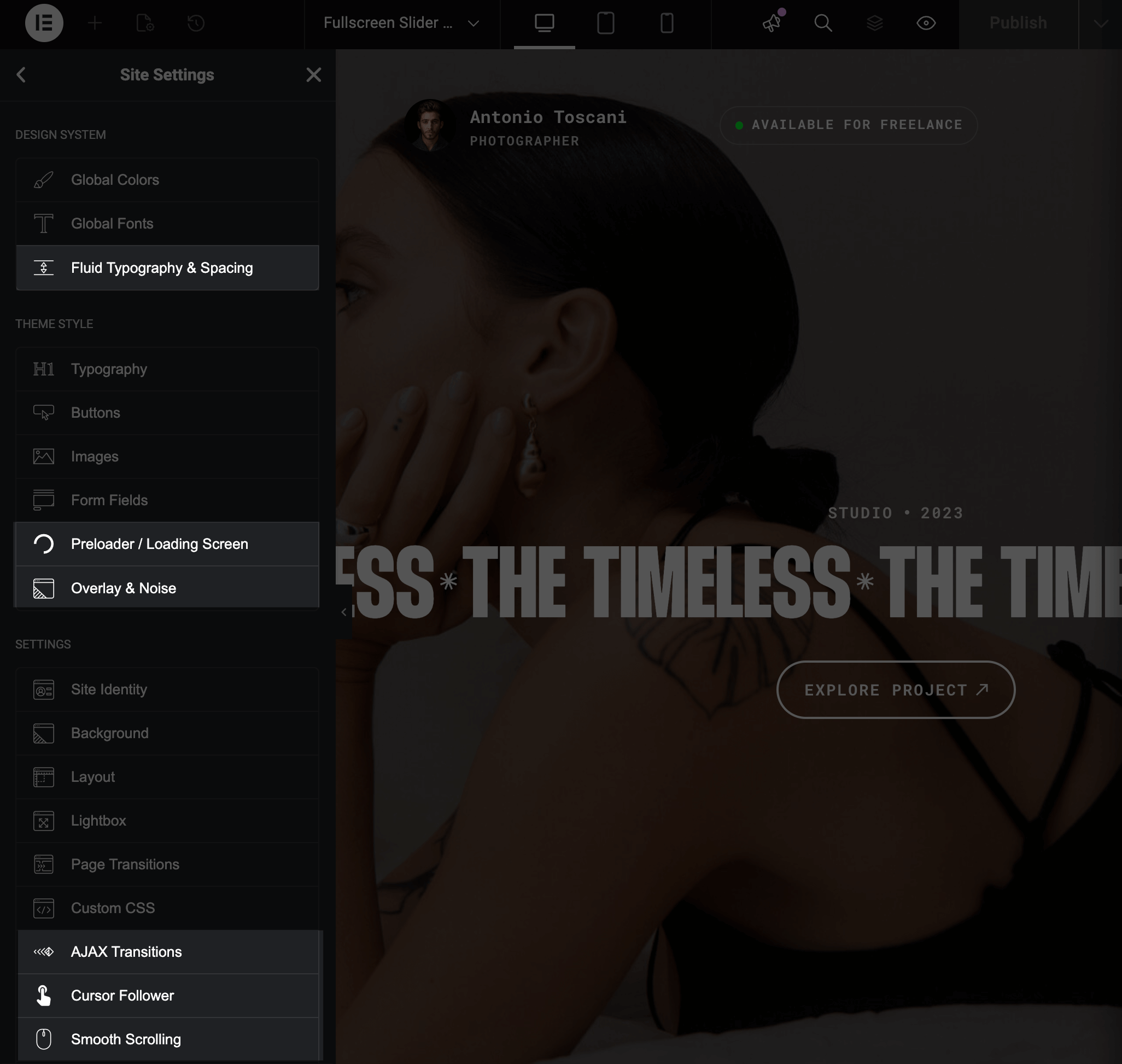
Here you'll find some extra options panels provided by the Trigger core plugin.