Appearance
Custom Post Types
The theme registers two custom post types:
- Portfolio Item
arts_portfolio_itemwith the/portfolio/URL slug - Service
arts_servicewith the/services/URL slug
See Customizing Post Type URLs to learn how to change these URL structures.
Customizing Post Types
Custom post types are registered in PHP code by the Trigger Core Plugin and are not exposed to the ACF Pro UI for modification. To customize them, use the register_post_type_args filter in functions.php of your child theme:
Example 1. Changing Labels of Portfolio Items
php
<?php
// Paste the following code in functions.php of your child theme

add_filter('register_post_type_args', 'custom_change_cpt_args', 10, 2);
function custom_change_cpt_args( $args, $post_type ) {
  if ( $post_type === 'arts_portfolio_item' ) {
    $args['labels']['name']           = _x( 'Case Studies', 'Post Type General Name', 'trigger' );
    $args['labels']['singular_name']  = _x( 'Case Study', 'Post Type Singular Name', 'trigger' );
    $args['labels']['menu_name']      = _x( 'Case Studies', 'Admin Menu text', 'trigger' );
    $args['labels']['name_admin_bar'] = _x( 'Case Study', 'Add New on Toolbar', 'trigger' );
  }

  return $args;
}
Example 2. Deleting (Unregistering) Custom Post Types Created by the Theme
php
<?php
// Paste the following code in functions.php of your child theme

add_action( 'init', 'custom_unregister_post_type' );
function custom_unregister_post_type() {
  unregister_post_type( 'arts_portfolio_item' );
  unregister_post_type( 'arts_service' );
}
Creating New Post Types
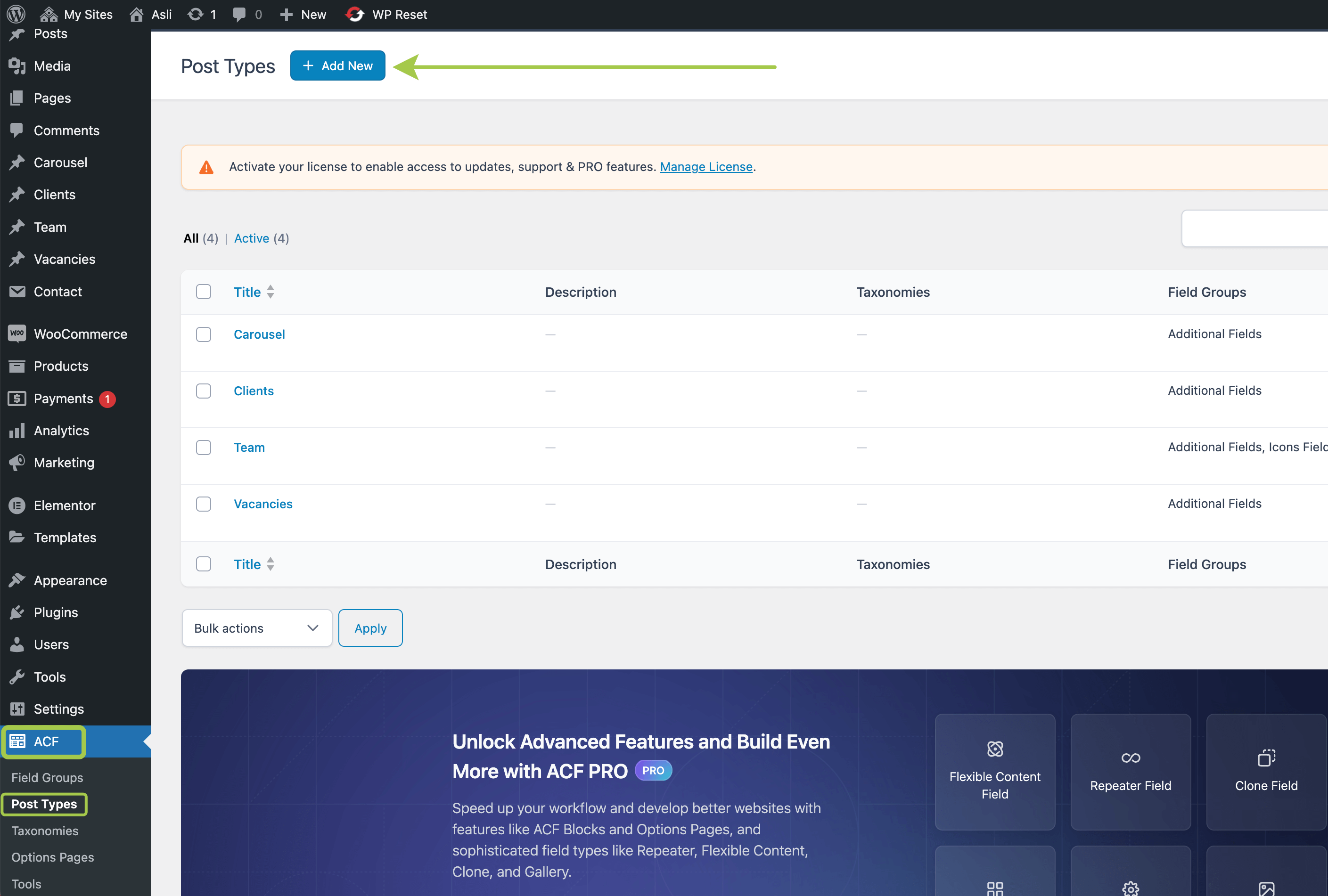
You can register new custom post types via the Advanced Custom Fields plugin. The UI is available in Admin Panel -> ACF -> Post Types:
Managing Custom Post Type Content
After customizing post types:
- Create and edit posts — Add portfolio items and services
- Reorder posts — Drag-and-drop ordering
- Customize URLs — Change slug structure