Appearance
Customizing Post Type & Taxonomy Labels
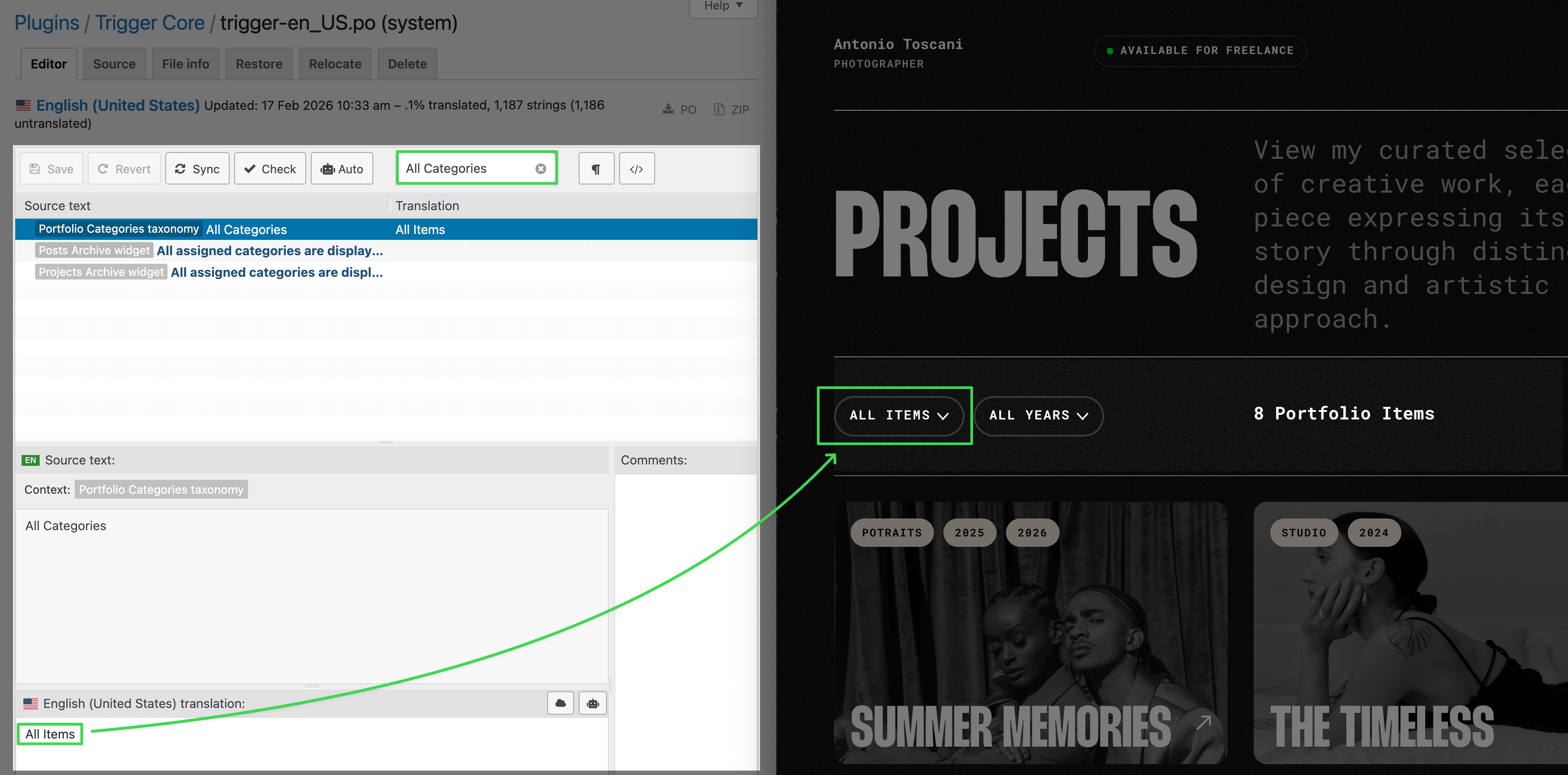
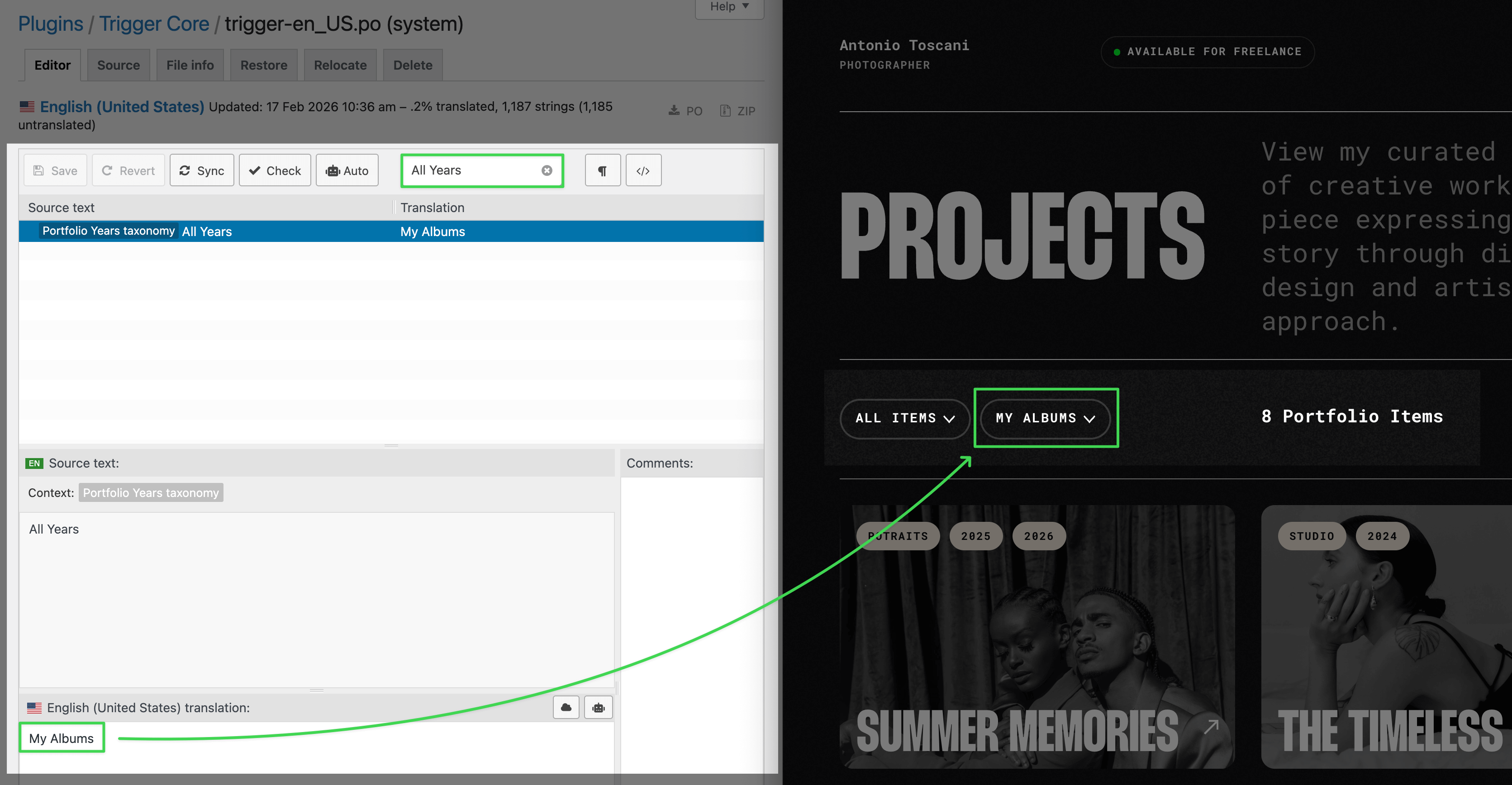
Labels like "All Years", "All Categories", and "All Portfolio Items" are registered once in the Trigger Core Plugin. Changing them in one place updates both the WordPress admin sidebar and any frontend widget filters that display them.
Where These Labels Come From
These strings are defined during custom post type and taxonomy registration in the plugin — not in widget settings. See Custom Post Types for background on how post types are structured.
Why isn't there a text field in the widget?
A widget-level field would only change that one widget instance on that one page. These labels are global — the same string appears in the WordPress admin sidebar, in filter dropdowns, and in every widget that references the taxonomy. Changing it at the registration level (via PHP or Loco Translate) updates all of those places at once, which is the correct behavior.
Overriding Labels in English
The easiest no-code way is Loco Translate — a free plugin that lets you edit translation strings directly from the WordPress admin.
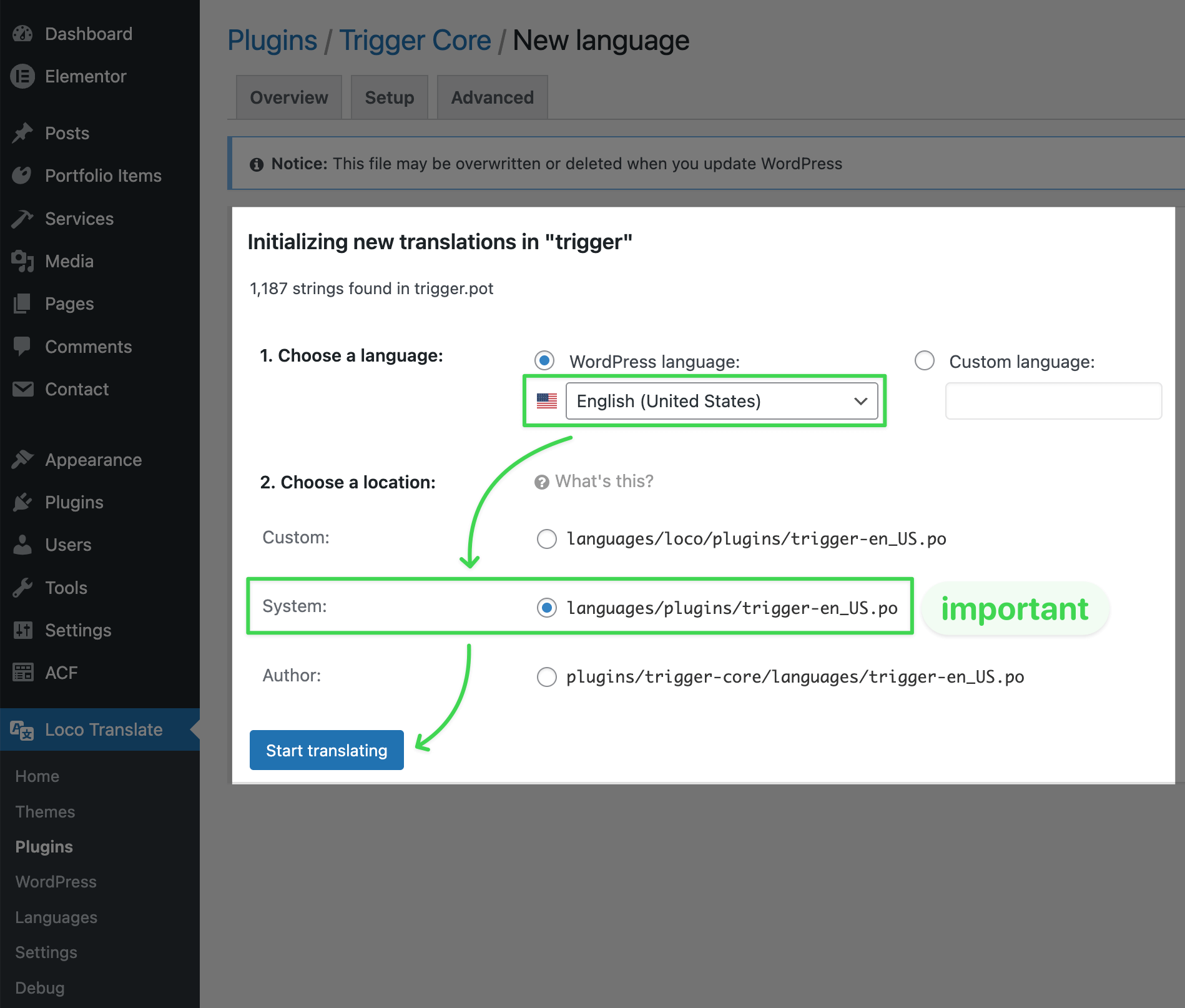
If your site is in English and you want to rename strings to other English text, you must use the System folder 📁 wp-content/languages/plugins/ when saving the language file. Loco's default Custom folder only activates when the site language differs from English — so for English-to-English overrides it simply won't be loaded.
- Go to
Loco Translate → Pluginsin the WordPress admin panel - Find Trigger Core and click on it
- Click
New languageand select English as the language - Choose the System location and click
Start translating - Search for the string you want to change (e.g. "All Years")
- Enter your replacement text and click Save
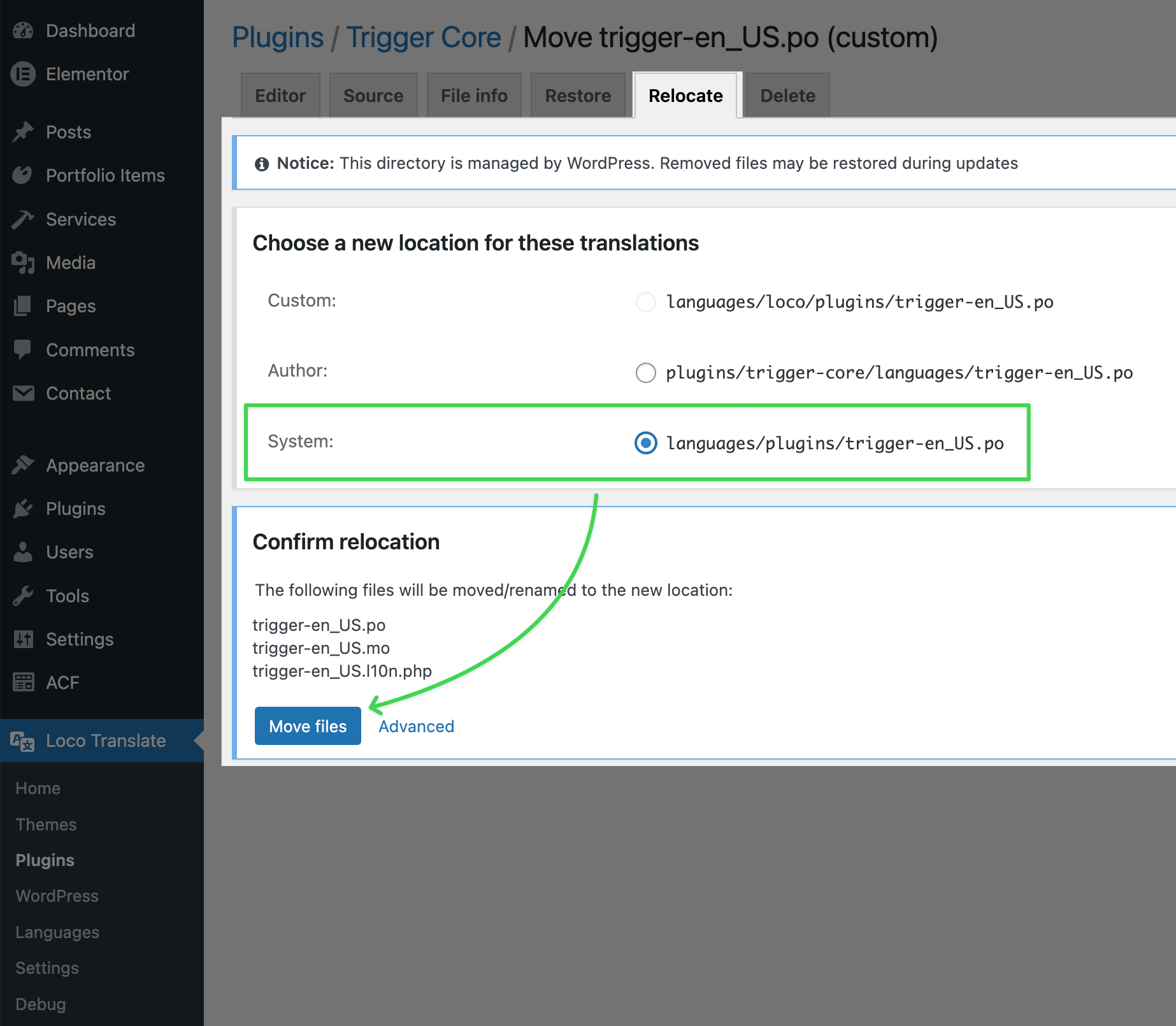
Already saved to Custom Location? No worries. Open the file list in Loco, click Relocate next to the file, and move it to System.
Translating Labels to Another Language
The process is the same as translating the theme — go to Loco Translate → Plugins, find Trigger Core, and search for the default labels ("All Years", "All Categories", "All Portfolio Items", etc.) to translate them. See Translating Theme for a full walkthrough.
Using PHP (for developers)
Use the register_post_type_args filter in your child theme's functions.php. A full example is in Custom Post Types.
Looking to change that /portfolio/ part in the URL?
That's not a translation — it's a URL slug, and it's configured separately. See Customizing Post Type URLs for how to rename or remove it.