# Plugins Installation
After successfully activating the theme, you need to install some plugins required for your website to run smoothly.
WARNING
This theme requires the following plugins...
This theme recommends the following plugins...
If you see this message, you are on the right track. Let's go through the steps to proceed.
# ▶️ Step 1.
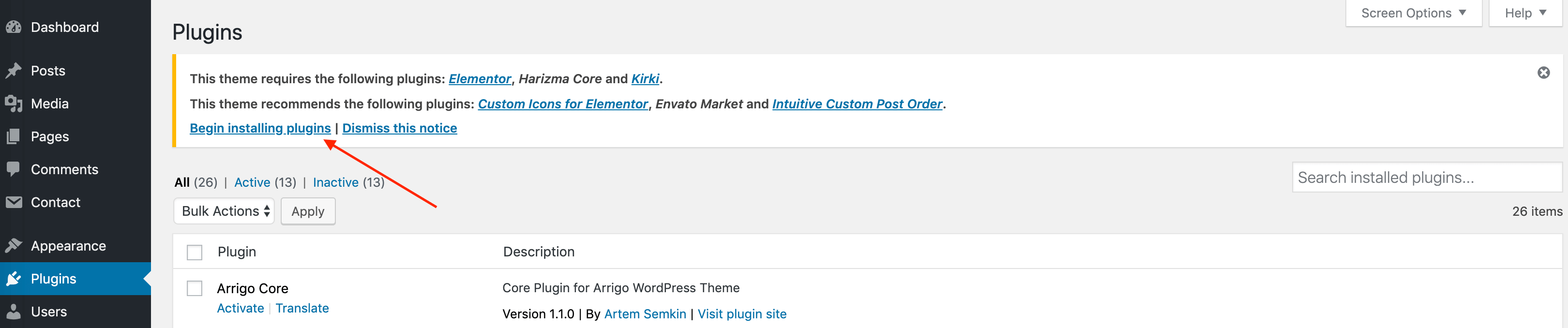
In the admin panel, click on the Begin installing plugins link.
# ▶️ Step 2.
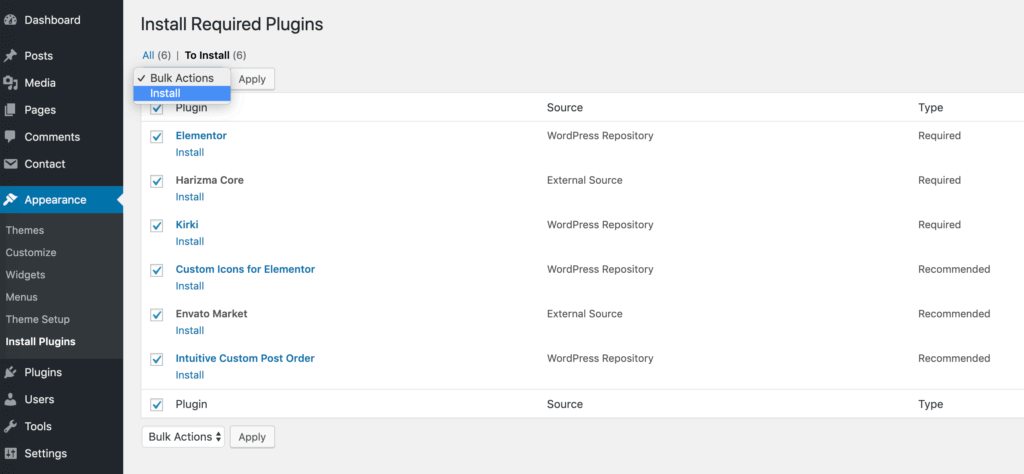
Select all the plugins to be installed by clicking the top checkbox, then choose Install from the dropdown menu. Wait until all the plugins are downloaded and installed.
WARNING
If you encounter issues at this step, such as a white screen or errors, you may have low PHP limits on your web hosting. Please refer to the Troubleshooting section to learn how to address these problems.
# Plugins Activation
Once the plugins are installed, you need to activate them.
# ▶️ Step 1.
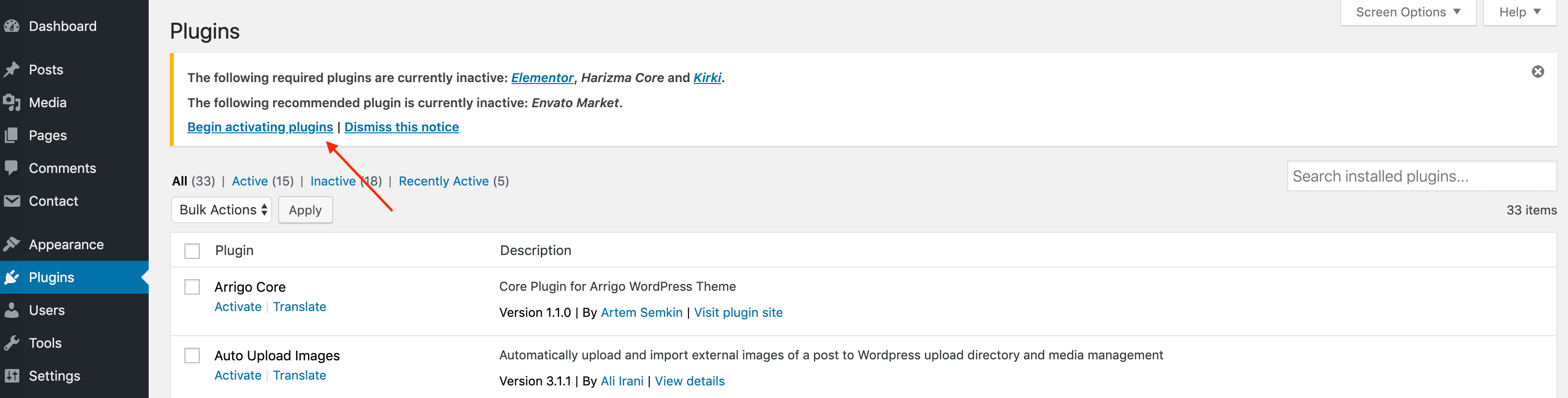
Click on Begin activating plugins.
# ▶️ Step 2.
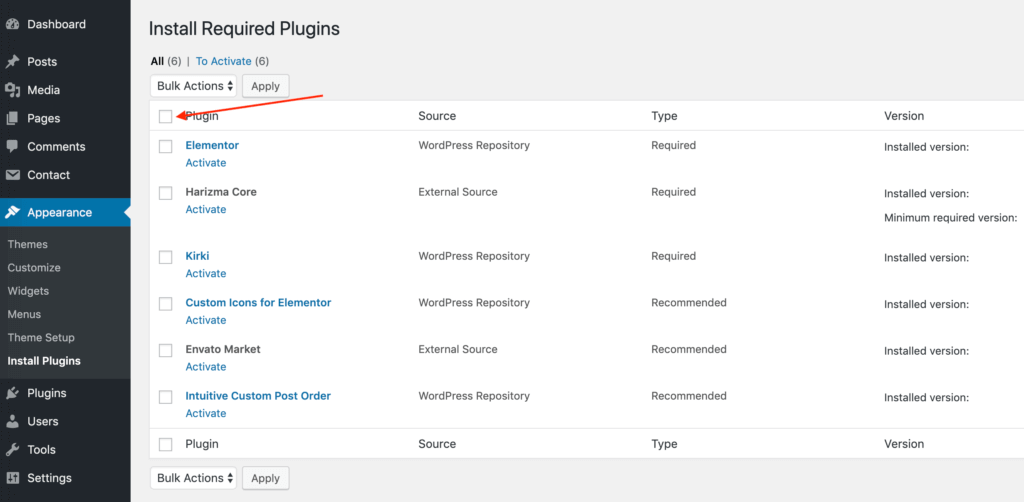
Select all the plugins by clicking the top checkbox.
# ▶️ Step 3.
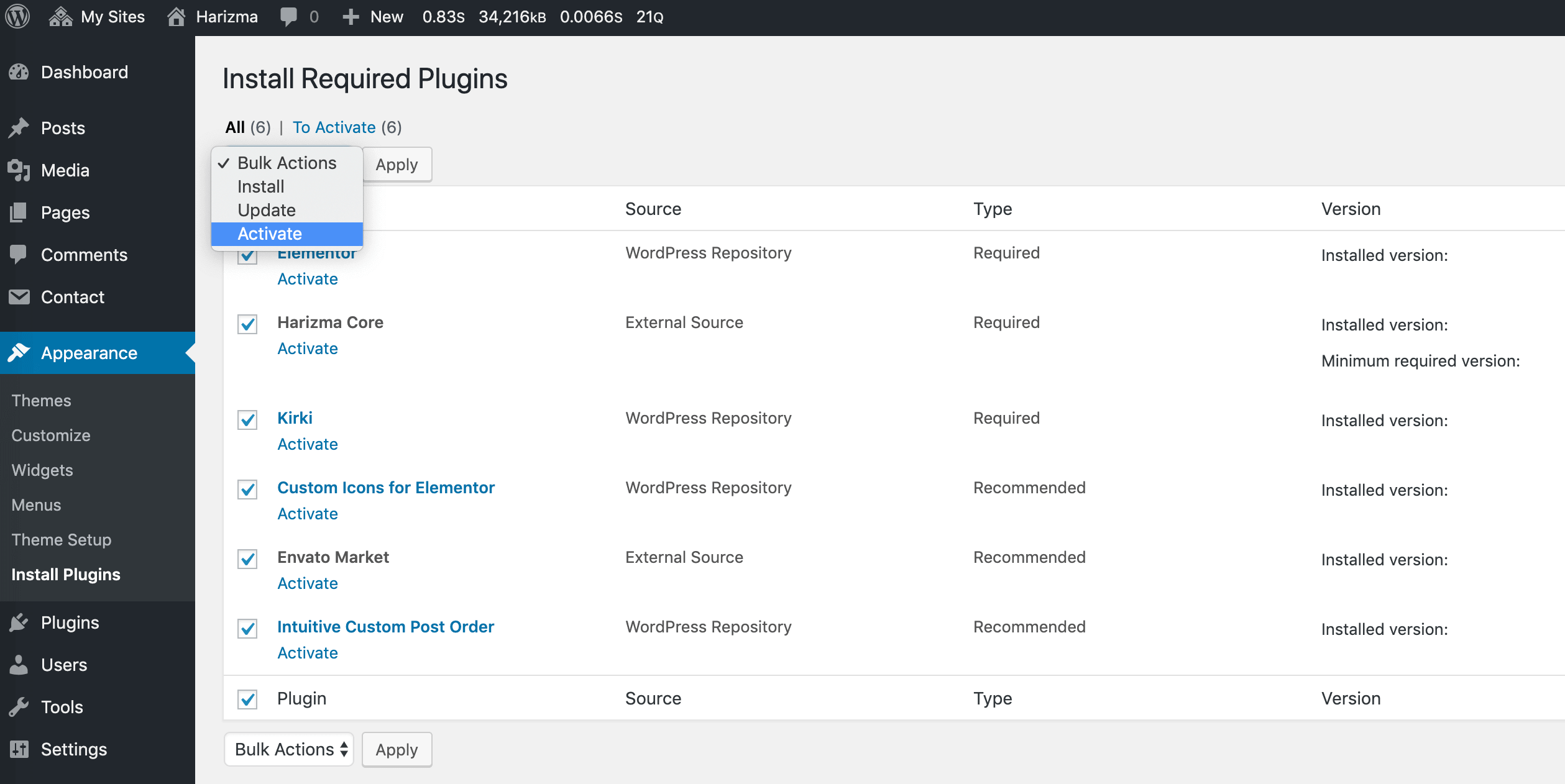
Click on the Bulk Actions dropdown, select Activate, and click Apply.
# ▶️ Step 4.
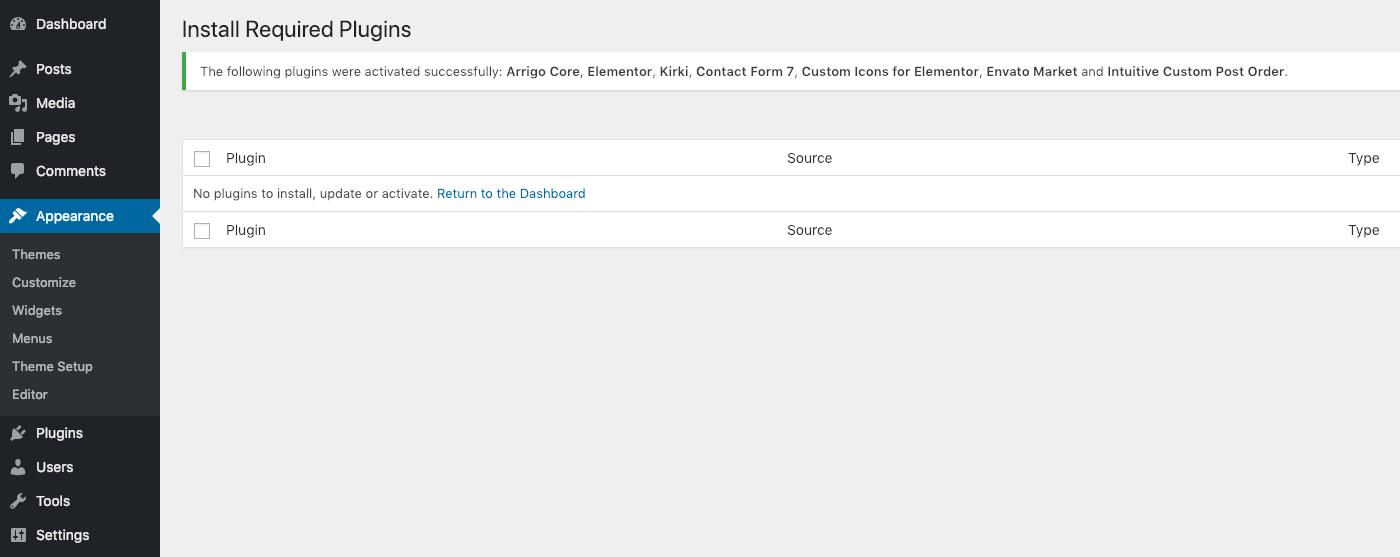
You should see an activation notice like the one in the screenshot below. This means everything went well, and you are now ready to import demo content to your website.