# Home & Blog Pages Setup
By default, your homepage is set as the blog page. This means that your visitors will see your blog posts when they land on your domain root. If this is acceptable to you, you can skip this article. If not, you’ll need to set up your home and blog pages.
You need to tell WordPress which page will be your main homepage from Settings in the admin panel. Let’s adjust it.
# ▶️️️️️ Step 1.
Go to Settings → Reading 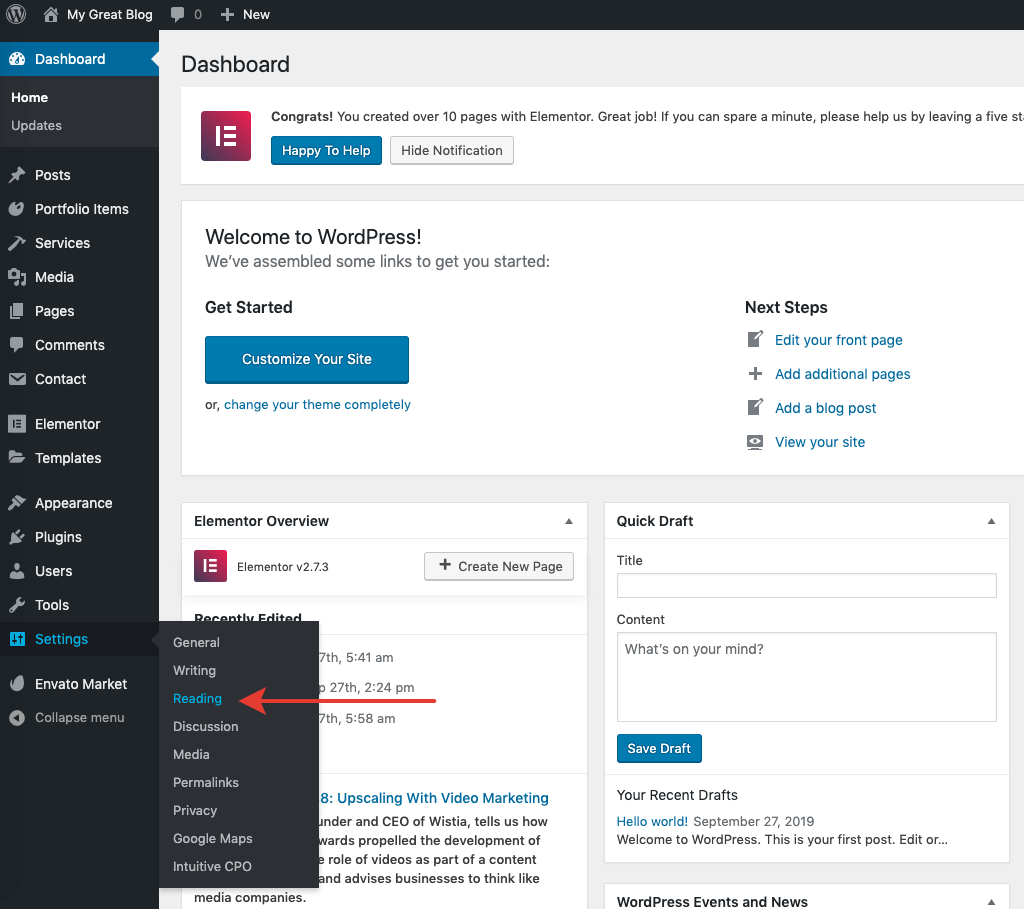
# ▶️️️️️ Step 2.
Adjust the home and blog pages here. In Your homepage displays, select A static page. Then, as Homepage, you can pick any page you have. For example, select Homepage – that page was created during the demo data import. And select News as your Posts page.
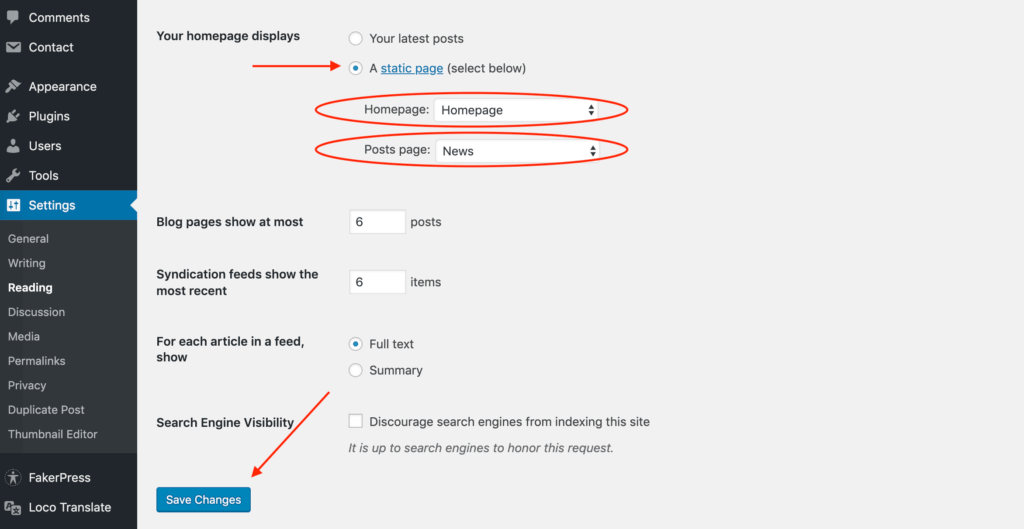
After you are done, don’t forget to Save Changes.