# License Activation
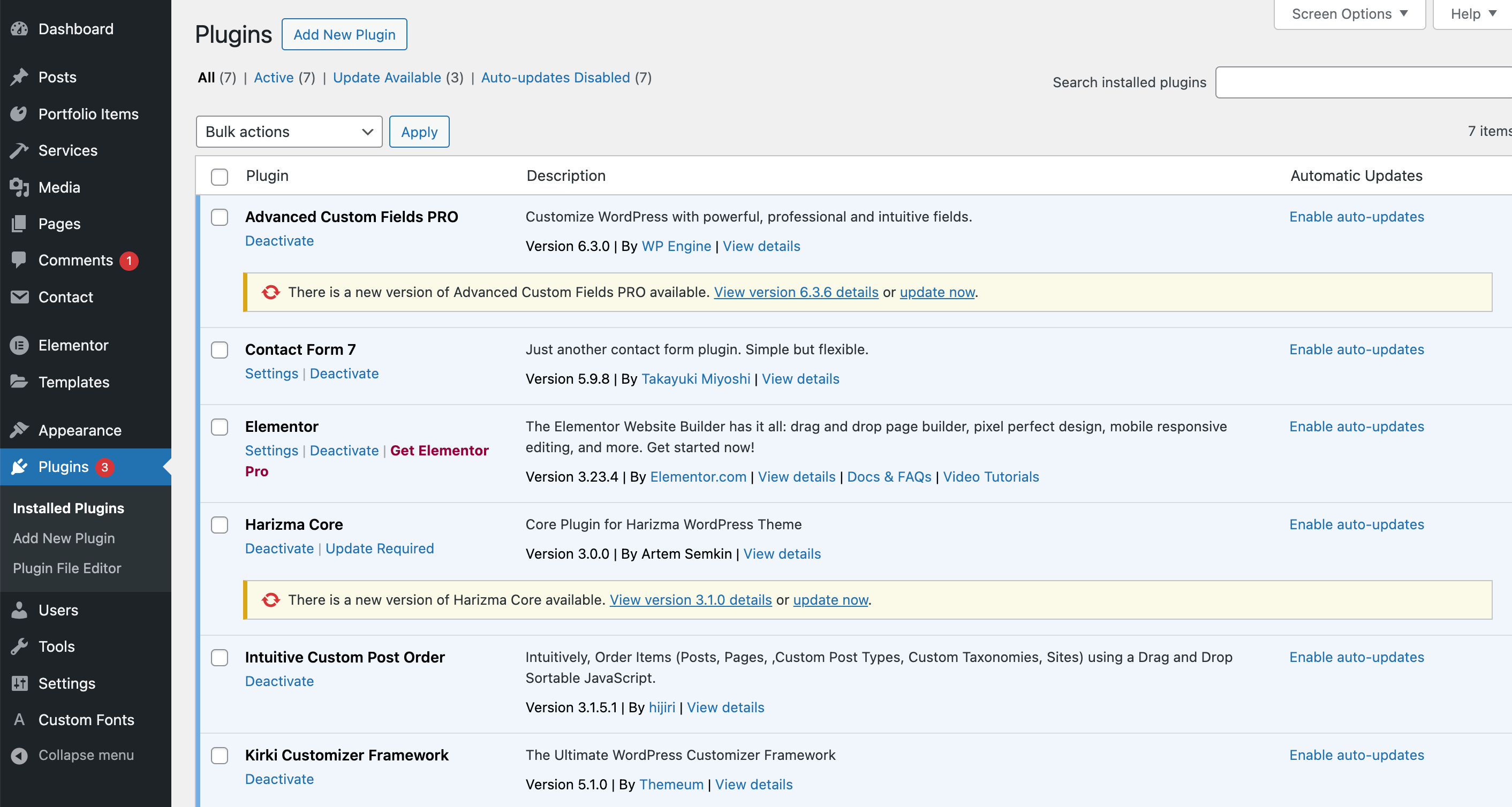
Since version 3.1.0, a new license activation mechanism has been implemented into the theme. Once the license is activated, you are entitled to receive automatic updates for:
- Harizma theme
- Harizma Core plugin
- Bundled plugins (e.g., Advanced Custom Fields Pro)
The updates are delivered to your WordPress dashboard via notifications, as shown in the following screenshots:

# How to Activate?
# Via Theme Wizard Setup
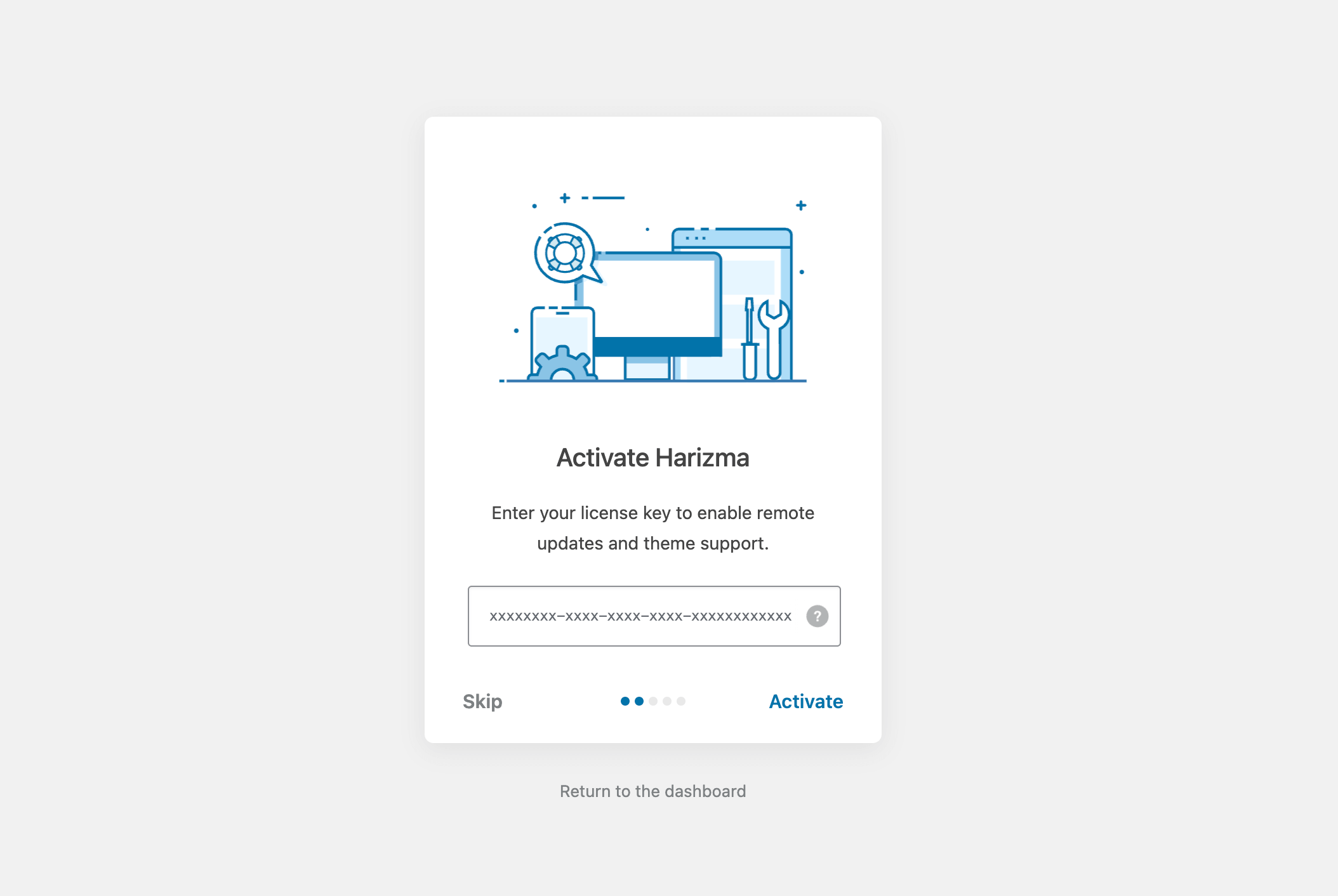
When the theme is installed for the first time, a step-by-step setup wizard will appear. In one of the steps, you will be prompted to enter your item purchase code:
# Via Theme License Panel
You can control the license activation from the Admin Panel -> Appearance -> Theme License panel:

# Where to Find Purchase Code?
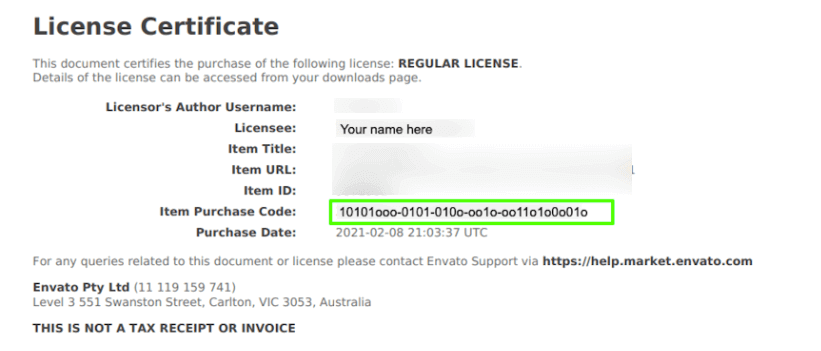
For more information, please refer to this article: Where is my purchase code? (opens new window). The purchase code is a sequence of letters and numbers separated by dashes xxxxxxxx-xxxx-xxxx-xxxx-xxxxxxxxxxxx.
# I Don't Have a Valid Purchase Code
If you don't have a purchase code (e.g., if you licensed the theme via Envato Elements), it's never too late to obtain one from Envato Market: Harizma – Modern Creative Agency WordPress Theme (opens new window). When the purchase code is activated, you will benefit from:
- 6 months of personalized technical support
- Availability of the theme author to answer questions
- Help with reported bugs and issues
- Lifetime automatic theme updates
- Lifetime automatic core plugin updates
# How to Deactivate?
Theme activation is bound to your website domain. A single regular theme license is valid for a single license-activated website only, in accordance with Envato Licensing Terms (opens new window).
If you are starting a new project with the theme, you should buy a new license separately for that project, as it is considered a new "end-product".
If you need to transfer the existing license to another website (e.g., if you activated the theme license on an online staging website or are simply changing the domain name of the activated website), please deactivate the purchase code on the old website first using the
Admin Panel -> Appearance -> Theme Licensepanel:

- If for some reason you don't have access to the website where your license is active (e.g., if you deleted the WordPress installation and forgot to deactivate the license), please open a private ticket in the support forum.
TIP
Local or staging installations (e.g., https://localhost/, https://my-staging.local/) don't count towards the license activation limit and do not need to be deactivated.
# Using Envato Market Plugin?
Prior to the 3.1.0 theme release, it was recommended to set up the Envato Market plugin (opens new window) and connect with their API using a token generated on behalf of your profile on Envato Market. This is now considered a deprecated method of getting theme updates. Also, this plugin will no longer appear in the "recommended" plugins list during the initial theme setup.
While theme updates from the Envato Market plugin may still work fine for you, it is recommended to activate your theme license anyway. This way, aside from the theme updates, you will also receive updates for the core plugin and premium plugins that come bundled with the theme (e.g., ACF Pro).