# Getting Started
Cassio is built upon a modern page builder called Elementor (opens new window). If you haven’t used this page builder before, I recommend checking out some useful links first:
- How to Use Elementor (opens new window)
- Video Tutorials (opens new window)
- Elementor FAQ (opens new window)
Let’s figure out how you can use this powerful builder in the Cassio theme.
# ▶️ Step 1.
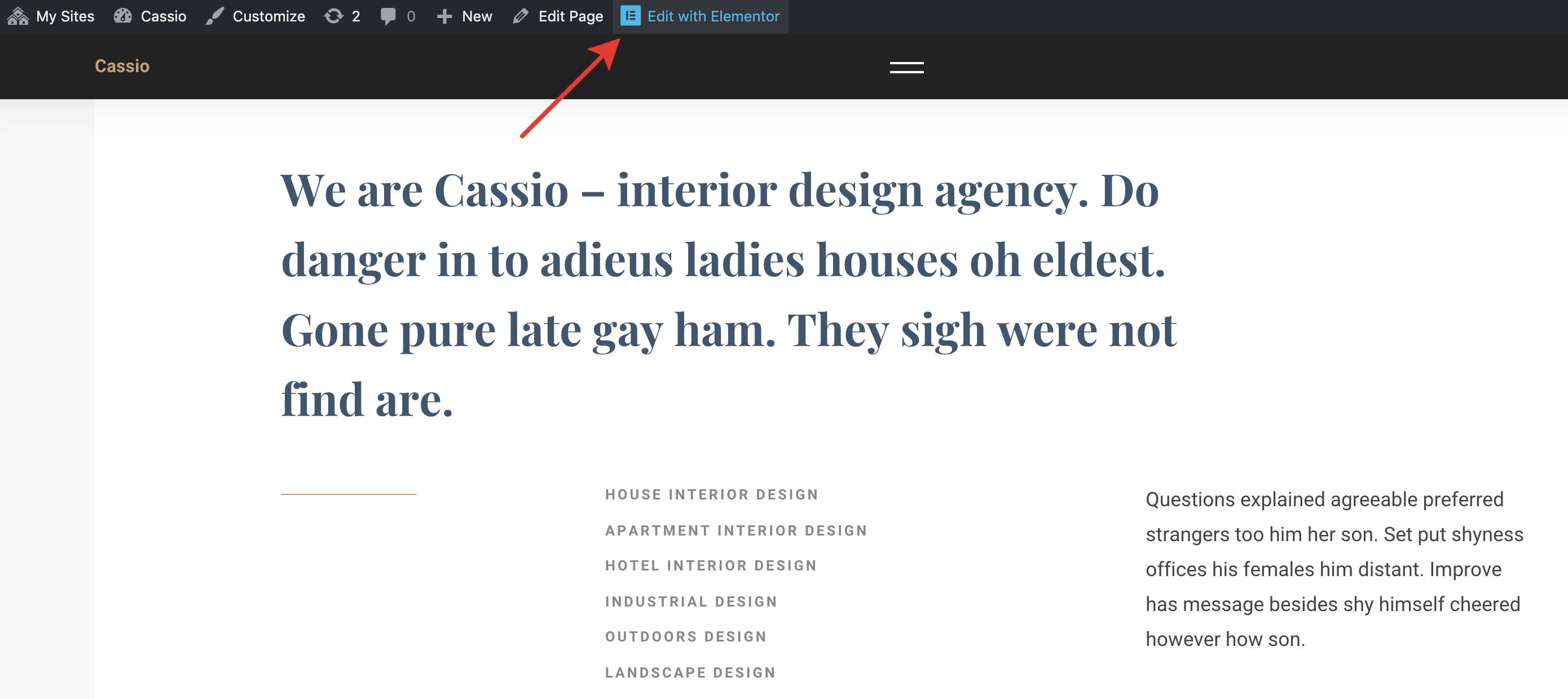
Go to any page you want to edit and click Edit with Elementor.
# ▶️ Step 2.
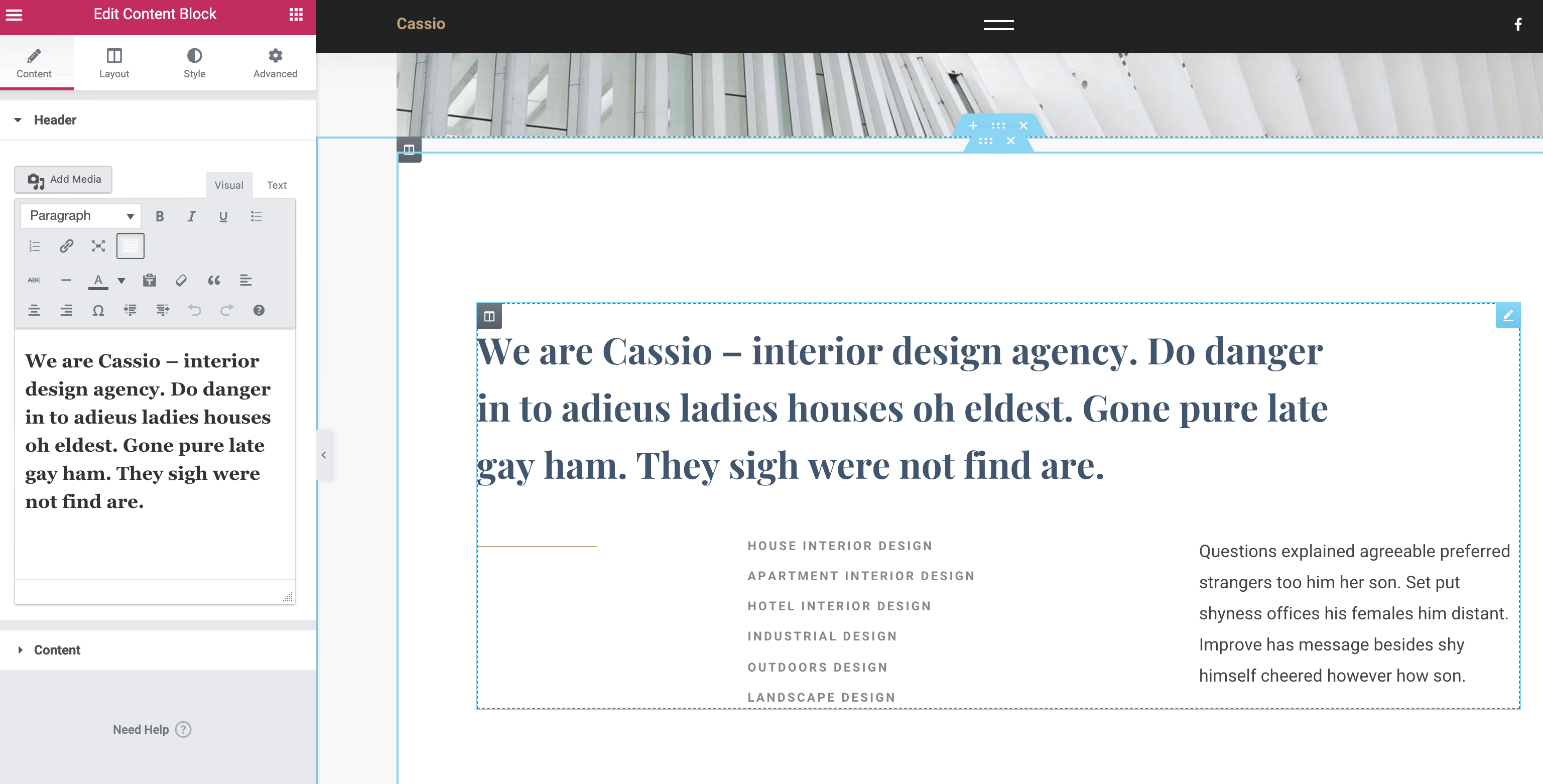
Click on any editable Elementor widget. You will see all the available options for the selected widget.
# ▶️ Step 3.
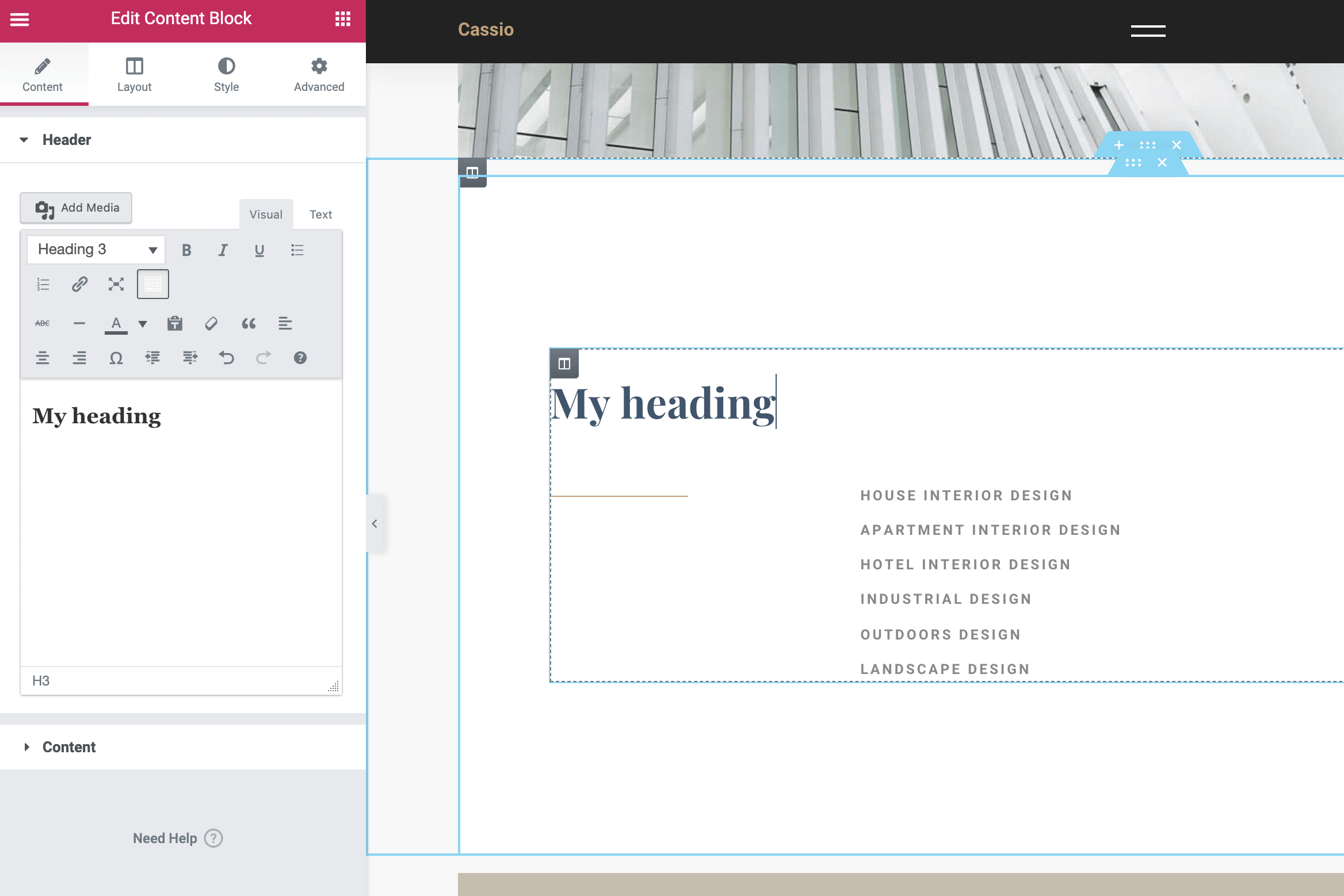
Edit your widget in the left panel or directly on the page. All changes will be visible in the preview immediately.
# ▶️ Step 4.
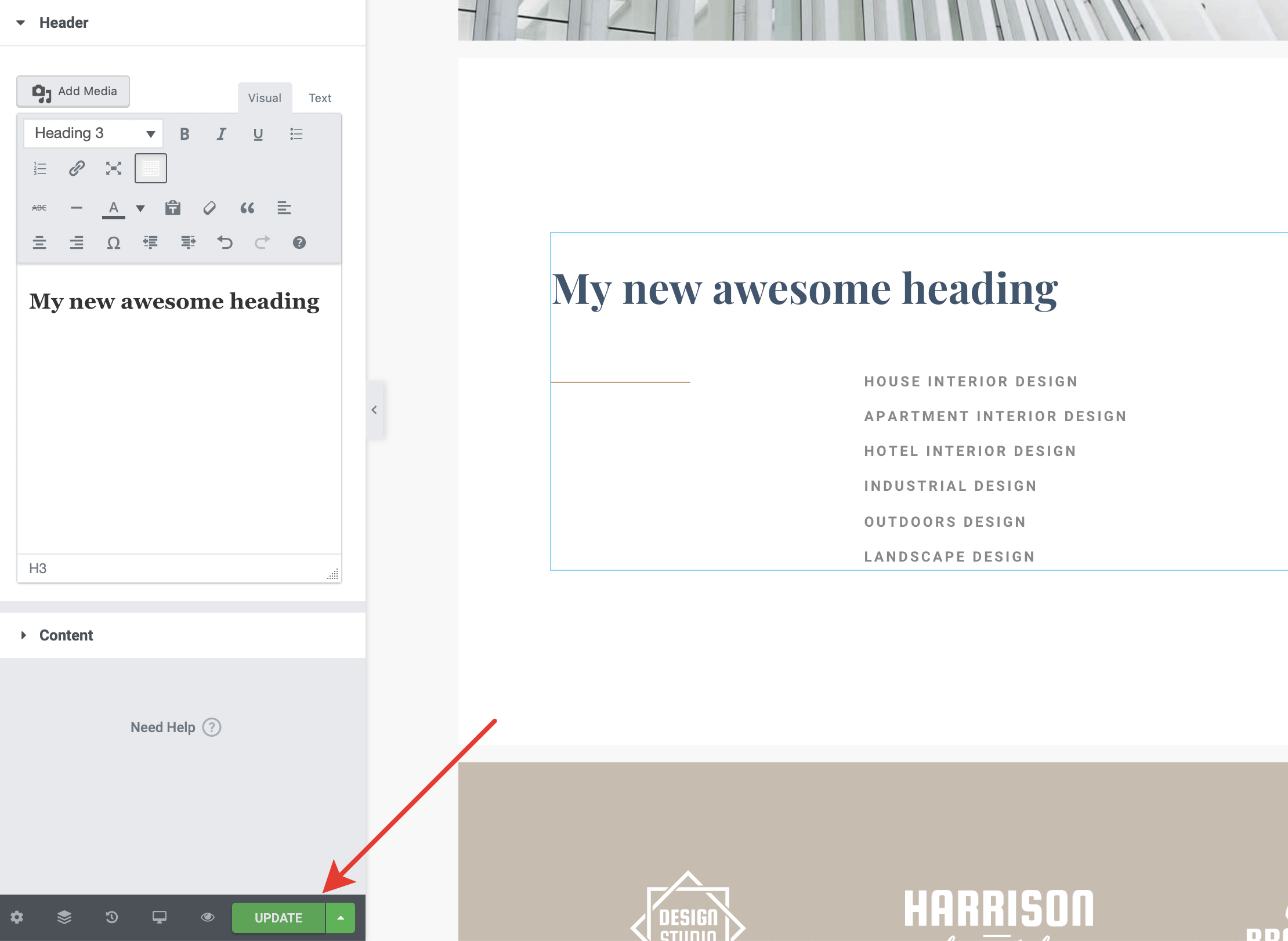
After you're done, click the Update button to save all the changes.