# Uploading Site Logo
To upload your logo, go to Customizer → Site Identity. You can use the standard text logo version (with or without a tagline) or upload your own brand image.
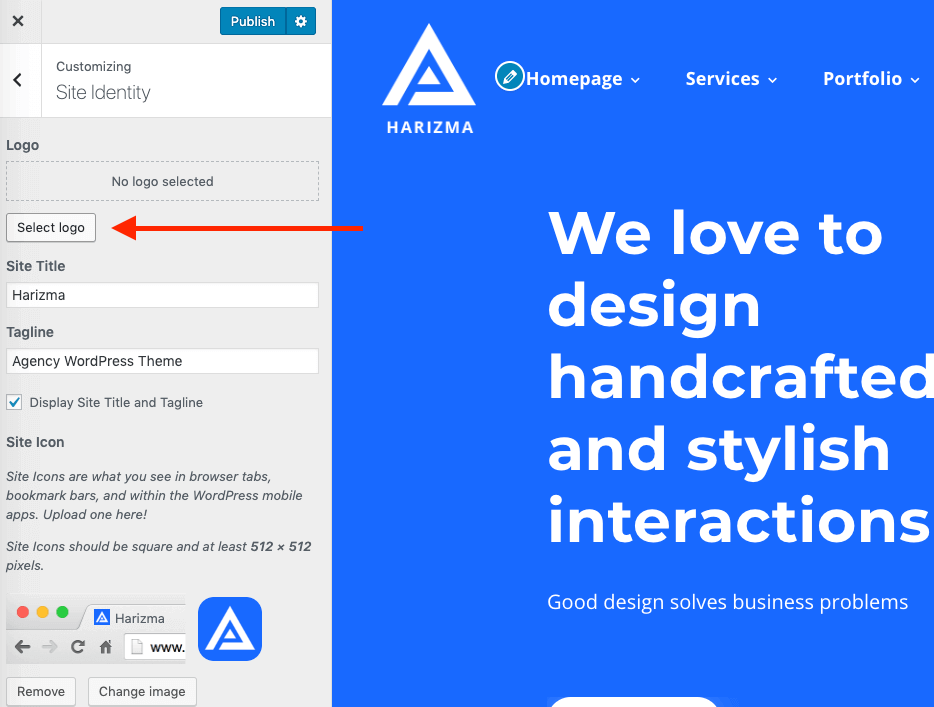
Select Logo and upload your logo to the WordPress media library

# Responsive Height
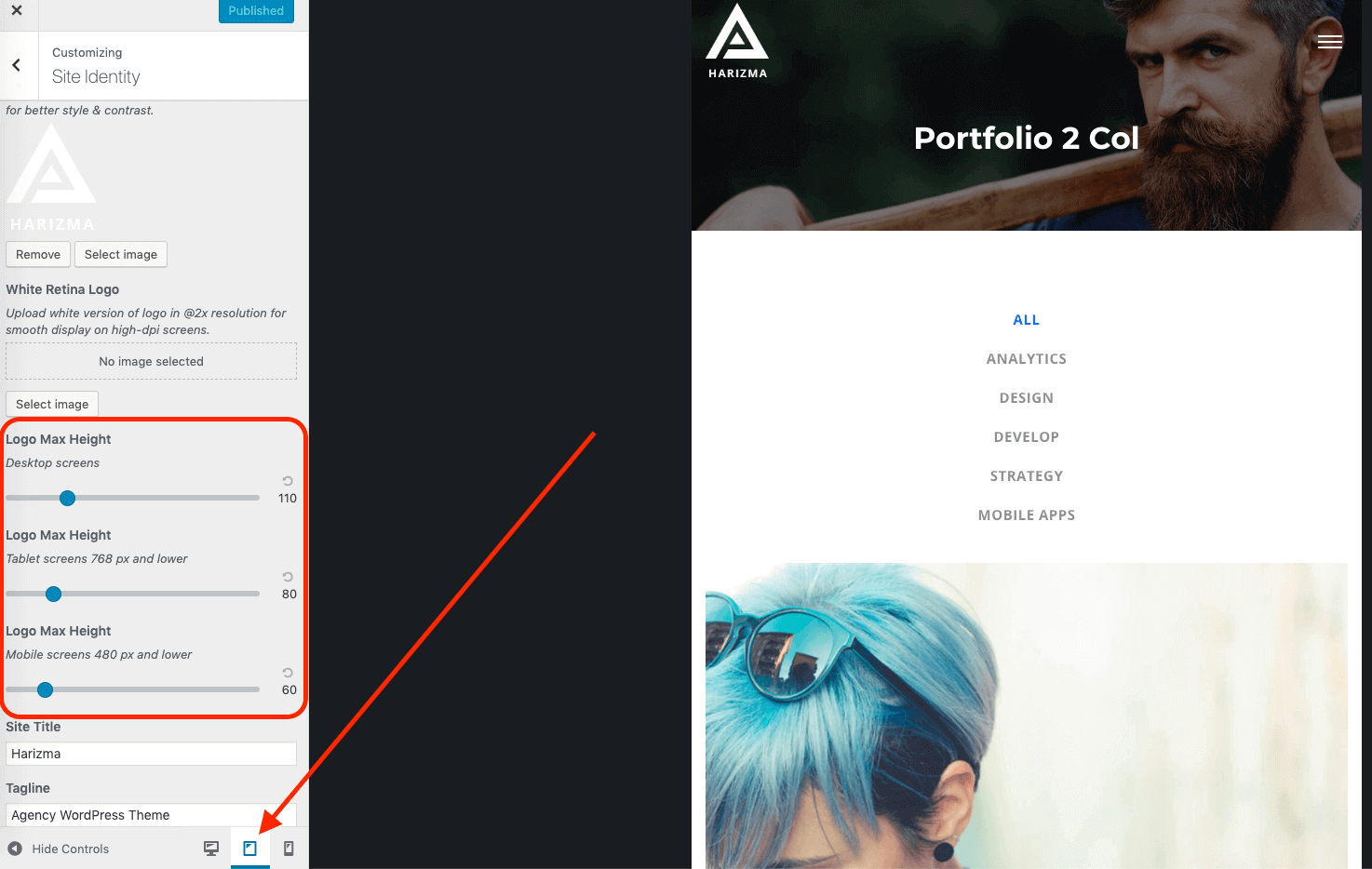
If you scroll down the panel in Customizer, you will see more options where you can limit the logo's maximum height for different resolutions. This may be useful if you have a large logo on desktops but want to make it smaller on mobile devices where there is less room for big elements.