Appearance
Editing Footer
The footer is a widgetized area in the Rhye theme. For example, to edit copyright information or social media links, you need to edit your widgets. But before doing that, let's see how to adjust the footer layout first.
Configuring Layout
There are two sections in the theme footer: upper and lower. Both of them can have up to four columns inside. These can be configured in Customizer → Footer → Layout Upper/Lower Section.

Editing Widgets
While in the WordPress Customizer, click on the pen handles to edit your widgets. The appropriate panel will open automatically.
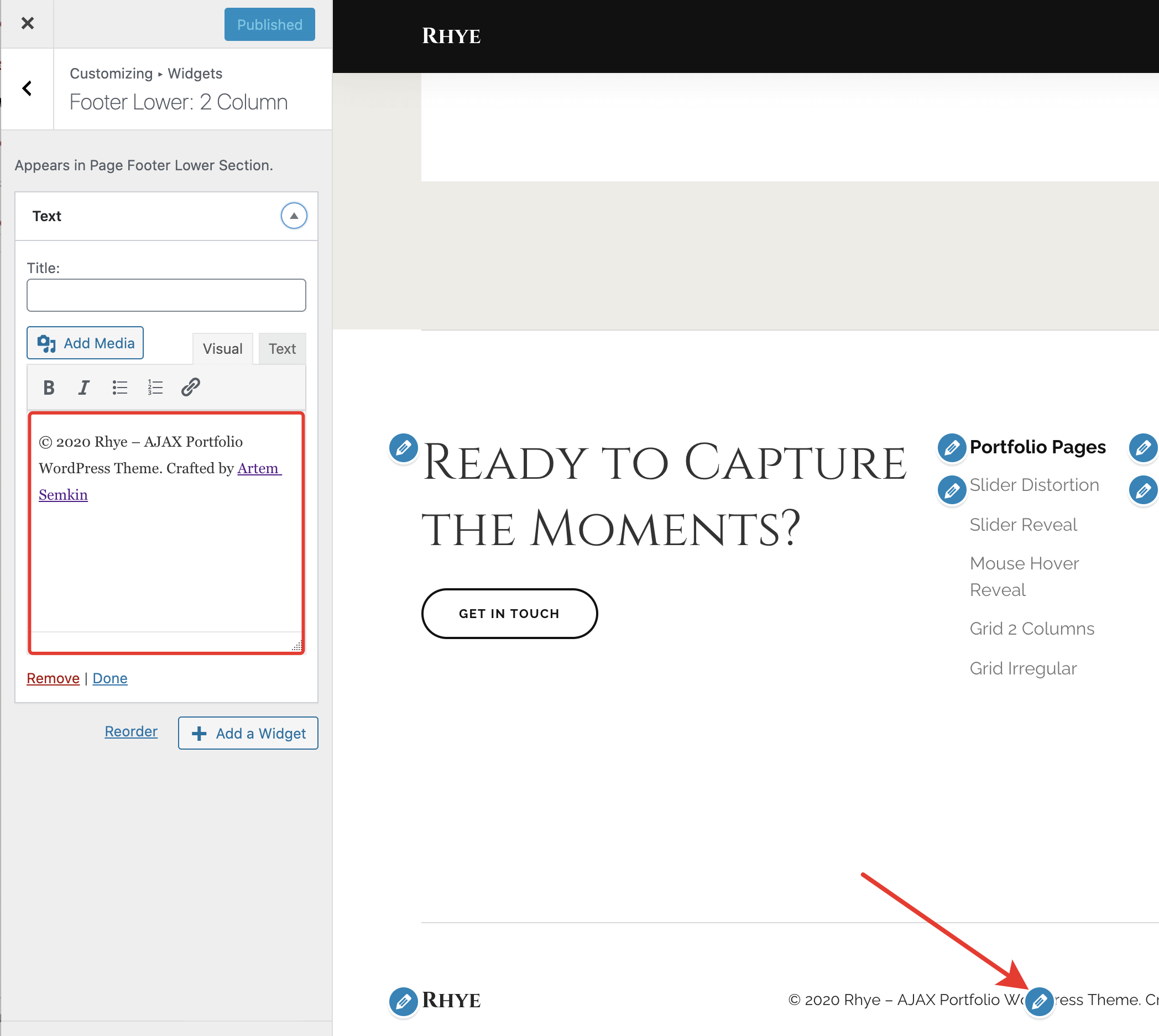
You’re also free to edit widgets from the back-end admin panel. The advantage of the WordPress Customizer is that you can instantly preview all your changes.
