Appearance
Editing Header
The Kinsey theme supports several header layouts that you can try and apply to your website from Customizer -> Header -> Options.

Classic Menu Layouts



Fullscreen Menu Layouts




Adding Secondary (Right Side) Menu to Split Layout
▶️ Step 1.
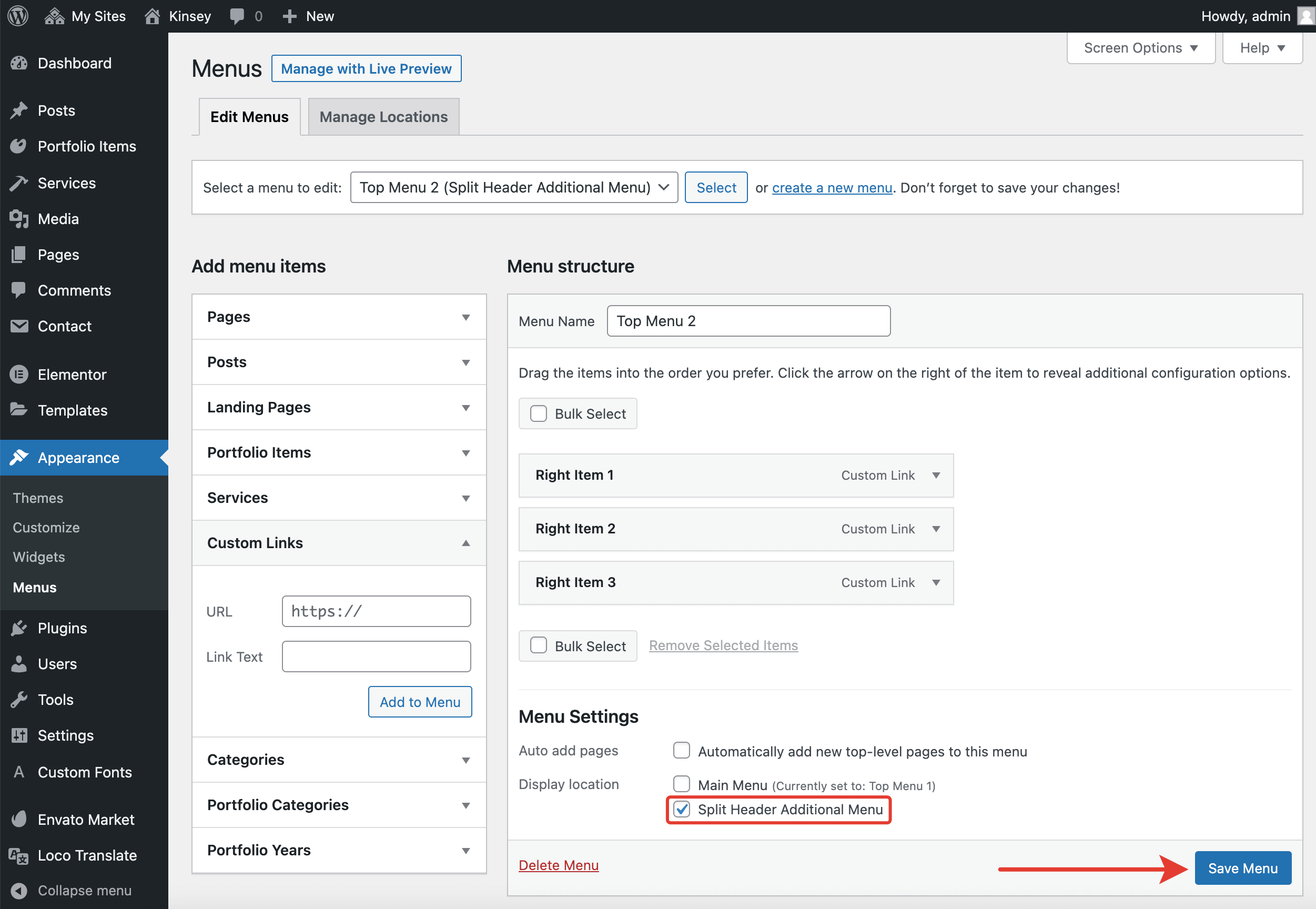
Go to Admin panel -> Appearance -> Menus. Under the Edit Menus tab, you can create a new menu or use the Top Menu 2 menu, which was imported along with the demo data.

Select▶️ Step 2.
Populate the chosen menu with navigational links. In Display location, select Split Header Additional Menu and click Save Menu.
▶️ Step 3.
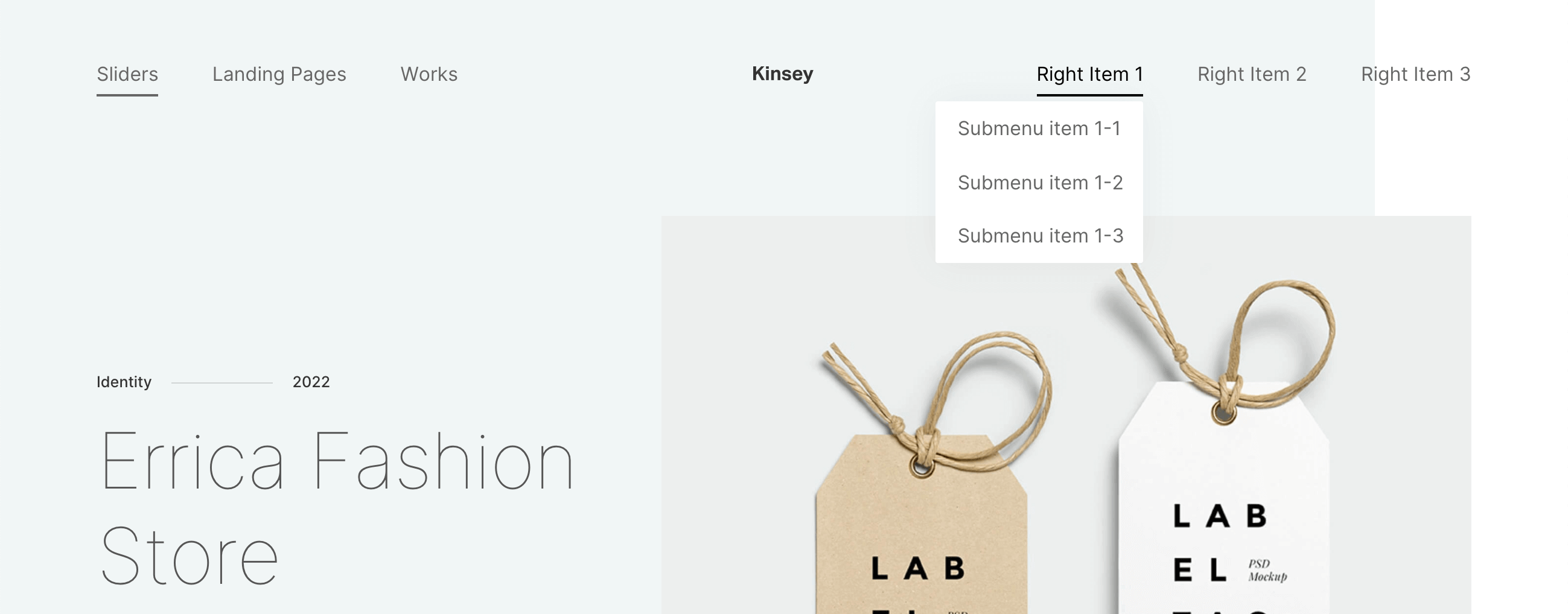
Check the split menu appearance on the frontend.
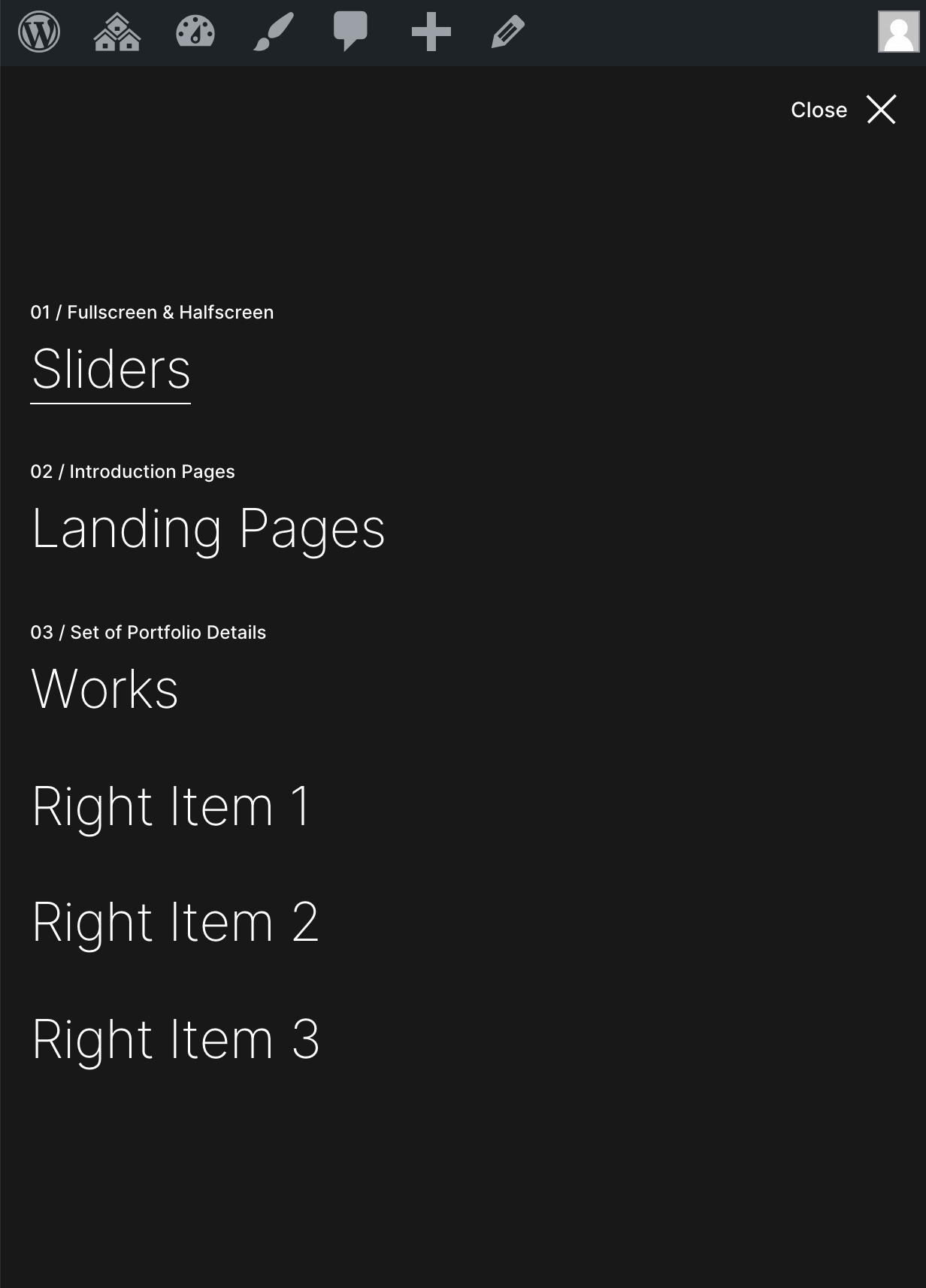
On mobile devices, the left and right menus will be merged into one.
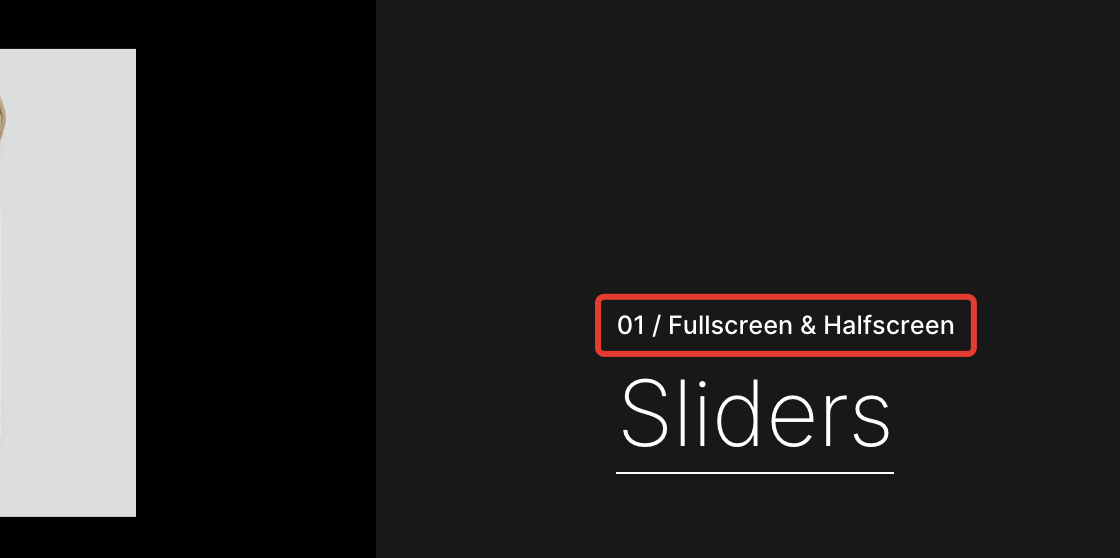
Adding Labels to Fullscreen Menu Items
You can add optional labels to the menu items, which appear in the Fullscreen Menu layout above the links.