# Smooth Scrolling
Kinsey is compatible with the Arts Smooth Scrolling plugin. This plugin replaces the native browser scrolling with transforms-based scrolling. As a result, other page transforms, like the parallax effect, run smoother as well.
IMPORTANT!
The downside of smooth scrolling is that it can affect user experience and may work slowly on older hardware. If you experience such problems, I suggest turning smooth scrolling off. You can do this by deactivating the plugin in the WordPress admin panel.
TIP
Due to compatibility issues, smooth scrolling is always turned off in Elementor Editing Mode regardless of the Customizer setting.
# Dealing with iFrames
When placing an element that represents an embedded <iframe> (e.g., YouTube or Vimeo external video), you may encounter a scrolling issue. iFrames in which the videos are loaded intercept the mouse scrolling event required for the smooth scroll plugin. As a result, the page stops scrolling when the user hovers over the <iframe> element.
Here are the possible workarounds:
# Option #1 (recommended)
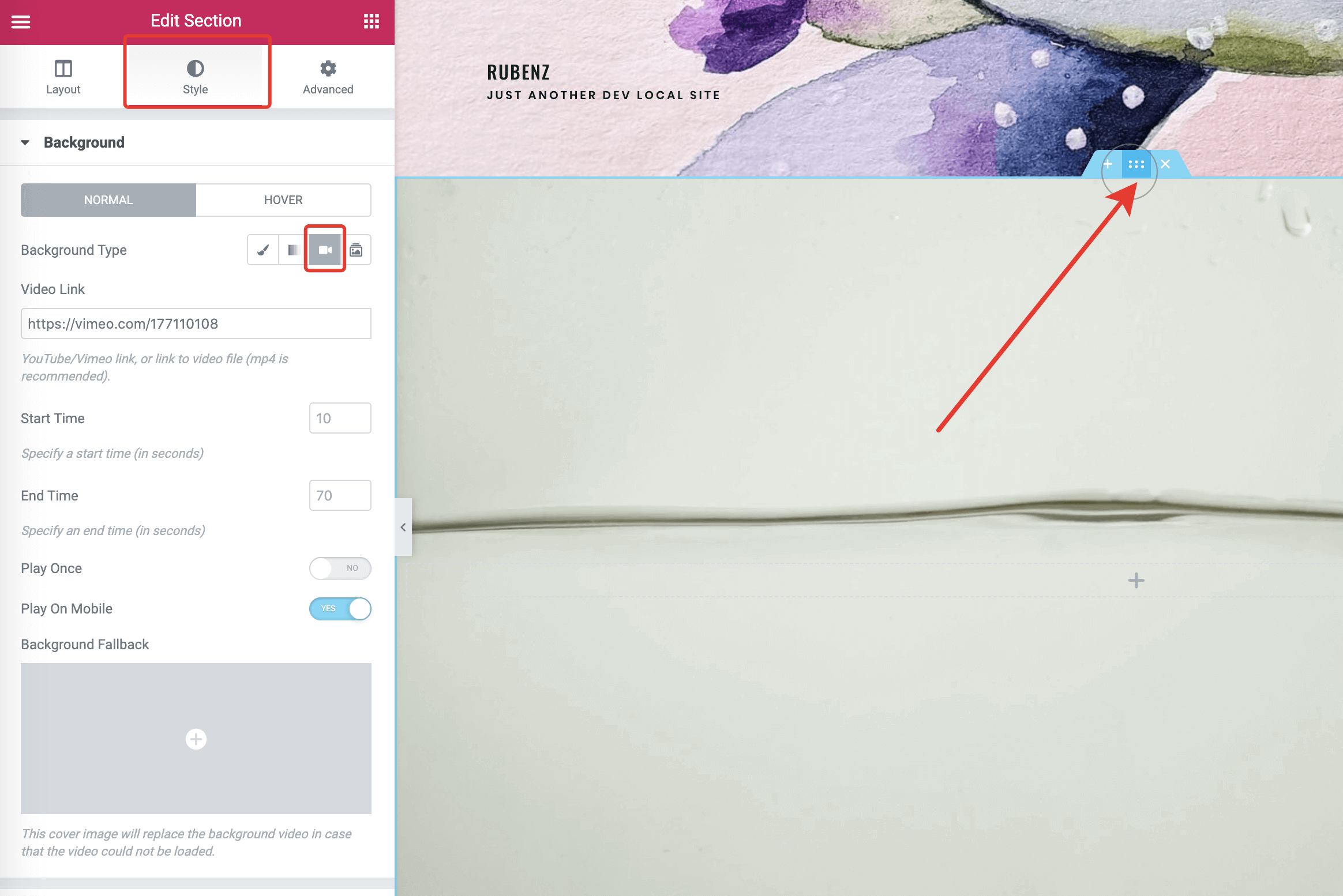
Instead of placing a Video widget on the page, create a new section with a defined minimum height. Then apply a video background in Style → Background → Video.
# Option #2
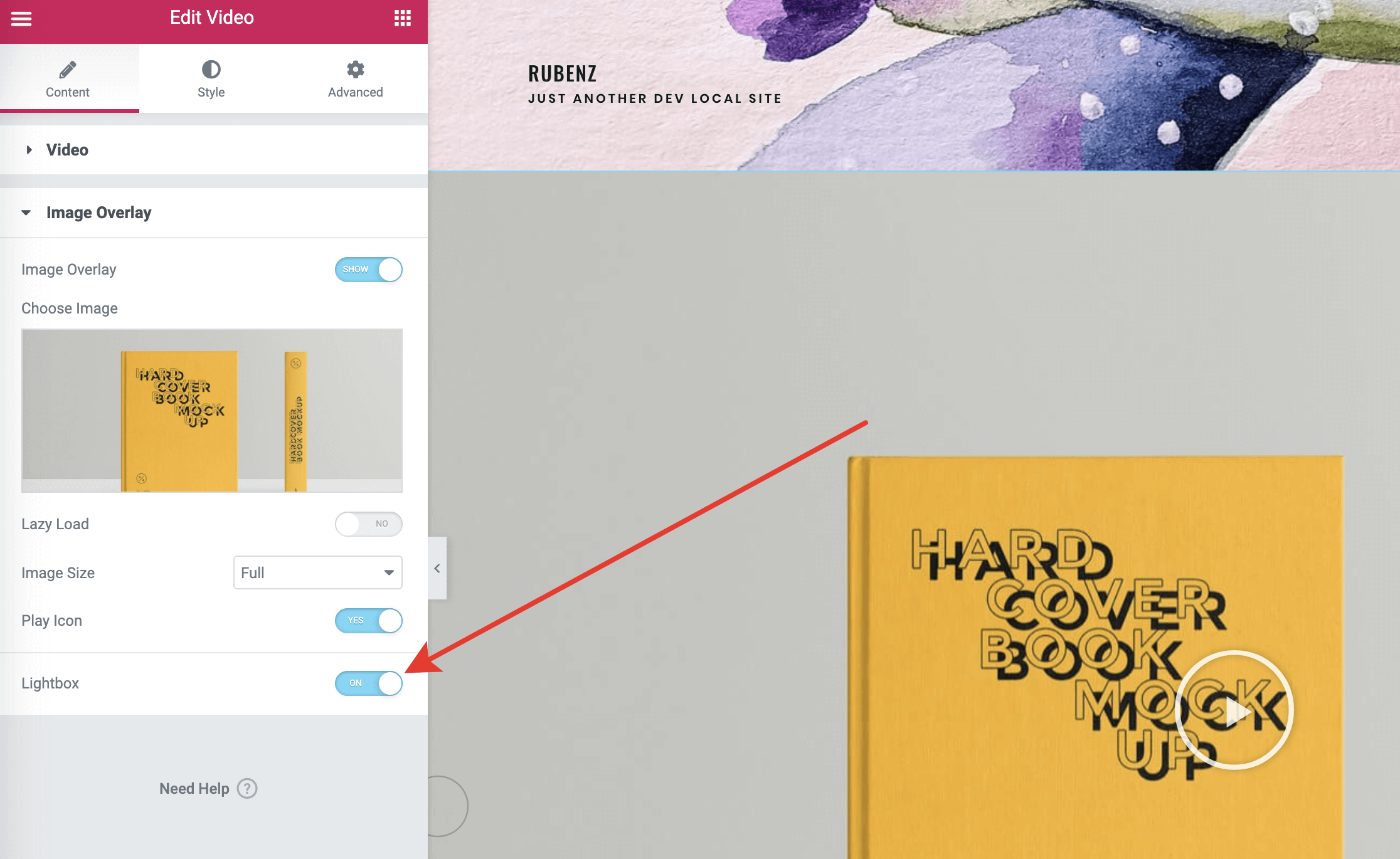
In the Video Elementor widget, turn on the lightbox option for the video.
# Option #3
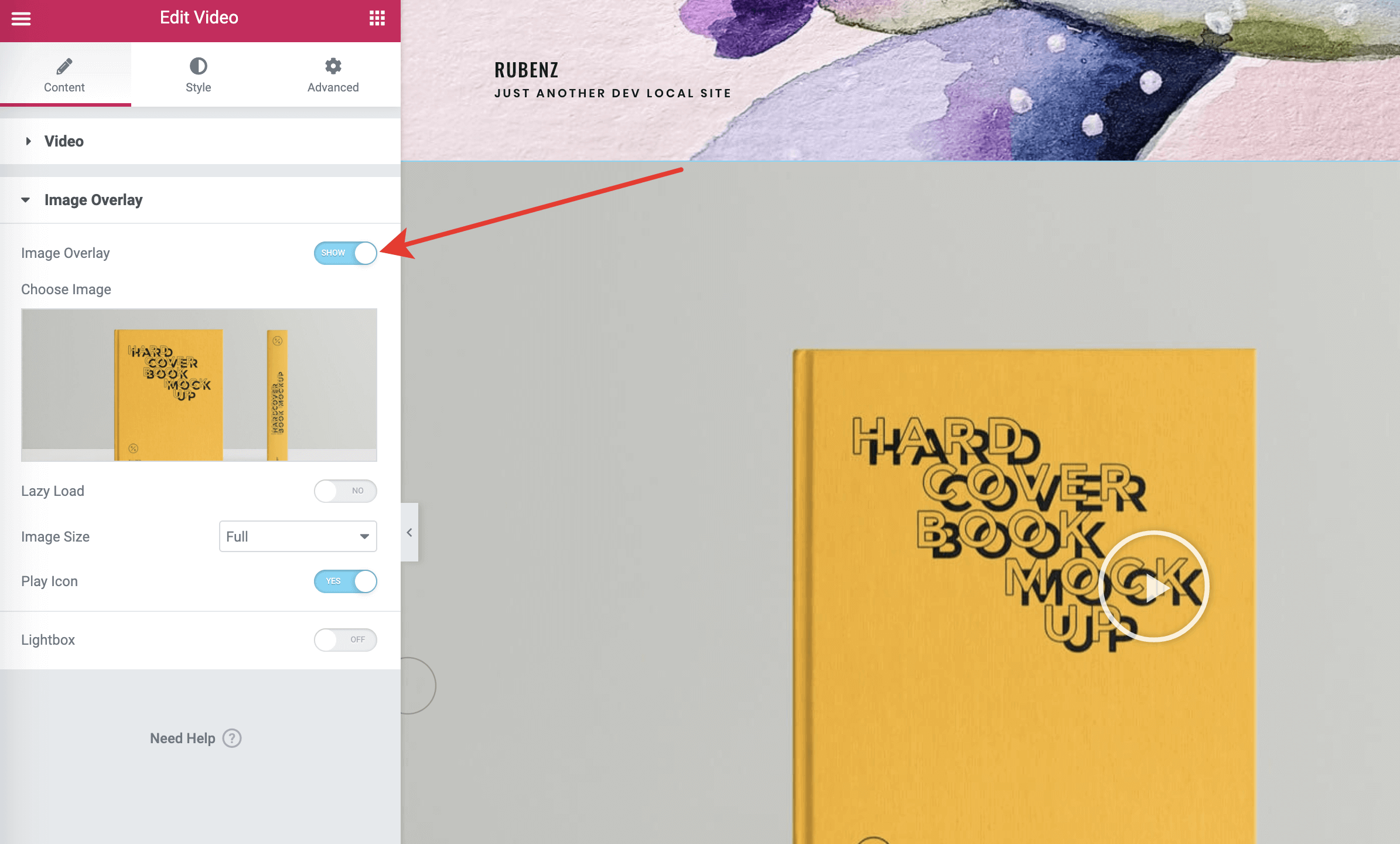
In the Video Elementor widget, place an image overlay over the video to cover the iframe.
# Option #4
If you think that smooth scrolling is a feature you don't really need, simply deactivate the Arts Smooth Scrolling plugin in the WordPress admin panel.