# Editing Footer
The footer is a widgetized area in the Arrigo theme. For example, to edit copyright info or social media links, you need to edit your widgets. But before doing that, let's see how to adjust the footer layout first.
# Configuring Layout
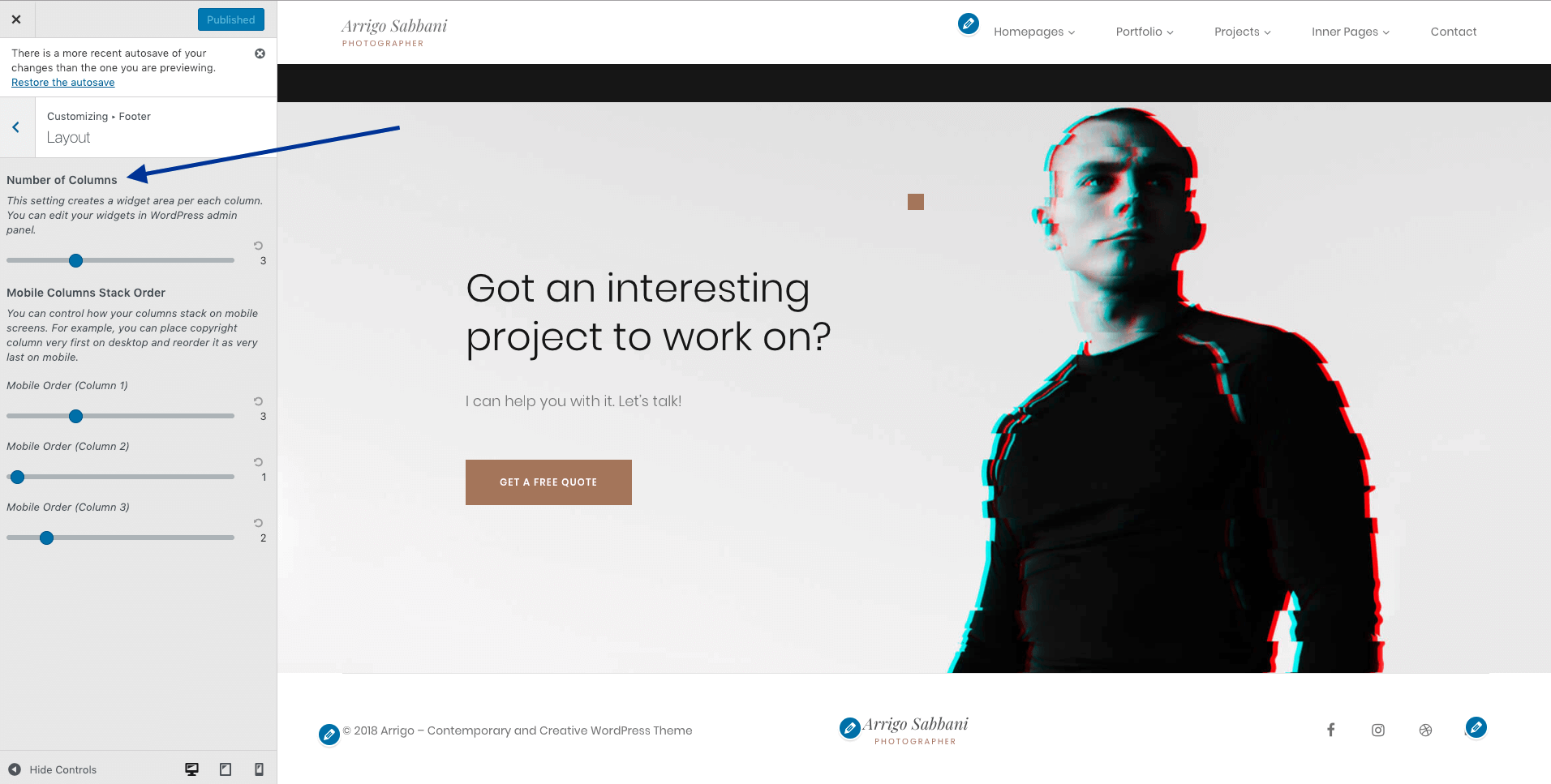
The theme supports flexible footer layouts, allowing you to construct up to 8 columns. These can be configured in Customizer → Footer → Layout.
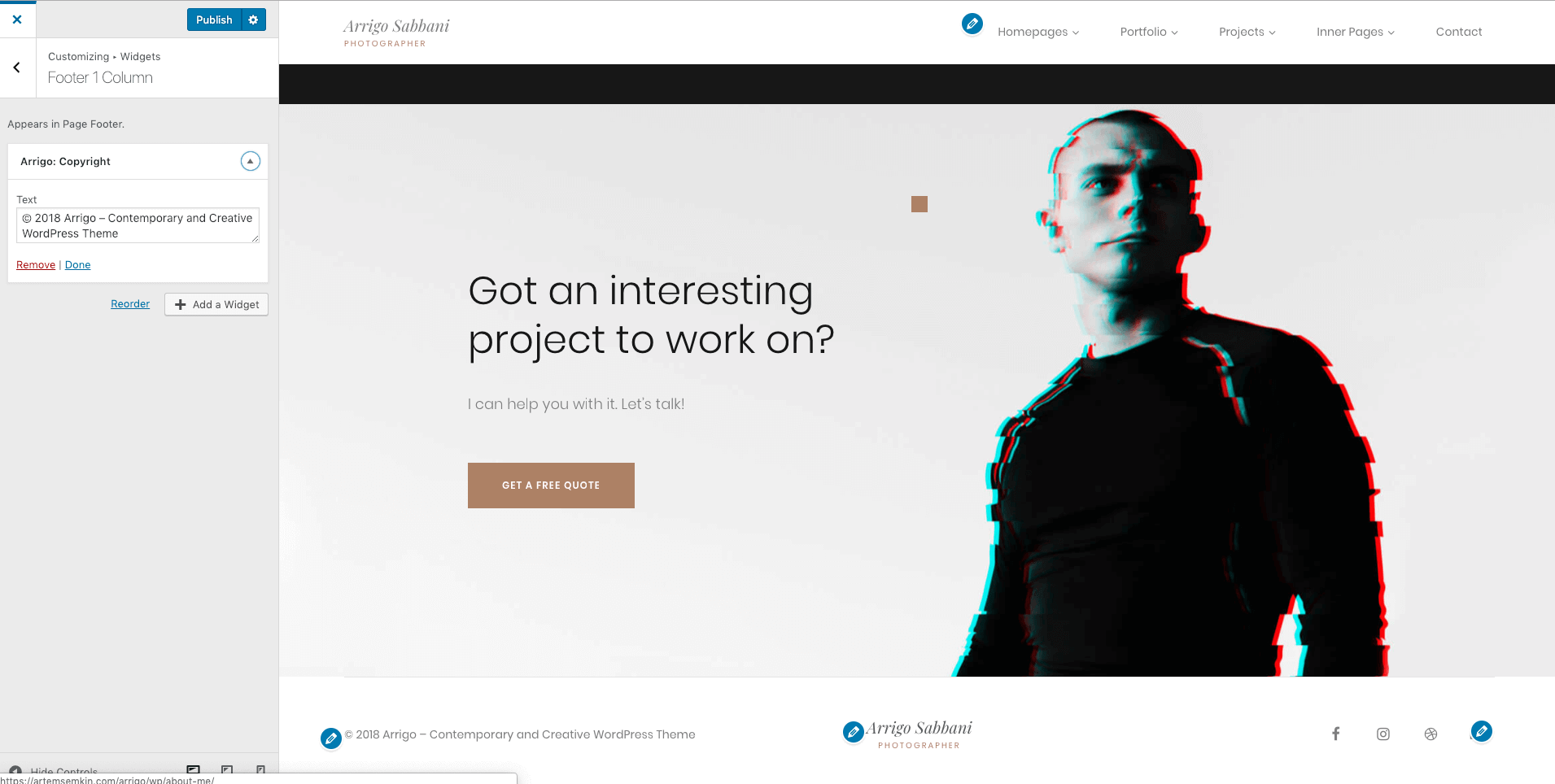
Now, let’s go back to the Customizer and open the Widgets → Footer # Column panel. The number indicates the order of the widgetized area in the footer from left to right.
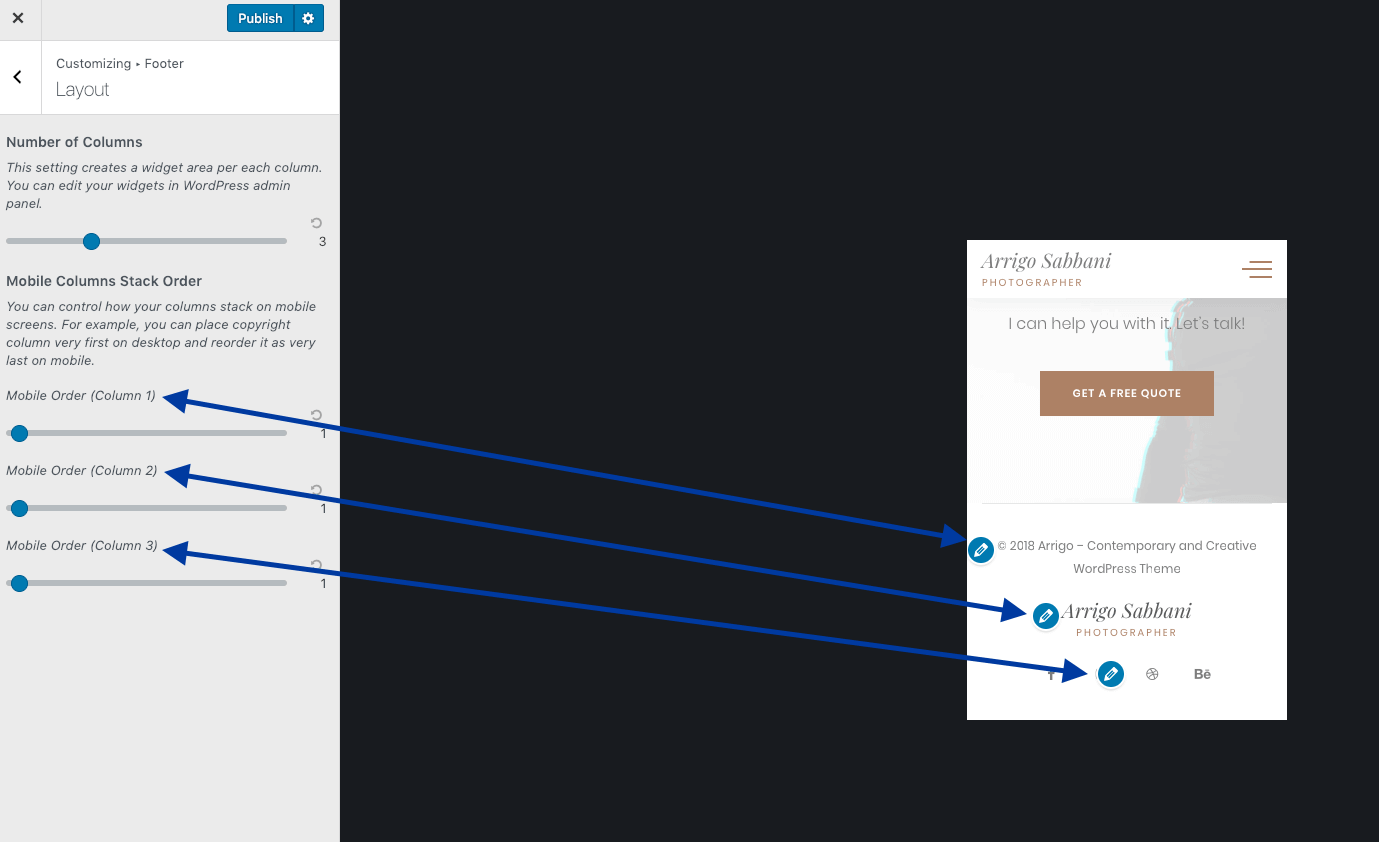
In the screenshot above, you see that the Copyright widget is placed first on mobiles, which doesn’t look good to your mobile users. Let’s fix that.
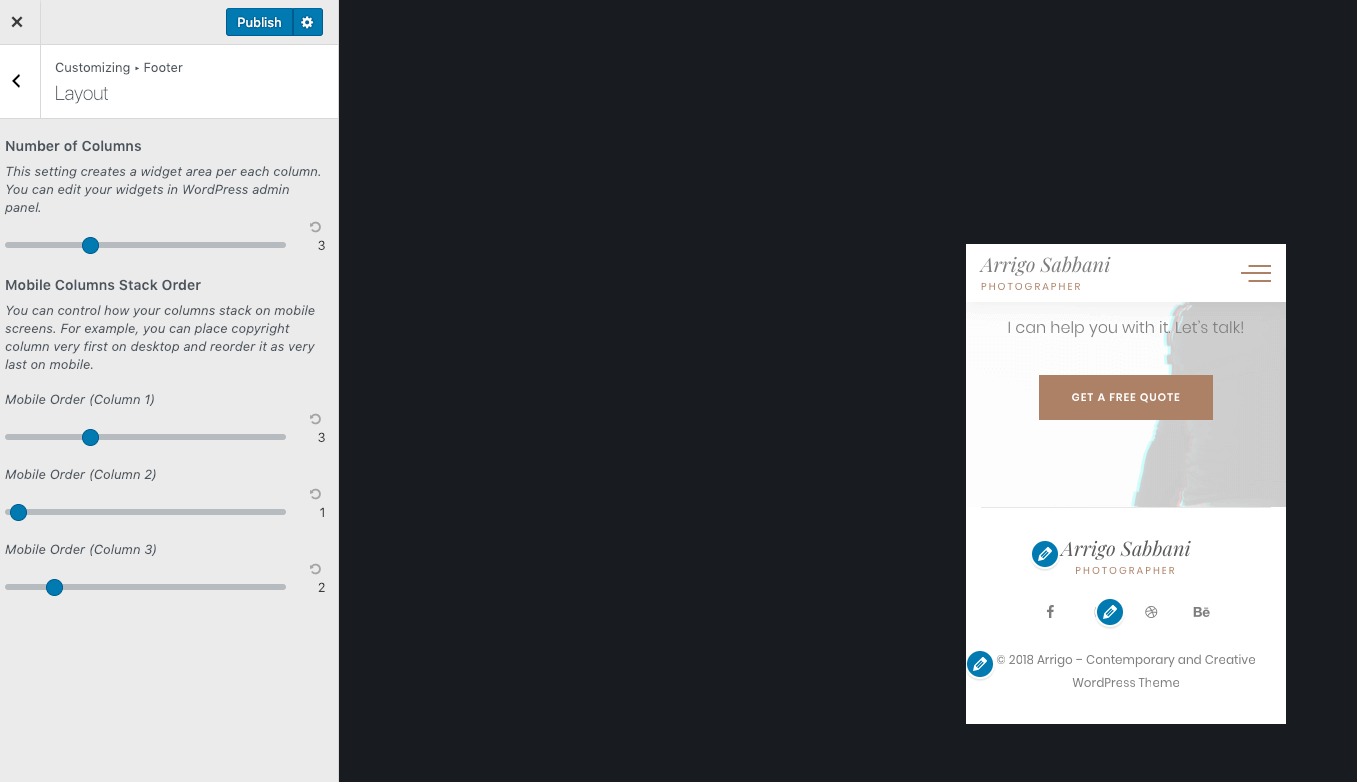
Copyright widget to be the last one in the column. So I set its order to 3.