# Resolving Fonts Rendering Issue
# The Problem
Your theme relies on Google Fonts which are being downloaded to your web-server as local .woff and .woff2 files and rendered to site visitors.
Lately Google tweaked their API on how the fonts files should be served depending on requester's UA (user-agent) identifier.
That change made the fonts manager of Kirki plugin to work incorrectly and resulted in incorrectly downloaded fonts files and therefore, incorrectly rendered fonts on your website.
# The Solution
# ▶️️️️️ Step 1.
Update both theme and core plugin to the latest versions. You can learn more on how to do this in your theme documentation.
# ▶️️️️️ Step 2.
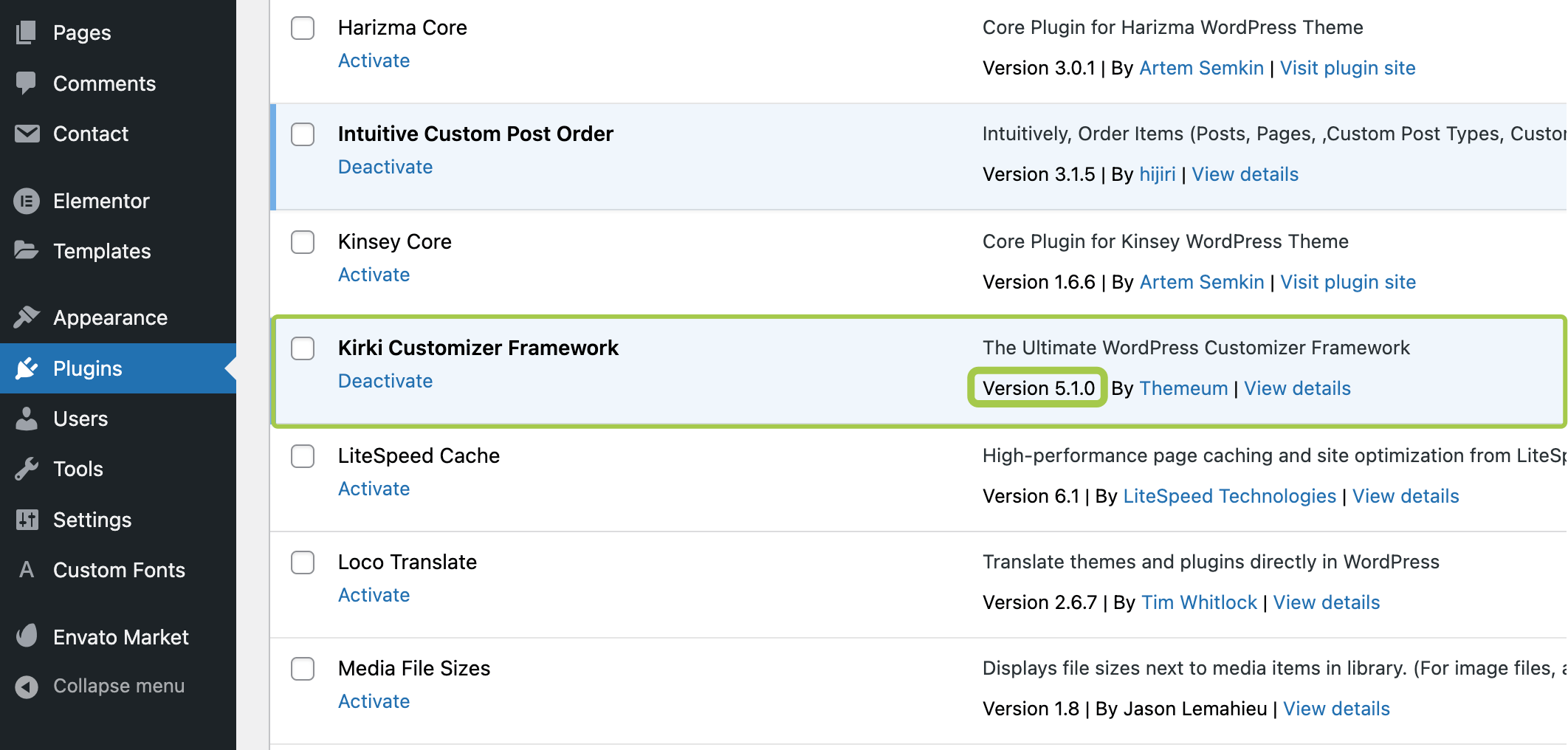
Update Kirki Plugin (opens new window) to the latest version. Minimum required version is 5.1.0.
# ▶️️️️️ Step 3.
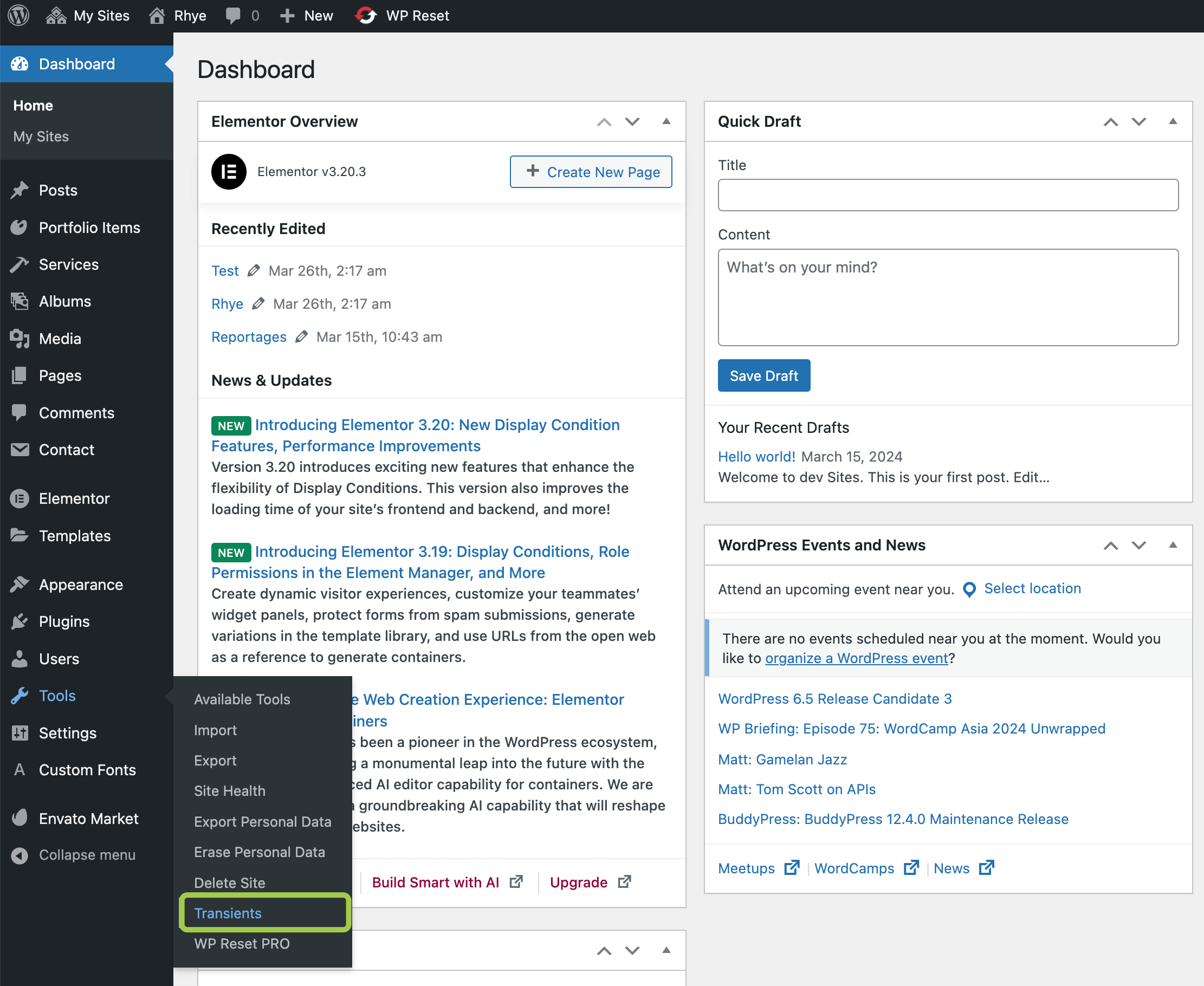
Install and activate Transients Manager Plugin (opens new window) in your WordPress.
# ▶️️️️️ Step 4.
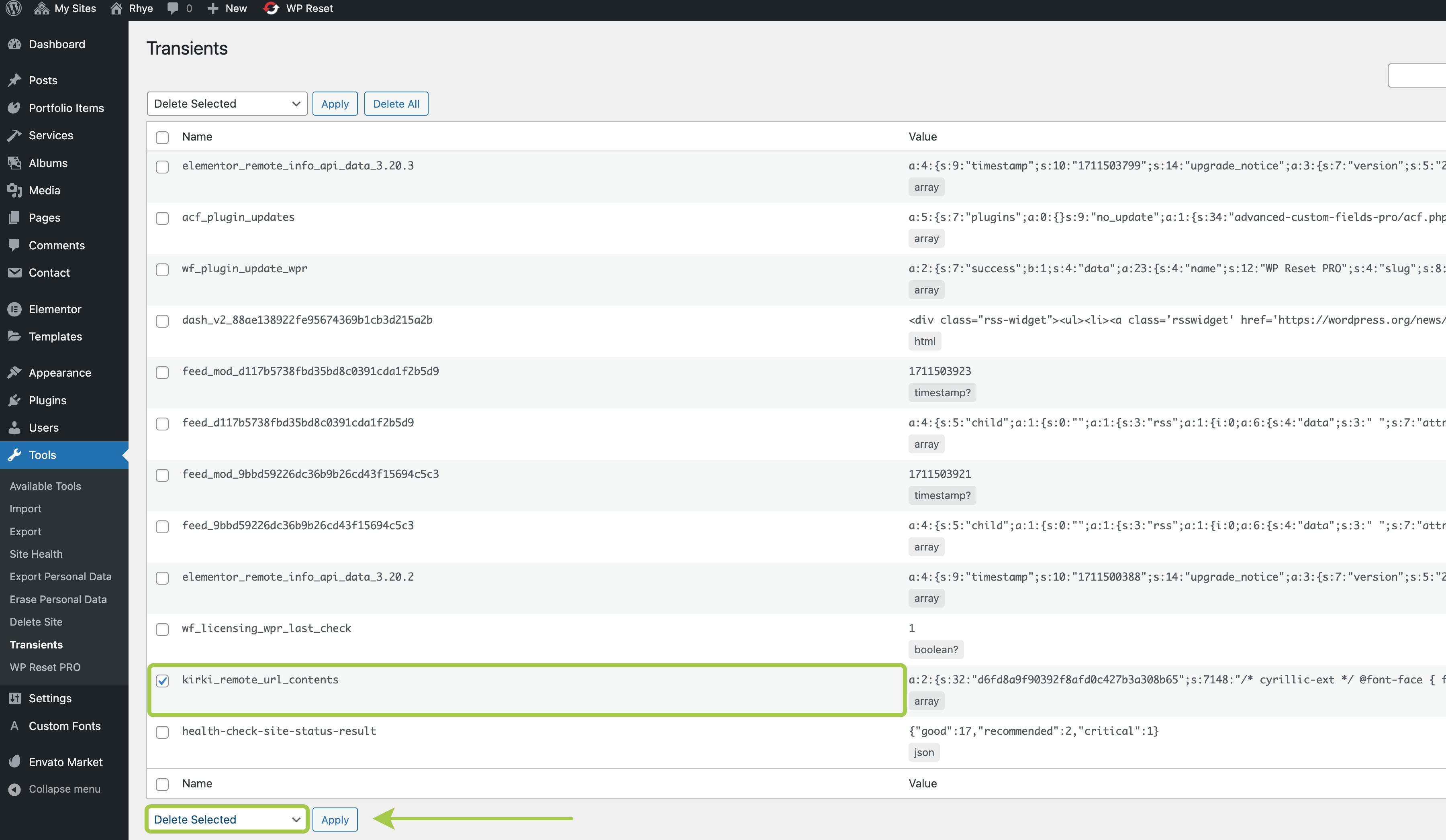
Go to Admin Panel -> Tools -> Transients and delete kirki_remote_url_contents transient.
# ▶️️️️️ Step 5.
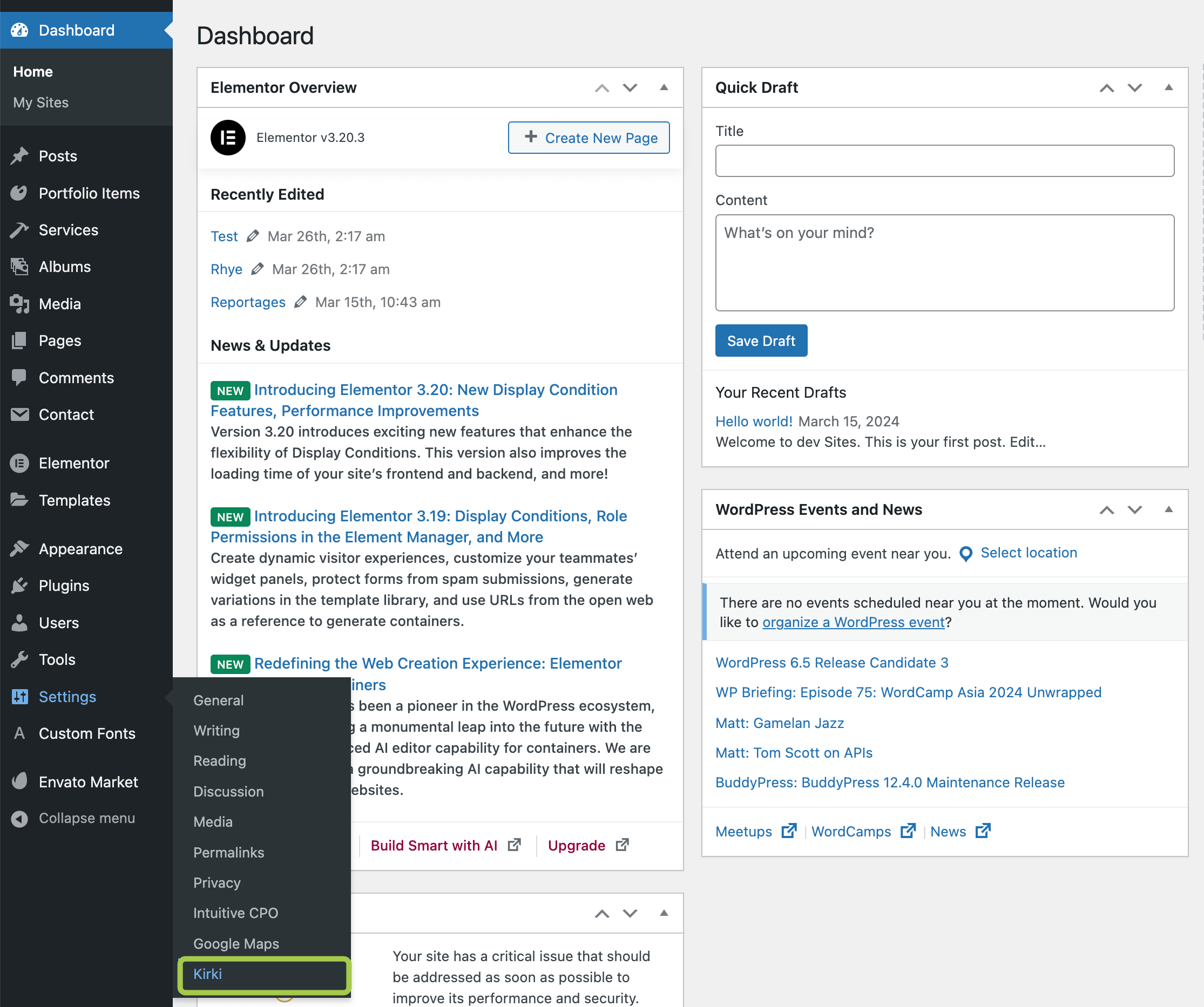
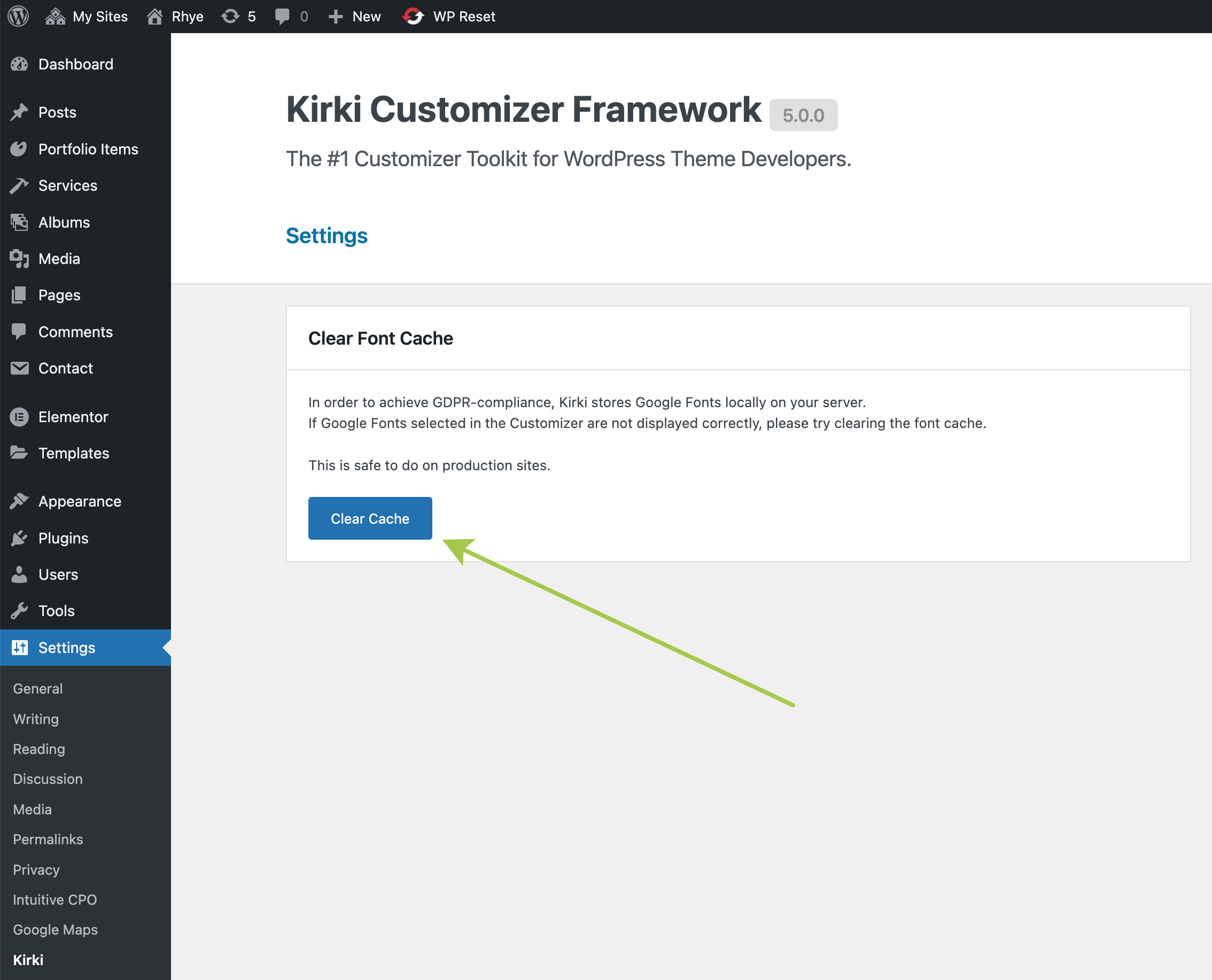
Go to Admin Panel -> Settings -> Kirki and click Clear Cache button.
# ▶️️️️️ Step 6.
If you're using a caching plugin, in your WordPress panel trigger the cache rebulding. Usually this can be done by clicking on Flush Cache, Regenerate Cache, etc (the label may vary) button.
Finally Enter "Incognito" mode in your browser and verify the fonts appearance.