# Updating Core Plugin
# Update from WordPress Admin Panel
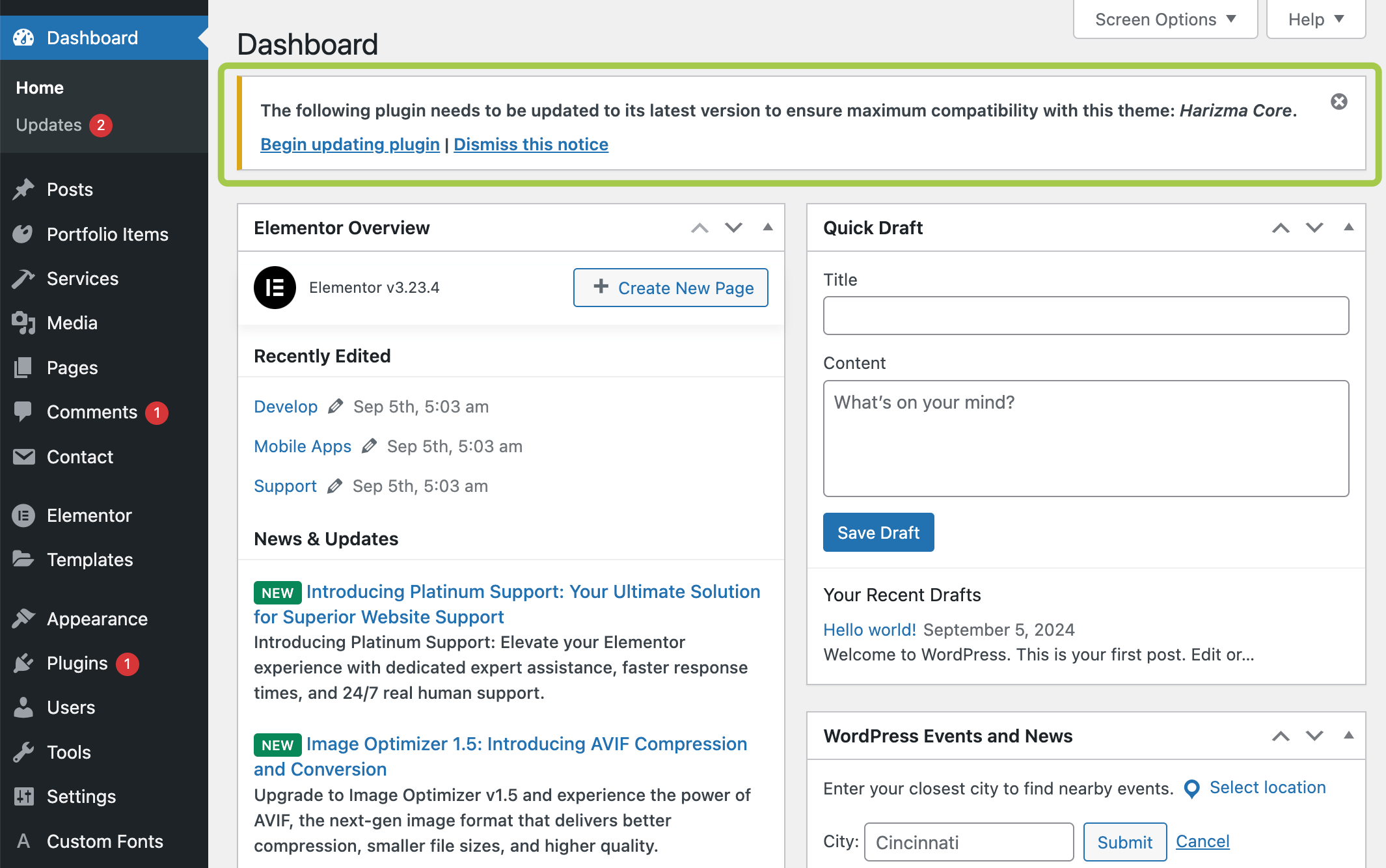
Occasionally (or immediately after a theme update in some cases), you'll receive a reminder to update the Harizma Core Plugin. The reminder may look like this:
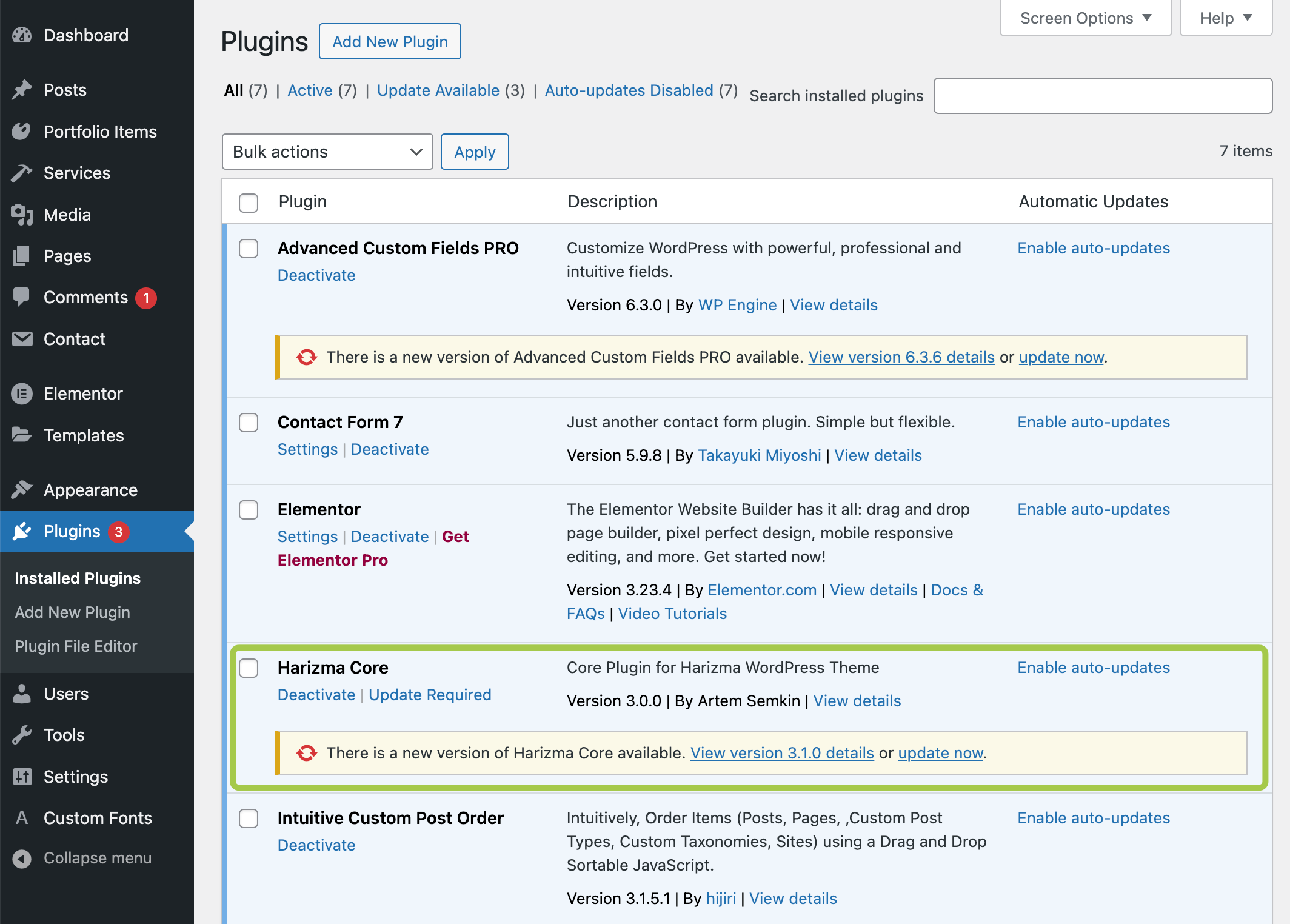
Plugins -> Installed Plugins section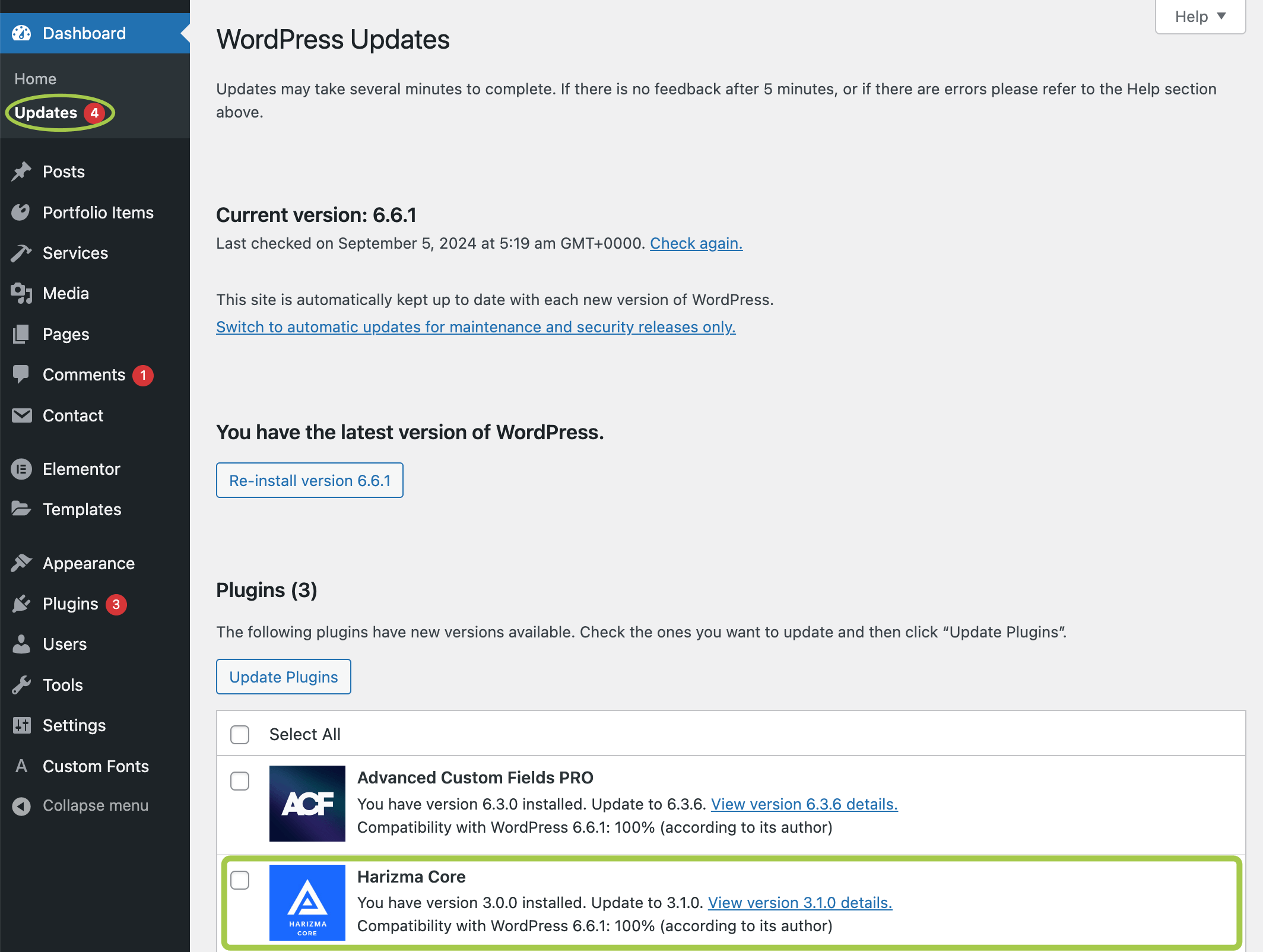
Dashboard -> Updates sectionSince the core plugin is an essential part of the theme, you should always keep it up to date. Simply click Update now in the notification and wait until the update is complete.
# Offline Update
If the core plugin update fails for some reason, you can update it manually. Here are the steps to do this:
# ▶️ Step 1.
Download the theme files from your ThemeForest account. Choose All Files & Documentation.

# ▶️ Step 2.
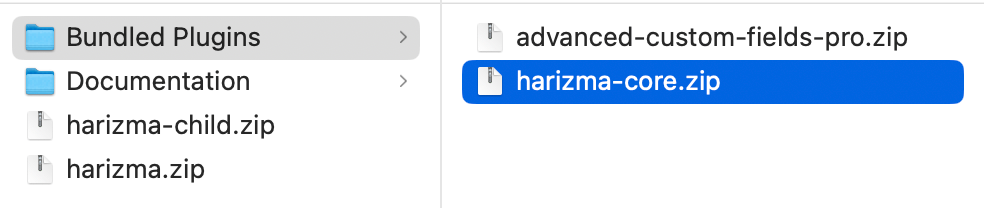
Unzip the downloaded archive. In the 📁 Bundled Plugins folder, locate the 📄 harizma-core.zip archive.
# ▶️ Step 3.
Upload the updated plugin archive into the Plugins section in your WordPress backend panel. Agree to replace the existing plugin version when prompted.
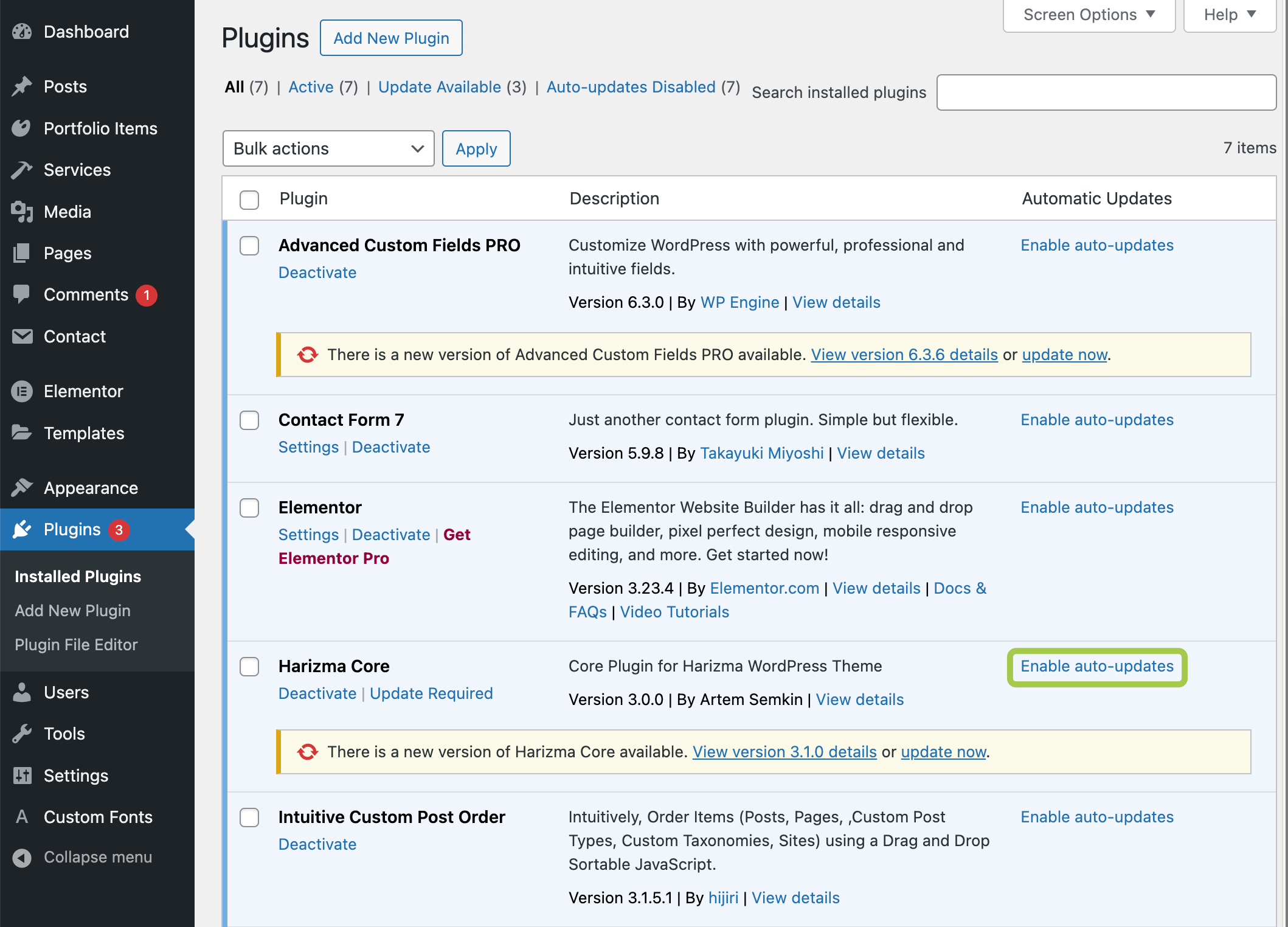
# Enabling Automatic Updates
To ensure compatibility with the latest WordPress and the theme, it's recommended to enable automatic updates for the core plugin: