Appearance
Elementor Setup
The theme is powered by a modern frontend page builder called Elementor. If you’re not familiar with it, don’t worry, we will make the first steps together in the next sections. For now, let’s do the initial Elementor setup to achieve the best design results using the theme.
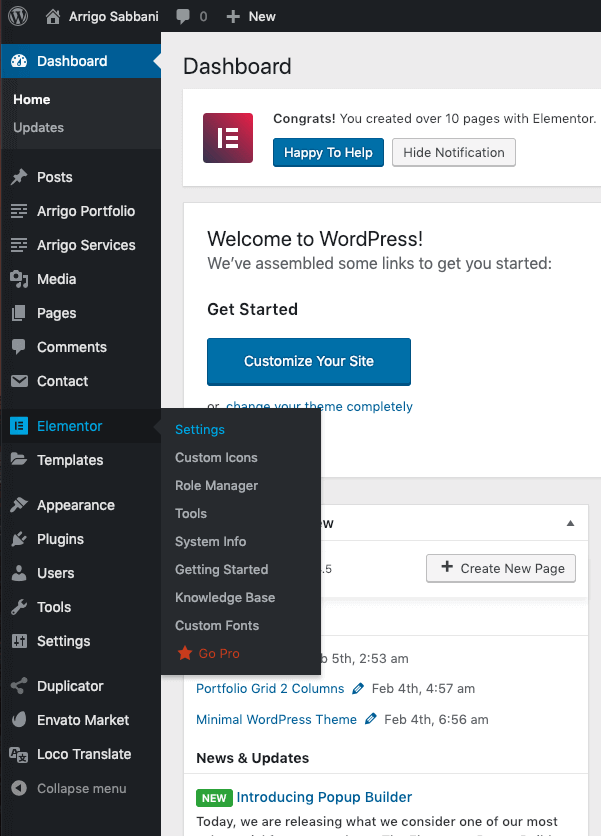
Elementor → Settings menuMissing Elementor menu?
If you don't see Elementor's menu, please make sure that the plugin has the latest version and it's activated. You can check which plugins are currently active from the Plugins menu.
General Options
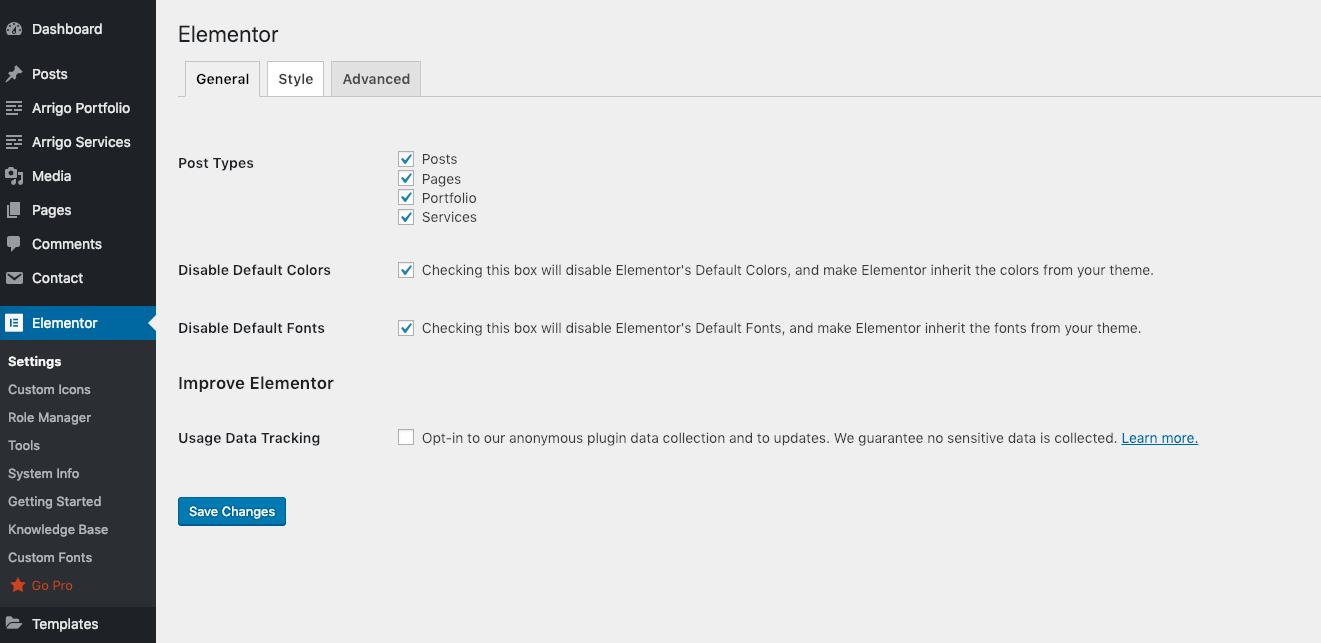
General tabMake the necessary adjustments according to the screenshot above.
- Post Types – Posts, Pages, Portfolio, Services
- Disable Default Colors – Yes
- Disable Default Fonts – Yes
Style Options
Now let's return to the site frontend and enter Edit with Elementor mode on any page.
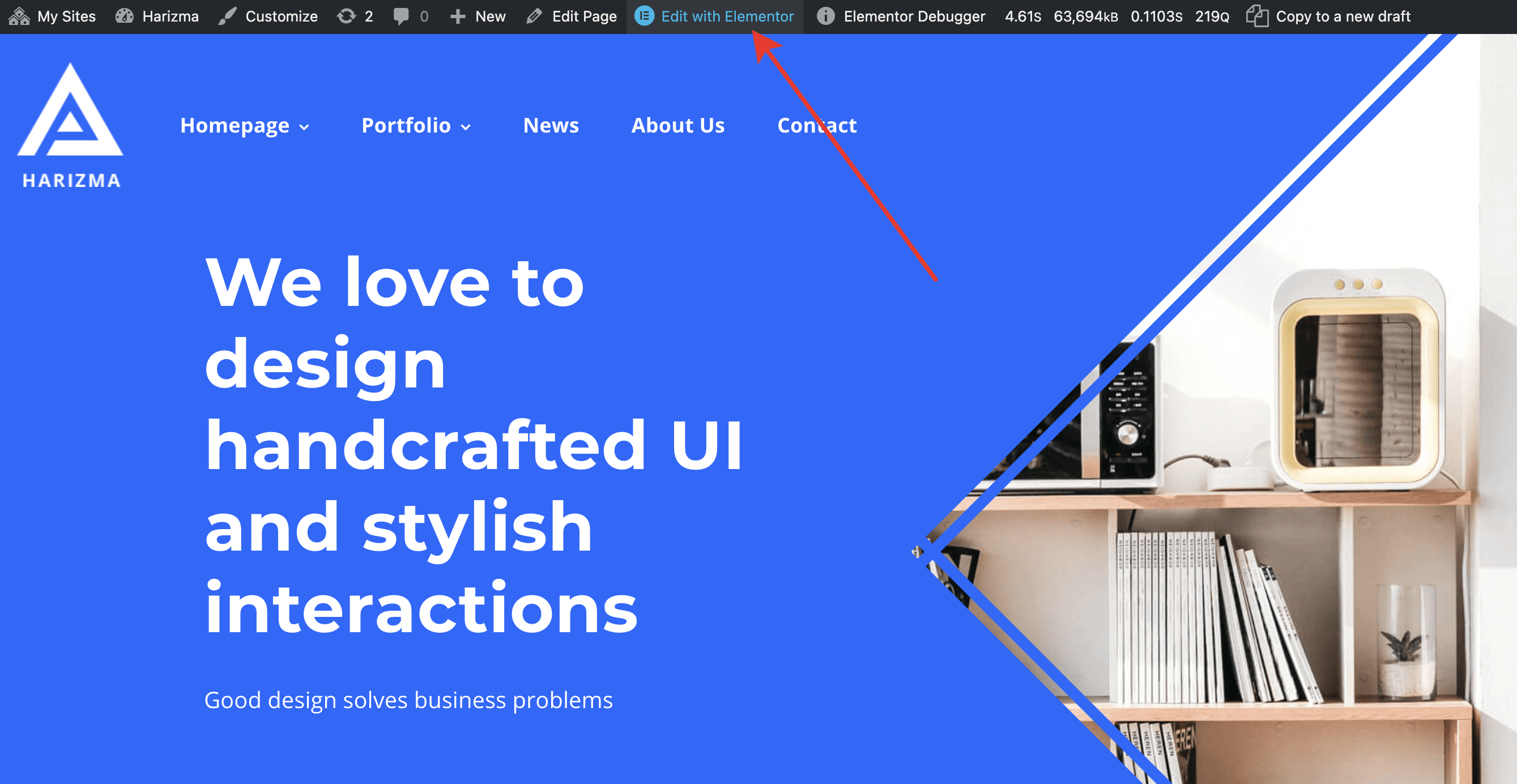
Edit with Elementor button in the top admin bar

Layout panel under the Settings panels group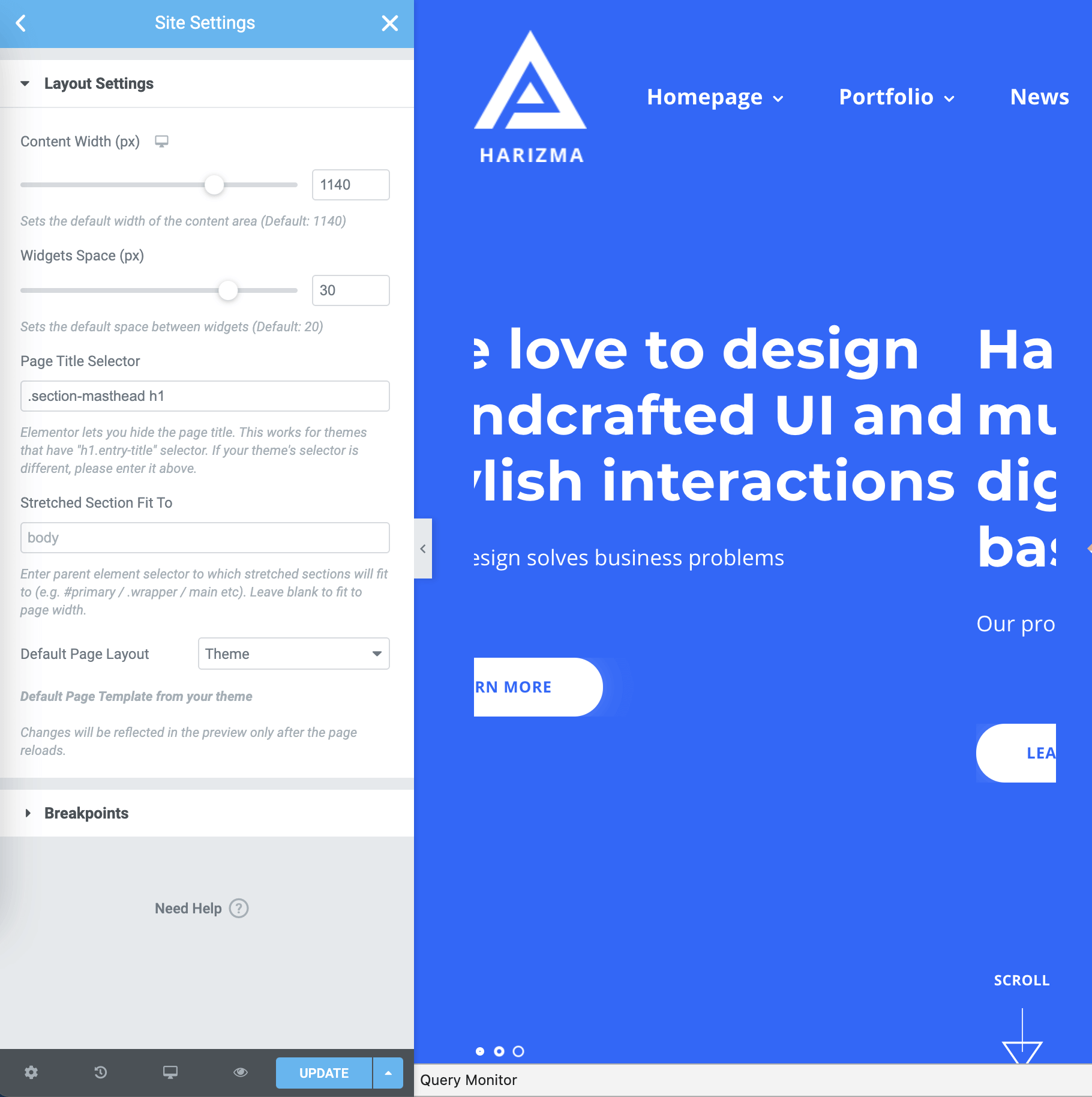
Make the necessary adjustments according to the screenshot above.
- Content Width – 1140
- Space Between Widgets – 30
- Page Title Selector – .section-masthead h1
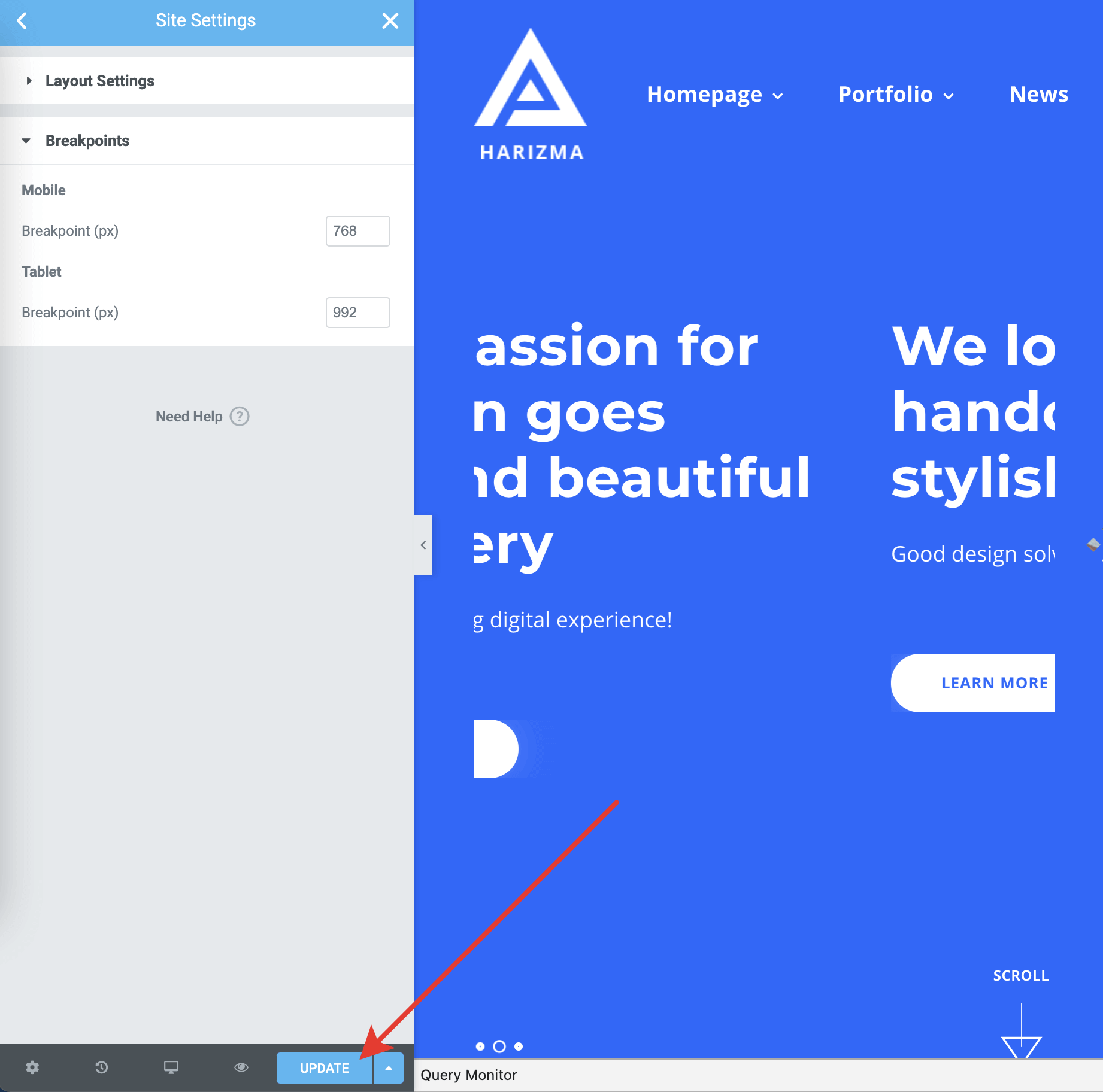
Finally, make some extra adjustments in the Breakpoints panel as follows.
- Tablet Breakpoint – 992
- Mobile Breakpoint – 768