Appearance
Getting Started
Arrigo is built upon a modern page builder called Elementor. If you haven’t used this page builder before, I recommend you check out some useful links first.
Let’s figure out how you can use this powerful builder in the Arrigo theme.
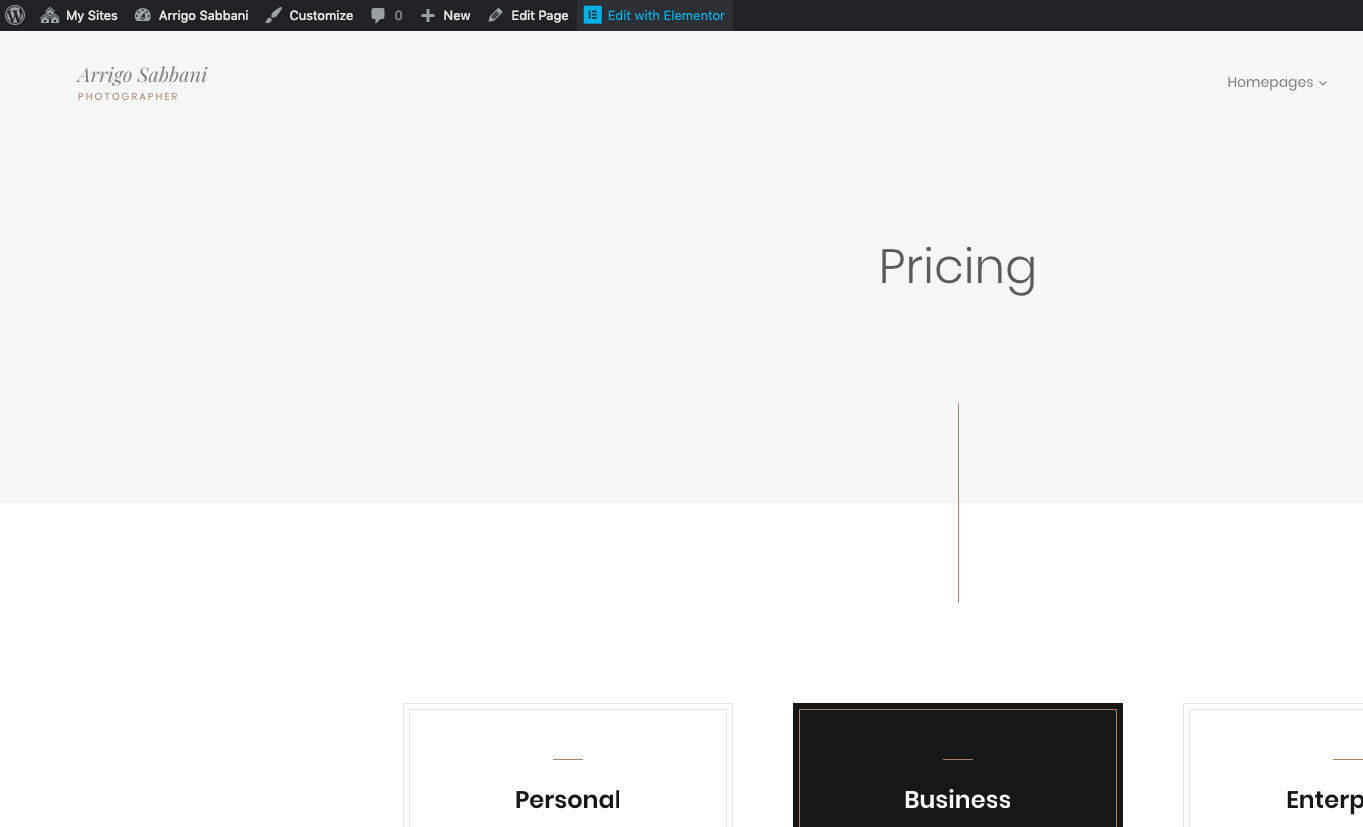
▶️ Step 1.
Go to any page you want to edit and click Edit with Elementor.
▶️ Step 2.
Click on any editable Elementor widget. You will see all the available options for the selected widget.
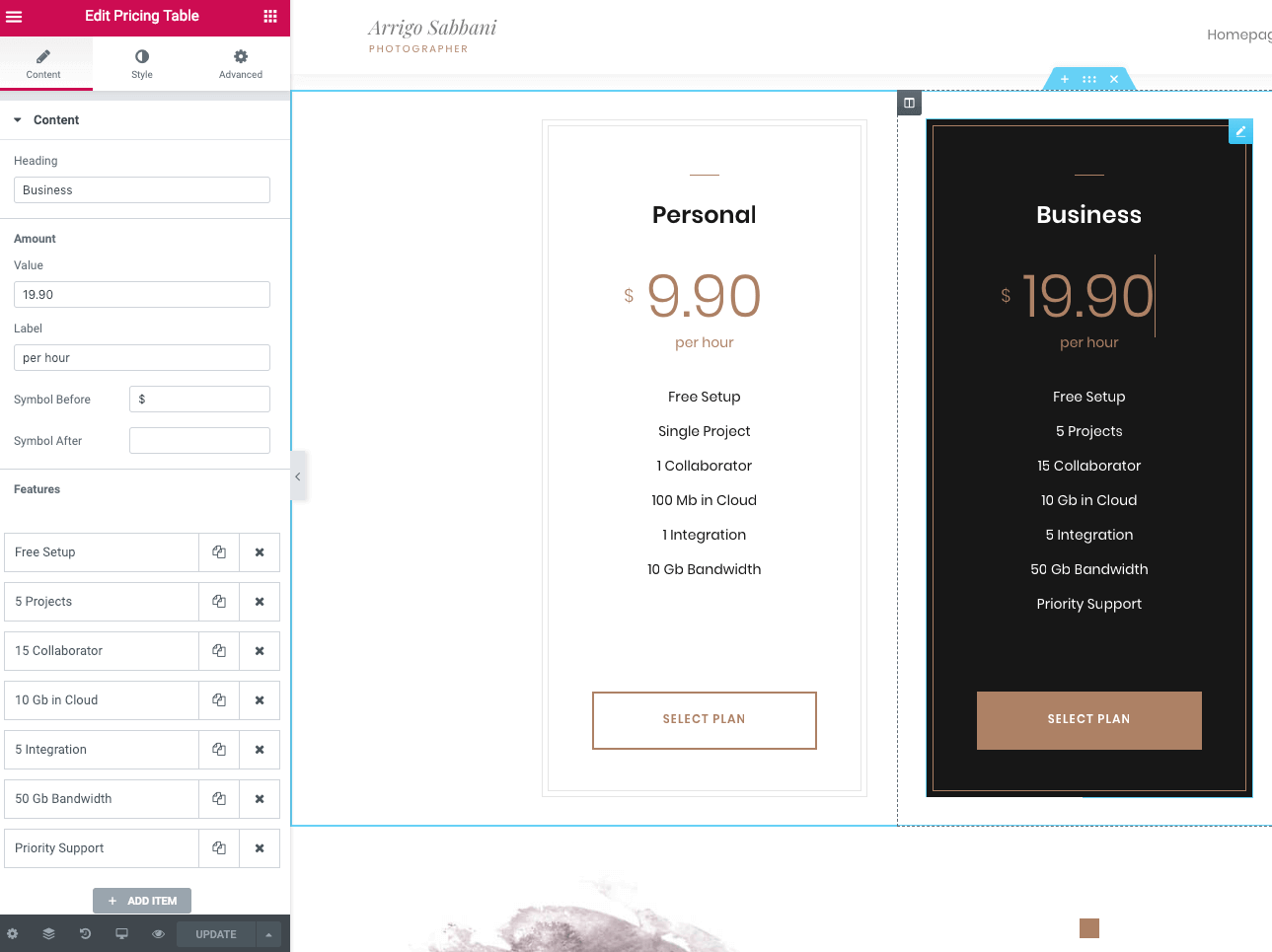
▶️ Step 3.
Edit your widget in the left panel or right on the page. You will see all the changes in the preview immediately.
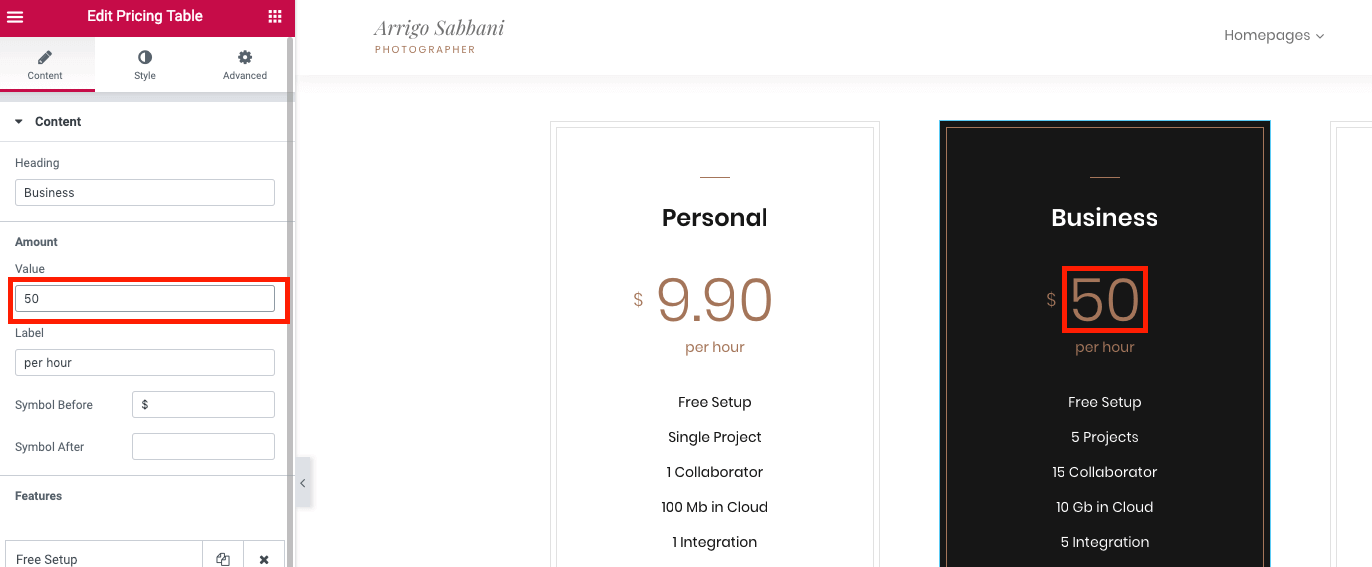
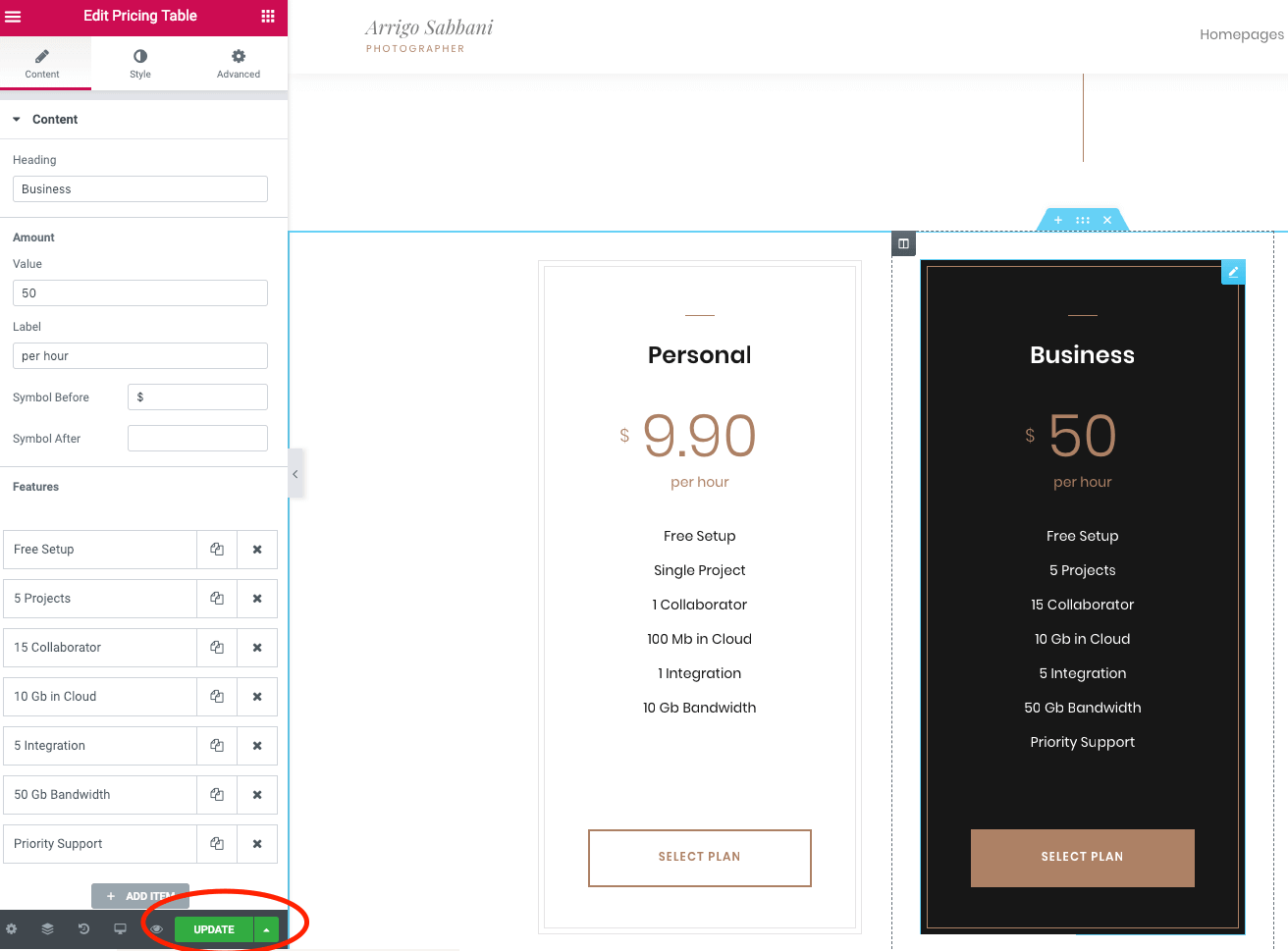
▶️ Step 4.
After you're done, click the Update button to save all the changes.