# Extended Document Options
As you may have seen throughout the demo, there are pages that have different masthead layouts and page footers. These settings can be adjusted per individual page.
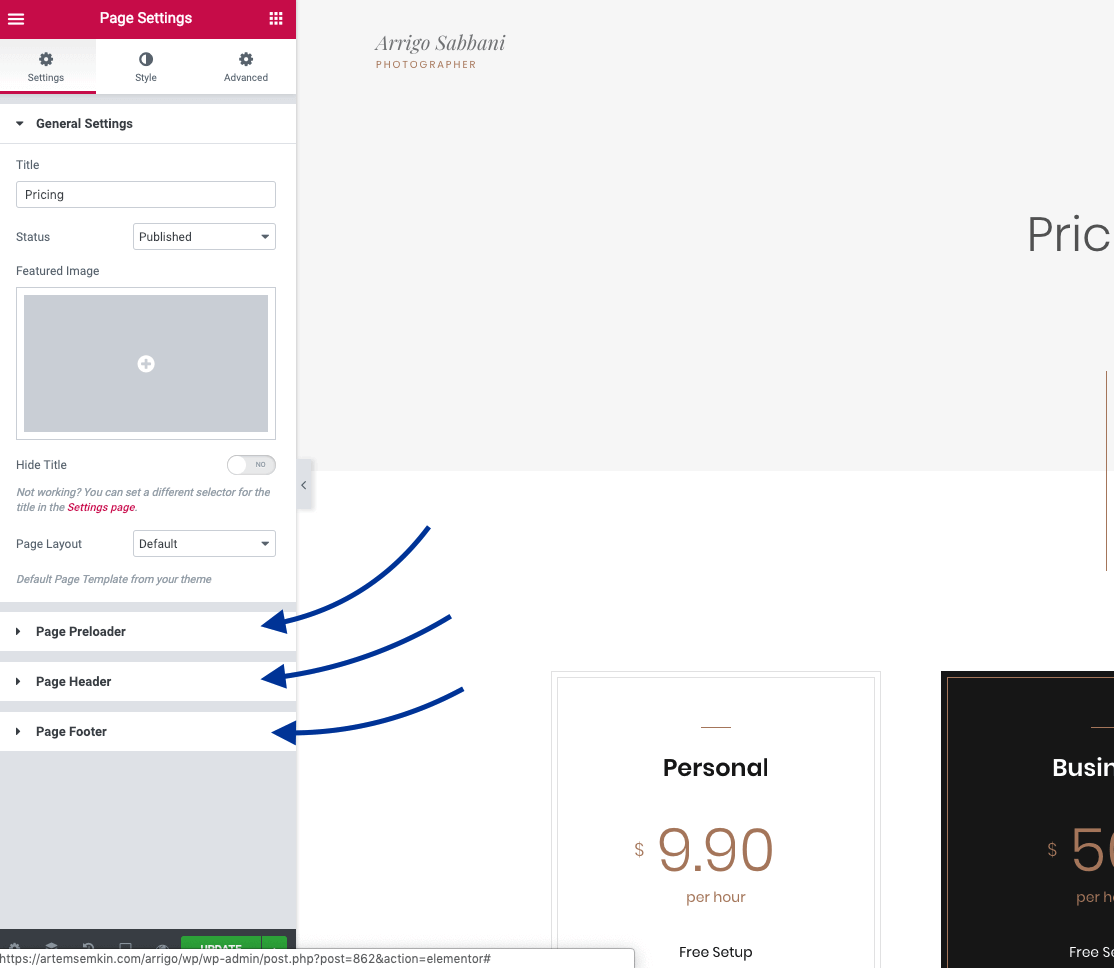
While in Edit with Elementor mode, click on the Cogs icon at the very bottom left. Here you will find the available document options under the Settings tab, grouped into four sections:
- General Settings
- Page Preloader
- Page Header
- Page Footer
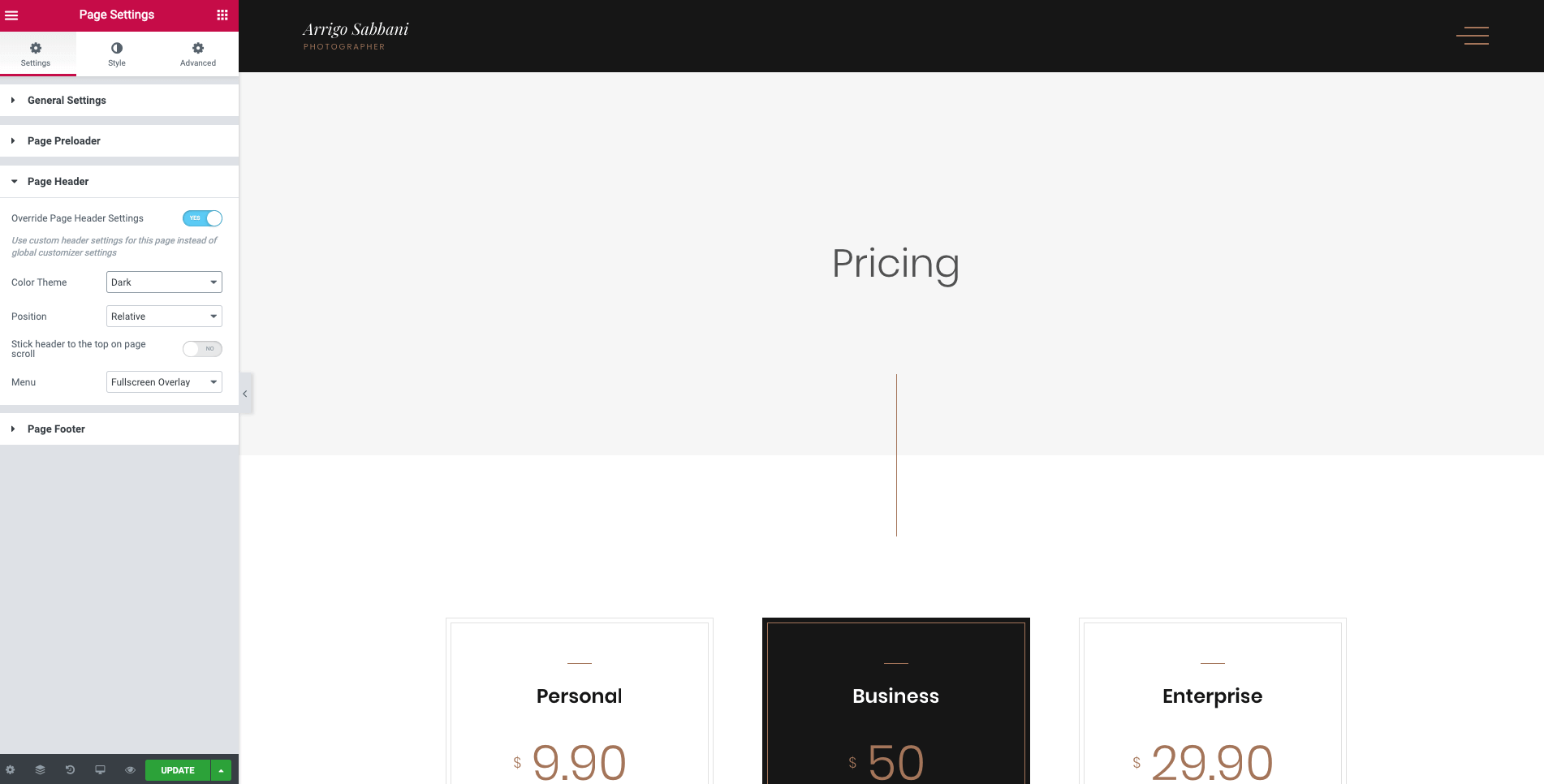
For example, you can set a totally custom header for the current page.
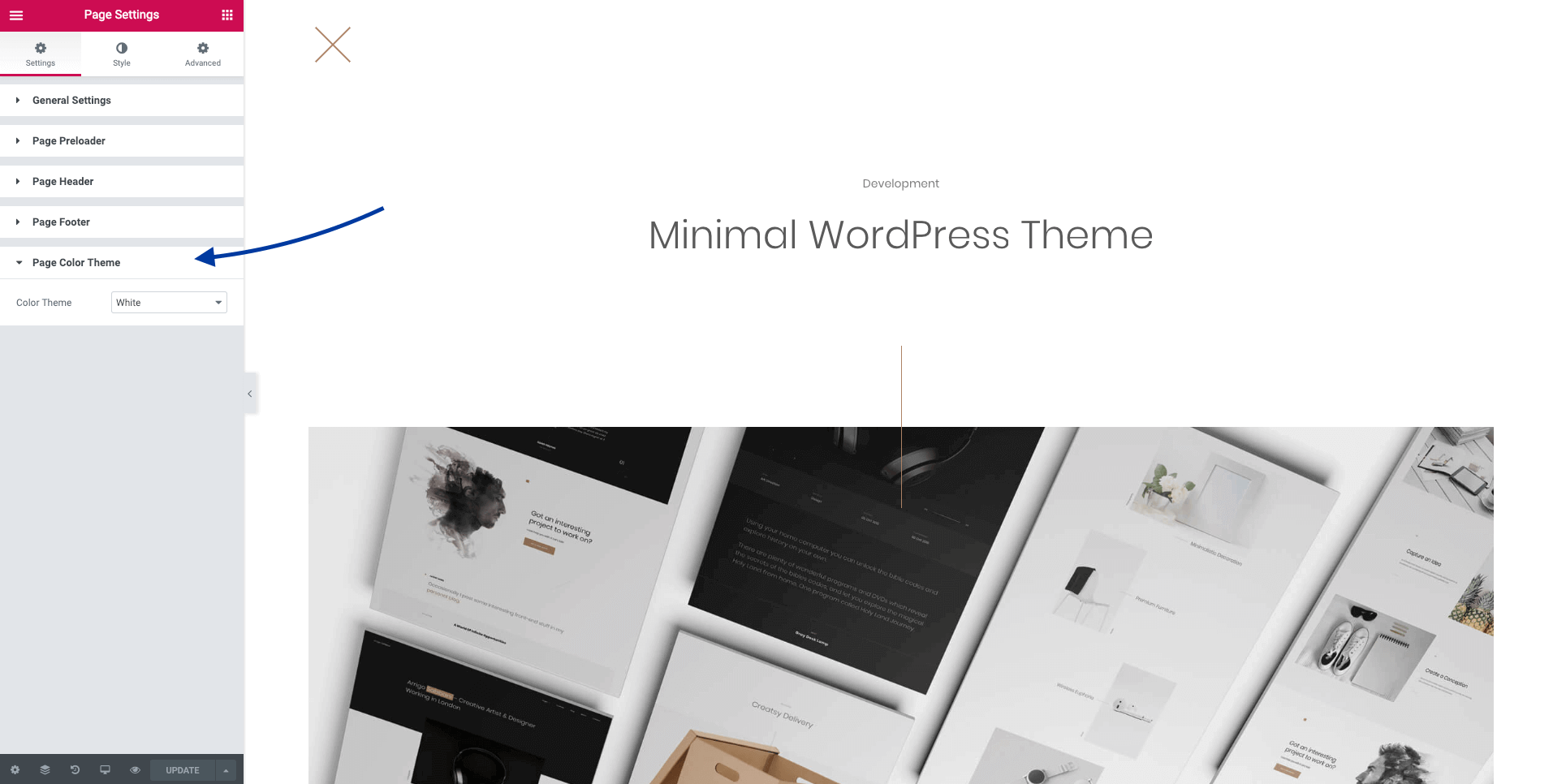
There are some extra override options available only for Arrigo Portfolio Post Types. For example, you can adjust the page color theme or remove the whole header and place only a Close button.